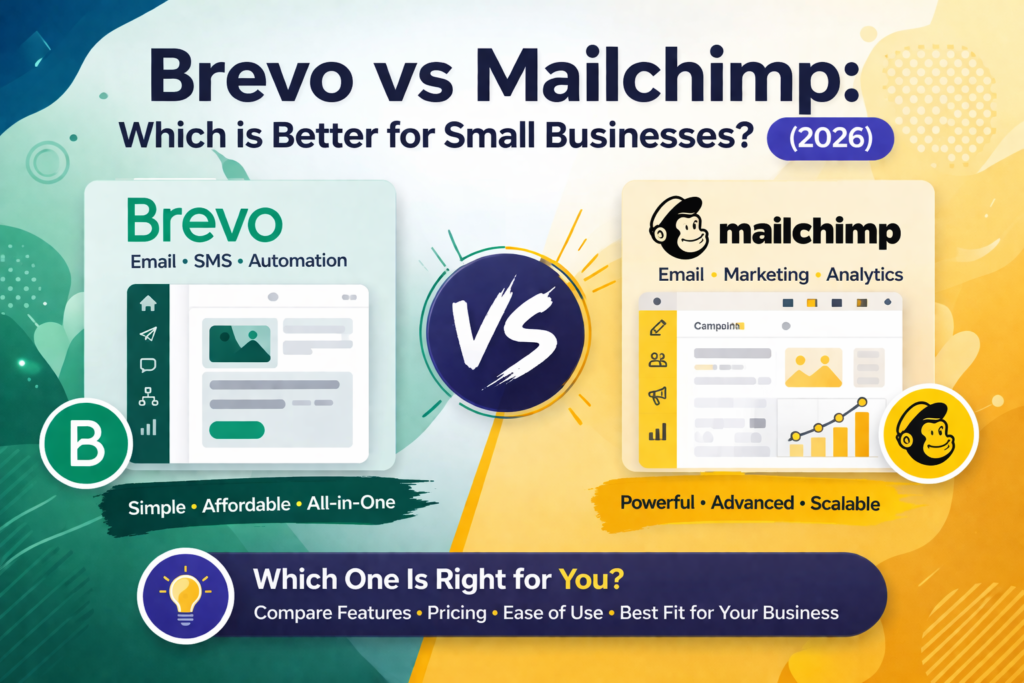
In this Brevo vs Mailchimp comparison, here’s the quick answer based on your needs. Choose Brevo if: You have a large contact list, need automation free, want SMS/CRM included, or are switching from Mailchimp to save money. Choose Mailchimp if: You’re a complete beginner, need polished templates from day one, or run an eCommerce store needing deep analytics.
Brevo vs Mailchimp — My Honest Experience With Both
Brevo vs Mailchimp is probably the most common email marketing debate I get asked about. Honestly, I spent over a year using Mailchimp before I switched to Brevo — and I wish someone had shown me this comparison before I made that decision. The price difference alone would have saved me several hundred dollars.
However, switching email tools isn’t just about price. It’s also about features, ease of use, deliverability, and whether the tool actually fits how you work. As a result, I’ve tested both platforms properly — not just for a week, but across real campaigns with real subscriber lists. In this comparison, I’ll share exactly what I found, including the things both platforms conveniently don’t mention in their own marketing.
Furthermore, this isn’t a generic feature checklist. Instead, it’s a practical breakdown focused on what small businesses actually care about: how much it costs, whether it’s easy to use, and whether it will still be affordable when your list grows. Let’s get into it.
To compare both tools alongside MailerLite, HubSpot, Kit, and others, check out our full guide to the best email marketing tools for small businesses in 2026.
Brevo vs Mailchimp — Full Feature Comparison (2026)
First, here’s a complete side-by-side comparison. Then, we’ll break down the most important differences in plain language.
| Feature | Brevo | Mailchimp |
| Pricing Model | Per email sent — not contacts | Per contact — list size drives cost |
| Free Plan | 9,000 emails/mo, unlimited contacts | 500 contacts, 1,000 emails/mo only |
| Automation (free) | ✅ Yes — included free | ❌ No — paid plan only |
| Entry Paid Plan | $9/month (5K emails) | $13/month (500 contacts) |
| CRM Built-in | ✅ Basic CRM included | ❌ No built-in CRM |
| SMS & WhatsApp | ✅ All plans | ⚠️ SMS add-on only |
| Templates | 100+ (looks dated) | 100+ (more modern design) |
| Ease of Use | ★★★★☆ Clean & simple | ★★★★★ Very beginner-friendly |
| A/B Testing | Business plan ($65/mo) | All paid plans from $13/mo |
| Reporting | Good — heatmaps on Business | Better analytics on Standard+ |
| Integrations | 150+ native integrations | 300+ native integrations |
| Best For | Large lists, tight budget, SMS+CRM | Beginners, eCommerce, polished templates |
| Overall Rating | 4.2 / 5 | 4.0 / 5 |
Brevo vs Mailchimp Pricing — The Real Cost Comparison
Pricing is where Brevo vs Mailchimp gets interesting — because the two platforms use completely different pricing models. Consequently, the tool that looks cheaper at first might actually cost more as your list grows.
Mailchimp charges based on the number of contacts in your account. As a result, as your list grows, so does your bill — even if you’re sending the same number of emails. Moreover, Mailchimp charges you for unsubscribed contacts until you manually remove them. Therefore, cleaning your list regularly is not just good practice with Mailchimp — it’s necessary to control your costs.
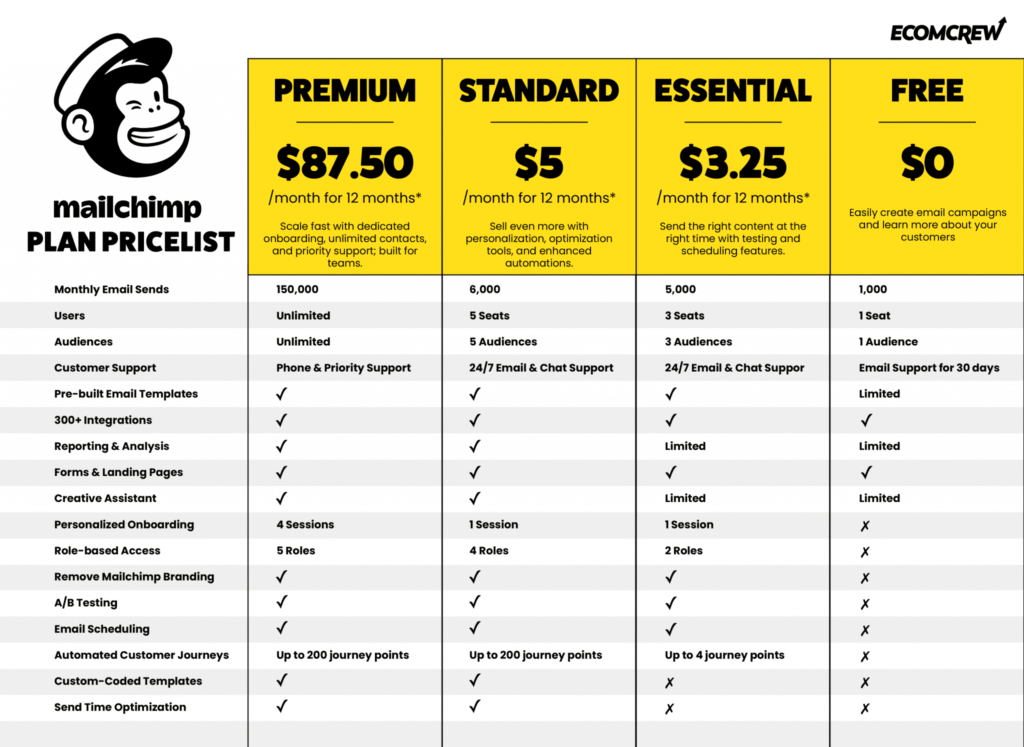
Brevo, on the other hand, charges based on the number of emails you send per month, not your contact list size. Because of this, you can have 50,000 contacts and only pay based on how many emails you actually send. This pricing model is significantly better for businesses with large lists who don’t email their entire list every week.
| Plan | Brevo | Mailchimp |
| Free | 9,000 emails/month + unlimited contactsAutomation included300 emails/day limit | 500 contacts + 1,000 emails/monthNo automation500 emails/day limit |
| Entry Paid | Starter: $9/month5,000 emails, unlimited contactsNo daily limit | Essentials: $13/month500 contacts, unlimited emailsNo automation on Essentials |
| Mid Tier | Business: $65/monthAdvanced automation, A/B testingMultiple users included | Standard: $20/month500 contacts, full automationA/B testing, better analytics |
| List of 5,000 | ~$25/month (email volume based) | ~$75/month (contact based) |
| List of 10,000 | ~$39/month (email volume based) | ~$110/month (contact based) |
| 💡 Real example: A business with 10,000 contacts pays roughly $110/month on Mailchimp Standard. However, on Brevo, the same business pays about $39/month for the equivalent email volume. That’s a saving of over $850 per year — simply because of the pricing model difference. |
Brevo vs Mailchimp Free Plan — Which is Actually Useful?
Both platforms offer free plans. However, they are very different in terms of what you actually get — and one of them is substantially more useful than the other.
Brevo’s free plan gives you unlimited contact storage and 9,000 emails per month (300 per day). Additionally, automation is included — which means you can set up welcome sequences and drip emails at zero cost. In contrast, Mailchimp’s free plan in 2026 is now limited to 500 contacts and just 1,000 emails per month. Furthermore, automation is not available on Mailchimp’s free plan — you need to upgrade to at least the Essentials tier ($13/month) to access it.
Therefore, if you’re just starting out and need a genuinely functional free email marketing setup, Brevo’s free plan is far more useful. However, if you specifically need email templates from day one without designing from scratch, note that Brevo’s free plan also doesn’t include templates. As a result, you’d need to design your emails from scratch on the free tier of either platform.
| In my experience: I started on Mailchimp’s free plan and quickly hit the 500-contact limit within 3 months. Then I upgraded to Essentials ($13/month) just to get basic automation. Later, I switched to Brevo and got automation and 100,000 contacts for free. That comparison still frustrates me when I think about it. |
Brevo vs Mailchimp: Ease of Use — Which is Simpler?
Both platforms are beginner-friendly. Nevertheless, there are meaningful differences in how they feel day to day.
Mailchimp has been around since 2001. Consequently, it has had decades to refine its user experience. The drag-and-drop email editor is polished, the template library looks modern, and the onboarding process is smooth. For someone who has never used any email marketing tool, Mailchimp is probably the easier starting point — everything is exactly where you’d expect it to be.
Brevo, on the other hand, is clean and simple but feels slightly less refined in places. The left-side menu is logical and easy to navigate. However, some settings are buried deeper than they should be, and the template designs look more dated compared to Mailchimp’s library. That said, Brevo’s interface has improved significantly over the past 12 months, and most users feel comfortable after 2-3 days of use.
The 4 Key Differences Between Brevo and Mailchimp
Difference 1 — Pricing Model (Contact-Based vs Email-Based)
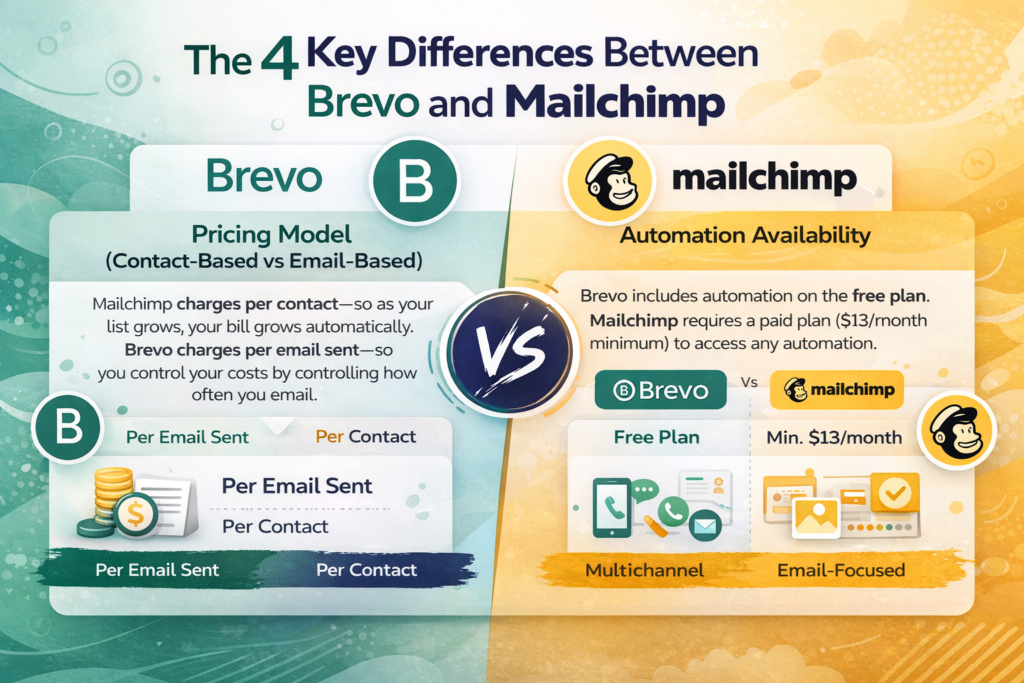
This is the most important difference. Mailchimp charges per contact — so as your list grows, your bill grows automatically. Brevo charges per email sent — so you control your costs by controlling how often you email. For growing businesses, this distinction becomes increasingly significant over time.
Difference 2 — Automation Availability
Brevo includes automation on the free plan. Mailchimp requires a paid plan ($13/month minimum) to access any automation. Therefore, if automation is important to your email strategy from the start, Brevo gives you a meaningful head start at zero cost.
Difference 3 — Multichannel vs Email-Focused
Brevo is genuinely multichannel — it includes SMS marketing, WhatsApp campaigns, phone support, live chat, and a basic CRM all within the platform. Mailchimp, by contrast, is primarily email-focused. SMS is available as a paid add-on, and there is no built-in CRM. For businesses that want a single tool for multiple communication channels, Brevo is the stronger option.
Difference 4 — Templates and Design Quality
Mailchimp wins on templates. Its template library looks more modern and polished than Brevo’s. Moreover, Mailchimp’s Creative Assistant can automatically generate on-brand graphics from your website’s colors and logo. If visual design is a priority and you don’t want to spend time customizing templates from scratch, Mailchimp has the better out-of-the-box experience.
Brevo vs Mailchimp — Who Should Choose Which?
| ✅ Choose BREVO if you:• Have (or plan to have) a large contact list — pricing stays affordable as you grow• Want automation included without paying for it• Need SMS, WhatsApp, or a basic CRM alongside email• Are currently on Mailchimp and frustrated by rising costs• Send to your list less frequently (weekly or monthly) — email-based pricing rewards this• Need transactional emails included in your plan |
| ✅ Choose MAILCHIMP if you:• Are a complete beginner and want the smoothest onboarding experience• Need polished, modern email templates from day one• Run an eCommerce store and need deep revenue analytics and predictive segments• Have a small list (under 1,000 contacts) and email frequently• Need advanced A/B testing available on affordable paid plans• Want 300+ native integrations with other business tools |
Already leaning toward Brevo? Before you sign up, read our full Brevo review 2026 — which covers the free plan in detail, exact pricing, and a 4.1/5 verdict based on hands-on testing.
Brevo vs Mailchimp — Common Questions Answered
Yes — for most small businesses, Brevo is significantly cheaper than Mailchimp. The reason is the pricing model. Because Brevo charges per email sent rather than per contact stored, businesses with growing lists pay far less. For example, a business with 10,000 contacts pays roughly $39/month on Brevo but approximately $110/month on Mailchimp Standard. However, for very small lists (under 500 contacts) who email frequently, Mailchimp’s contact-based pricing can actually be competitive.
Yes — switching is straightforward. First, export your contact list from Mailchimp as a CSV file. Then, import that CSV into Brevo. You will, however, need to recreate your email templates and automation workflows from scratch in Brevo since these don’t transfer automatically. For most small businesses, this process takes an afternoon. Furthermore, Brevo’s support team actively helps users switching from Mailchimp.
Both platforms have strong deliverability when SPF, DKIM, and DMARC are properly configured. In independent testing, both consistently achieve above 90% inbox placement rates. Mailchimp has a slight edge for very high-volume senders due to its longer track record and dedicated sending infrastructure. However, for most small businesses sending under 50,000 emails per month, the deliverability difference is negligible.
Yes — Brevo’s free plan in 2026 includes unlimited contact storage and 9,000 emails per month (300 emails per day). Additionally, automation is included on the free plan, which is rare among email marketing platforms at this tier. The main limitations are the 300 emails/day cap and the absence of email templates — you need to design from scratch or upgrade to a paid plan.
Final Verdict — Brevo vs Mailchimp: My Honest Take After Using Both
After using Mailchimp for over a year and then switching to Brevo, my verdict is clear — Brevo wins for most small businesses in 2026. The primary reason is pricing. Because Mailchimp charges per contact, costs increase automatically as your list grows, even if you’re sending the same number of emails. As a result, businesses that focus on list building find themselves paying more every month without actually doing anything differently.
Furthermore, the fact that Brevo includes automation on the free plan is genuinely significant. When I was on Mailchimp’s free plan, I couldn’t send welcome sequences or drip campaigns without upgrading. With Brevo, I set up my entire welcome automation before paying a single rupee. That alone changes how quickly you can start building real relationships with your subscribers.
Need Deep Revenue Tracking?
That said, Mailchimp is not without its strengths. Its template library is more polished, the user interface is slightly more refined for complete beginners, and the analytics on paid plans are more detailed — especially for eCommerce. Therefore, if you’re starting an online store and need deep revenue tracking from your emails, Mailchimp’s Standard plan is worth the extra cost.
Ultimately, my recommendation is this: if you’re starting fresh and budget matters, start with Brevo. If you’re a beginner who wants the smoothest possible experience and has a small list, start with Mailchimp. Either way, both tools are genuinely good — and the most important thing is simply to start building your email list today, regardless of which platform you choose.
| My one-line verdict:✅ Budget and list growth matter most → Brevo✅ Beginner experience and polished templates matter most → MailchimpBoth are good. Neither is wrong. Start with whichever fits your situation — and don’t spend more than 30 minutes deciding. |
Also considering MailerLite as a third option? Our MailerLite vs Mailchimp for beginners comparison shows exactly how MailerLite stacks up — and in many cases, it’s actually the best choice for brand new email marketers.
New to email marketing entirely? Before choosing between Brevo and Mailchimp, read our beginner’s guide: What is Email marketing? Beginner’s Guide 2026 — which explains how email marketing works, what automation is, and how to get started from scratch.