My Honest Experience Learning how to choose project management software properly took me an embarrassingly long time. My first attempt? I Googled ‘best project management tool,’ clicked the first result, signed up for the one with the nicest landing page, and then spent three weeks trying to get my team to use it. They didn’t. We abandoned it and went back to WhatsApp and a shared Google Sheet.
The problem wasn’t the tool. The problem was that I chose it based on features — not based on what my team actually needed and would realistically use every day. That’s the mistake most people make when trying to figure out how to choose project management software. They look at the feature list instead of asking the right questions first.
I’ve now tested over a dozen PM tools properly — not just signed up and poked around, but actually ran real projects on them with real teams. Here’s the framework I use now, and the exact questions I ask before recommending any tool to anyone.
Already know your requirements and just want to compare tools? Jump to our full guide on the best project management tools for small businesses in 2026 — which covers ClickUp, Asana, monday.com, Trello, Notion, and more.
Step 1 — Ask Yourself These 5 Questions Before Looking at Any Tool
Seriously, don’t look at any tool comparison until you’ve answered these. I ignored this step for years and kept switching tools every six months because I kept choosing the wrong one.
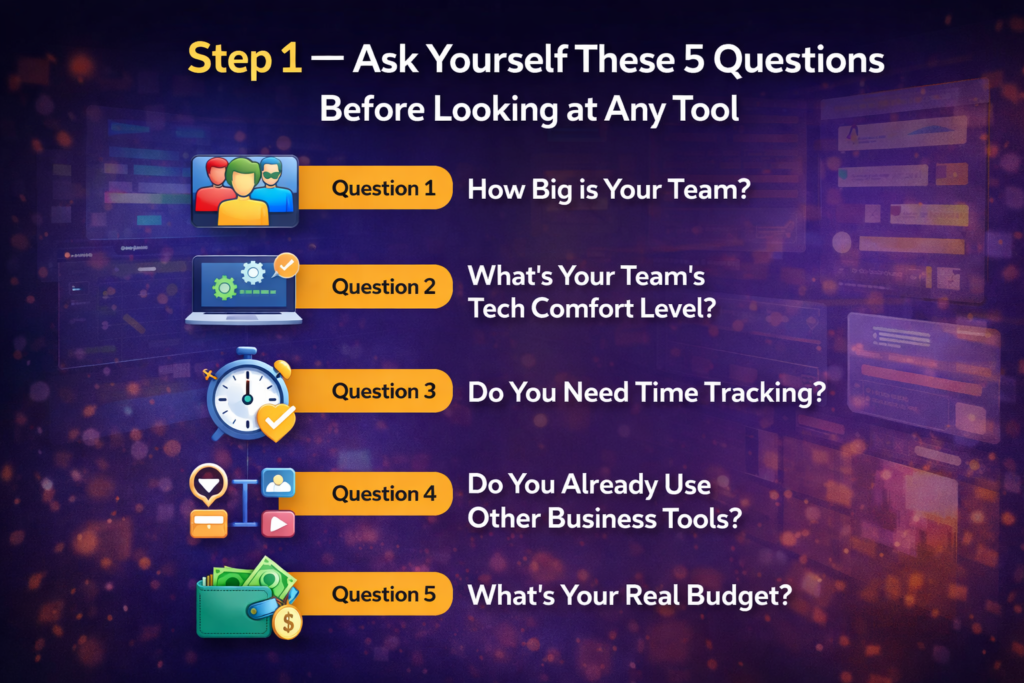
Question 1: How Big is Your Team?
This matters more than anything else. A 2-person team needs a completely different tool than a 20-person team. For solo or 2-person teams — use Trello or Notion. Free, simple, no setup time. For teams of 3-10 people — Asana or ClickUp. Both have generous free plans and scale naturally. For teams of 10+ — consider monday.com or Zoho Projects, which are built for coordination at that level.
The biggest mistake I see: a 3-person startup adopting an enterprise PM tool because it ‘looks more professional.’ You’ll spend more time managing the tool than managing your projects.
Question 2: What’s Your Team’s Tech Comfort Level?
I learned this one the hard way. I once set up ClickUp for a team of 5 people — it’s genuinely powerful and I love it — but two team members had never used any PM tool before. They got overwhelmed immediately. The customization that makes ClickUp great was the exact thing that confused them.
Honest rule of thumb: if your team struggles with new tech, start with Asana or Trello — both have flat learning curves and teams are productive from day one. If your team is comfortable with software, ClickUp or monday.com will give you more power for your money.
Question 3: Do You Need Time Tracking?
This is a hidden deal-breaker. If you bill clients by the hour, track employee hours, or need to measure how long projects actually take — you need a PM tool with built-in time tracking. Only some tools include this without extra cost.
- ClickUp — time tracking on free plan ✅
- Zoho Projects — time tracking on all paid plans ✅
- monday.com — time tracking only on Pro plan ($19/user/mo) ⚠️
- Asana — no built-in time tracking, needs Harvest integration ❌
- Trello — no built-in time tracking ❌
Question 4: Do You Already Use Other Business Tools?
If you’re already on Zoho CRM or Zoho Books, Zoho Projects is the obvious choice — the data flows between all your Zoho apps automatically, no integration setup needed. and When your whole team lives in Google Workspace, Asana integrates beautifully with Gmail and Google Calendar. and Other hand your team uses Slack heavily, both ClickUp and Asana have tight Slack integrations that keep everything in one place.
The best PM tool is often the one that fits smoothly into what your team already uses — not the one with the most features in isolation.
Question 5: What’s Your Real Budget?
Don’t just look at the per-user price. Look at the minimum monthly spend. monday.com charges $12/user but requires a 3-seat minimum — so the cheapest you can pay is $36/month. Asana is $10.99/user with no minimum. ClickUp is $7/user with no minimum. For a 2-person team, that difference is significant.
My advice: start with the free plan of whatever tool you’re considering and run one real project on it before paying anything. Every good PM tool has a free tier. If you can’t make it work on free, paying won’t fix the underlying fit problem.
Step 2 — The Features That Actually Matter When Choosing PM Software
After answering those 5 questions, here’s what to actually look for in the tool itself. I’m not going to list 30 features — most of them don’t matter for 90% of small businesses. These are the ones that do:
Views — Can You See Work the Way Your Team Thinks?
Different teams visualize projects differently. Developers think in lists. Marketing teams think in calendars. Project managers think in Gantt charts. Operations teams think in kanban boards. The best PM tool lets you see the same work in multiple views — not just one.
ClickUp and monday.com offer 15+ views. Asana has 5. Trello is basically just one Kanban view. If your team has mixed roles, multiple views are genuinely important. If everyone just needs a simple task list, Trello’s single view is actually a strength — it’s impossible to get lost.
Automation — Does It Reduce Repetitive Work?
Good automation in a PM tool means: when a task is marked done, the next task automatically gets assigned. When a deadline passes with no update, the project manager gets notified. When a task moves to ‘review,’ the client gets an email. You set these up once, and they run forever.
This sounds fancy but it genuinely saves hours every week once you get it working. ClickUp includes basic automation on the free plan. Asana includes automation on the Starter paid plan ($10.99/user/month). monday.com includes automation on the Standard plan ($12/user/month). Zoho Projects includes automation (Blueprint) on Premium plan ($4/user/month) — best value for automation.
Mobile App — Will Your Team Use It On the Go?
A PM tool your team only checks from their laptop will always have stale data. The best PM tools have mobile apps that let you update task status, add comments, and check deadlines from your phone in 30 seconds. Asana’s mobile app is genuinely strong. ClickUp’s is functional but not as smooth. monday.com’s mobile app is good for viewing but limited for editing. Trello’s is excellent for its simplicity.
Test the mobile app during your free trial. If your team groans every time they have to check the PM tool on their phone — they won’t use it consistently.
How to Choose Project Management Software — Quick Decision Guide
Based on everything above, here’s a straight-to-the-point decision guide. Find your situation:
| Your Situation | Best Tool | Why |
| Beginner, simple tasks, free budget | Asana Free or Trello | Zero learning curve, up and running same day |
| Want one app for everything | ClickUp Free | Tasks + docs + goals + time tracking in one place |
| Visual team, 5+ people, has budget | monday.com Standard | Best views, automation, beautiful interface |
| Already using Zoho CRM/Books | Zoho Projects | Native integration, $4/user/mo, saves full context switching |
| Software dev team, uses GitHub | Jira | Built for sprints, issues, and developer workflows |
| Solo or 2-person team, just need simple | Trello or Notion | Simple boards, free forever, no bloat |
| Remote team across time zones | ClickUp or Asana | Async-friendly, notifications, strong mobile apps |
| Quick rule: If you’re overwhelmed by this table — start with ClickUp Free. It’s the most versatile free plan available, covers 90% of small business needs, and you can always switch later once you know exactly what you’re missing. Starting is more important than choosing perfectly. |
3 Mistakes to Avoid When Choosing Project Management Software
Mistake 1 — Choosing Based on Features, Not Adoption
The most powerful tool is useless if your team won’t open it. I watched a client spend $400/month on an enterprise PM tool that nobody on the team checked more than once a week. They went back to email. The best PM tool for your business is the one your team will actually use consistently — even if it’s technically less powerful than the alternatives.
Mistake 2 — Not Testing with a Real Project
Don’t evaluate a PM tool by clicking through the demo or watching a YouTube tutorial. Set up one real project — an actual piece of work your team is doing right now — and run it on the tool for two weeks. That’s when the real problems surface. Can you find tasks quickly? Does the notification system make sense? Does it integrate with your email? A real project reveals what a demo never shows.
Mistake 3 — Switching Too Soon
I was terrible at this in my first year. Every time I got slightly frustrated with a tool, I’d start researching alternatives. The reality is that any PM tool has a learning curve, and the first 2-3 weeks always feel awkward. Give yourself 6 weeks of genuine use before deciding a tool isn’t working. Most of the time, the problem isn’t the tool — it’s that the team hasn’t fully adopted it yet.
Which Project Management Software Should You Choose?
Now that you know what to look for, here are direct links to our detailed reviews and comparisons for each major tool:
Deciding between the top two beginner-friendly tools? Our ClickUp vs Asana: Which One Should You Choose? comparison covers pricing, free plans, ease of use, and a clear verdict for different team types.
Considering monday.com? Before you sign up, read our full monday.com review 2026 — including the 3-seat minimum trap that catches most small businesses off guard.
Budget is your main concern? Our Zoho Projects vs Asana: Which Wins for Small Business? comparison shows exactly where Zoho’s $4/user/month beats Asana — and where it doesn’t.
How to Choose Project Management Software — Quick FAQs
My Final Verdict — How I Actually Choose PM Software Now
After all the wrong choices and tool-switching I’ve done over the years, here’s my actual process now when someone asks me how to choose project management software:
First, I ask two questions: ‘How many people on your team?’ and ‘Have you used a PM tool before?’ If the answer is ‘under 5 people’ and ‘no’ — I tell them to start with Asana Free. Zero learning curve, clean interface, good enough for most small teams. Done.
If they say ‘yes, we’ve tried Asana and outgrown it’ or ‘we need time tracking’ — I point them to ClickUp. It’s the best value for features in the market right now. The free plan is genuinely impressive, $7/user/month for paid is fair, and it’s replaced 3-4 separate tools for most teams I’ve set it up for.
The one thing I always say before recommending any tool: run a real project on the free trial for two weeks. Not a demo project. A real piece of work. That’s the only honest way to know if a tool fits how your team actually operates.
| My personal framework — how to choose project management software:1️⃣ Under 5 people, no budget → Asana Free or ClickUp Free2️⃣ Need time tracking → ClickUp or Zoho Projects3️⃣ Visual team with budget → monday.com Standard4️⃣ Already on Zoho → Zoho Projects, no question5️⃣ Dev team using GitHub → Jira6️⃣ Just need simplicity → TrelloWhen in doubt: start with ClickUp Free. You can always upgrade or switch when you know exactly what you need. |
Building your complete tool stack? Project management is just one piece. Our guide to the best tools for remote teams in 2026 covers communication, video calls, documentation, and async tools alongside PM software.