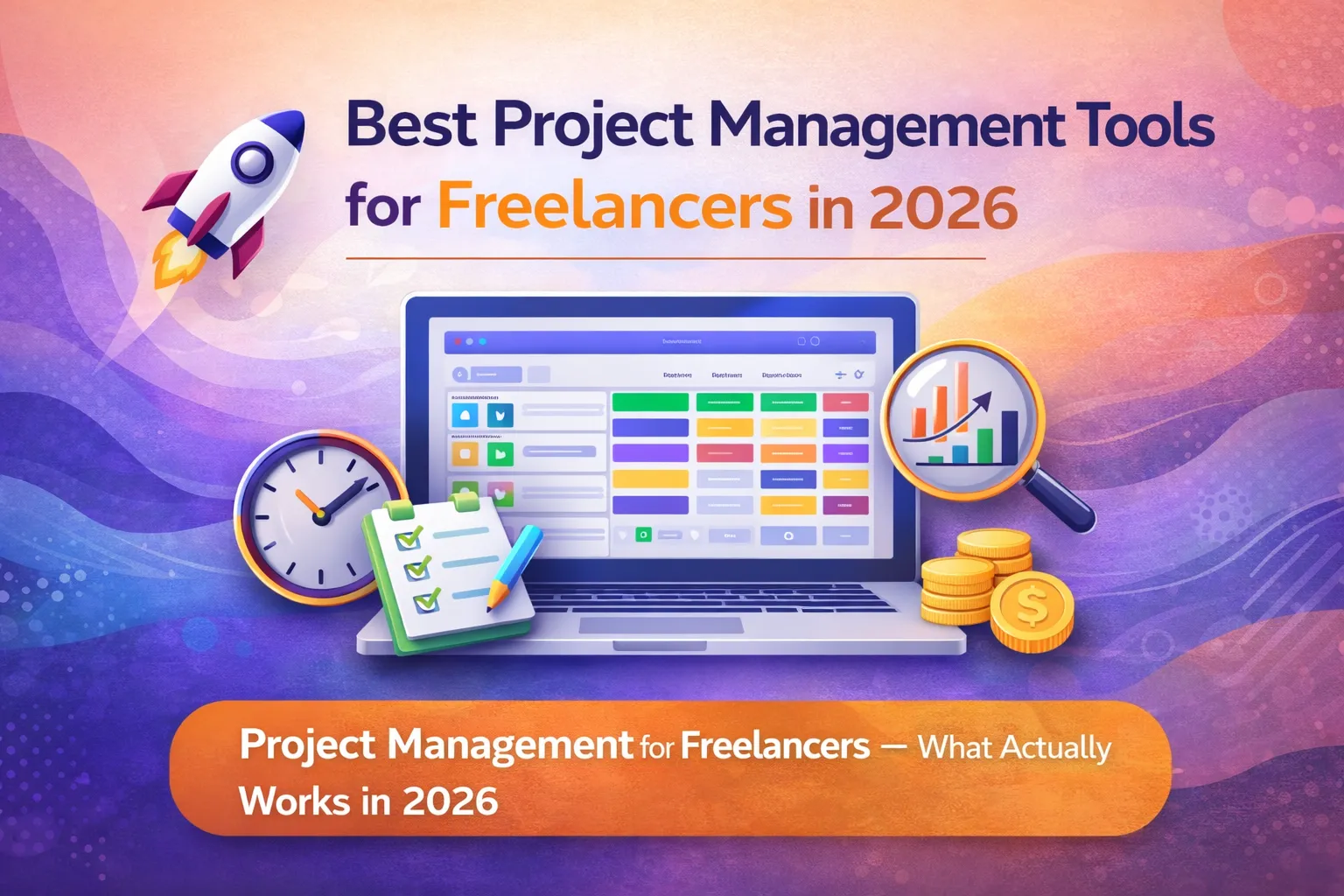
Project Management for Freelancers What Actually Works in 2026
Honestly, project management for freelancers is a completely different challenge compared to teams. When you’re working solo, you’re not just managing tasks — you’re also tracking hours, chasing client approvals, juggling three different projects simultaneously, and somehow trying to send invoices at the end of the month without forgetting what you actually worked on. As a result, most standard project management tools built for teams simply don’t fit the way freelancers work.
I’ve been in this situation myself. For a long time, I used a combination of WhatsApp, Google Sheets, and a notes app to manage my projects. However, as the client count grew from two to six, that system completely fell apart. Deadlines got missed, invoices were sent late, and I had no idea how many hours I’d spent on each project. Consequently, I spent months testing PM tools specifically for solo work — and the results were very different from what I expected.
Therefore, this guide is not about the most feature-rich tool or the most popular one. Instead, it’s about the tools that actually make sense for a freelancer — affordable, simple enough to use daily, and helpful for the specific problems freelancers face: client visibility, time tracking, and getting paid.
Managing a team, not just solo work? Furthermore, our full guide to the best project management tools for small businesses in 2026 covers ClickUp, Asana, monday.com, and more for teams of all sizes.
Why Freelancers Need Different Project Management Tools Than Teams
Most project management tools are built for teams — with resource allocation, department views, manager dashboards, and user permission hierarchies that a solo freelancer will never use. Furthermore, team tools often come with per-seat pricing minimums, meaning a solo user ends up paying for 3 seats they don’t need.
As a freelancer, you need a PM tool that does four specific things well: track tasks and deadlines across multiple client projects, log time that connects directly to billing, give clients limited visibility without sharing your private notes, and cost as little as possible. Additionally, the tool should be simple enough that you actually open it daily — not just when you remember.
- Track tasks and deadlines across multiple clients simultaneously
- Time tracking that connects directly to billing — not a separate app
- Client portal or sharing — show progress without exposing everything
- Affordable pricing — ideally free or under $15/month for one person
- Simple enough to use every single day without friction
| The biggest mistake freelancers make: choosing a PM tool based on feature count. Instead, choose based on daily usability. A tool with 100 features that you open twice a week is far less valuable than a simple tool you check every morning. |
Best Project Management Tools for Freelancers — Quick Comparison
First, here’s the full comparison at a glance. Then we’ll go through each tool in detail.
| Tool | Free Plan | Paid From | Time Track | Best For Freelancers |
| ClickUp | ✅ Unlimited tasks | $7/user/mo | ✅ Free | All-in-one: tasks + docs + goals |
| Notion | ✅ Personal | $10/user/mo | ❌ No | Docs + client wiki + notes |
| Trello | ✅ 10 boards | $5/user/mo | ❌ No | Simple visual Kanban boards |
| Asana | ✅ 10 users | $10.99/user/mo | ❌ No | Clean task management |
| Paymo | ✅ 2 projects | $5.90/mo | ✅ Free | Time tracking + invoicing free |
| Zoho Projects | ✅ 3 users | $4/user/mo | ✅ Paid | Budget + Zoho ecosystem |
| Freedcamp | ✅ Unlimited | $1.49/user/mo | ✅ Free | Zero-cost full PM features |
ClickUp — Best All-in-One Project Management for Freelancers
ClickUp is my top recommendation for most freelancers — not because it’s the simplest tool, but because it genuinely replaces 3-4 separate apps in one free plan. Tasks, time tracking, docs, goals, and client notes all live in one place. Furthermore, the free plan has no user limits and no task limits, which means you can run your entire freelance business without paying anything.
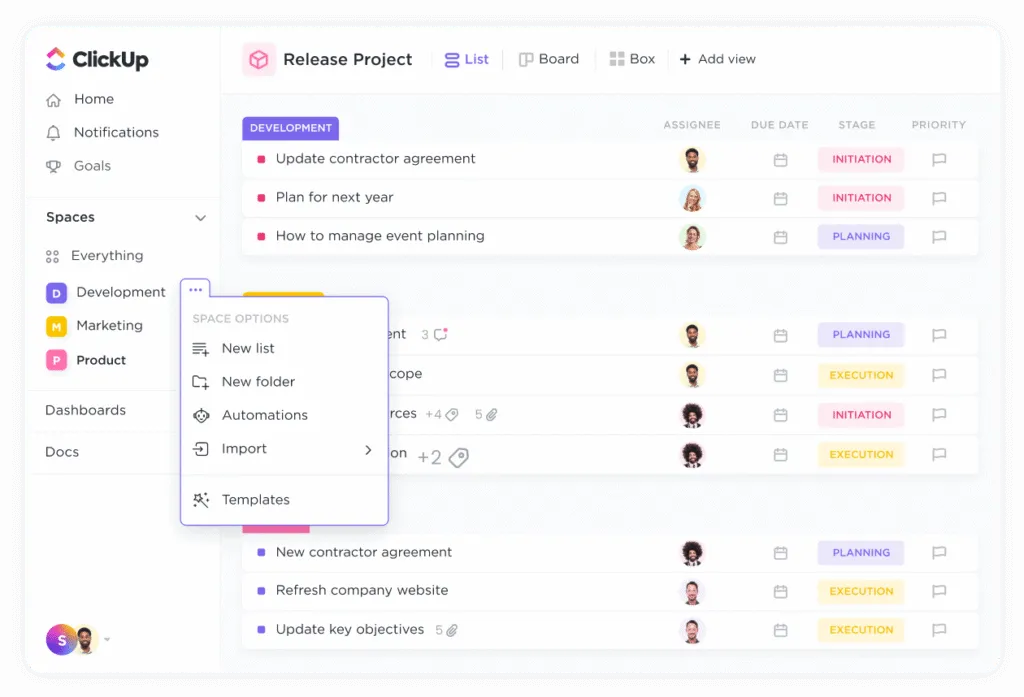
In my experience, the learning curve is real. However, it’s worth pushing through. In the first week, ClickUp feels overwhelming. By week two, once you understand the Spaces → Folders → Lists structure, everything starts to click. I use ClickUp with a dedicated Space for each client, a list for active projects, and another list for recurring admin tasks. As a result, I know exactly what’s happening across all clients with one glance at my dashboard.
- Free plan: Unlimited tasks, unlimited users, 15+ views
- Time tracking built-in on free plan — no separate app needed
- Docs included — write briefs, proposals, and notes inside ClickUp
- AI features on paid plan ($7/mo) — summarize tasks, draft content
- Guest access — share specific lists with clients without exposing everything
| In my experience: Create one Space per client in ClickUp. Inside each Space, create a ‘Projects’ list and an ‘Admin’ list. This structure takes 20 minutes to set up and keeps everything clean for months. That’s the system I wish I’d used from day one. |
Notion — Best for Freelancers Who Need Docs + Project Management Combined
Notion is not a traditional PM tool. Nevertheless, for freelancers who spend most of their time writing, designing, or producing content, it’s often the better choice. The reason is that Notion combines documentation and task management in the same workspace — so your client brief, revision notes, deliverables checklist, and feedback log all live in one linked page.
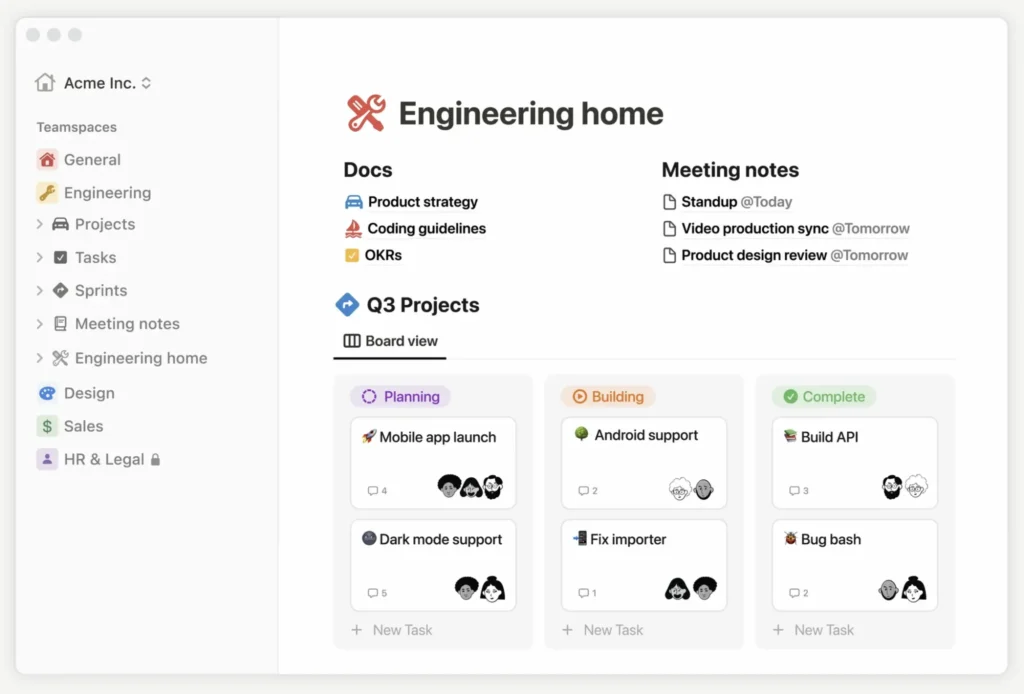
For example, when I work on a content project, I use Notion to keep the brief, the draft, the SEO notes, and the task checklist all connected on one page. Consequently, I never have to switch between a docs tool and a task tool. The free plan works well for individual freelancers. However, for sharing with clients, the $10/user/month Plus plan is worth it for the admin controls.
- Best for: writers, designers, consultants — creative work with lots of docs
- Free plan works well for solo use — great starting point
- Notion AI (Plus plan) — summarize pages, draft briefs, answer questions
- Not ideal if you need strong time tracking — no built-in timer
- Pair with ClickUp for tasks + Notion for docs — many freelancers do this
Trello — Best Free Simple PM Tool for Freelancers With Few Clients
Trello is the simplest PM tool on this list — and for some freelancers, that simplicity is exactly what they need. If you have 2-3 clients and mostly need to track what’s in progress, what’s waiting for review, and what’s done — Trello’s free Kanban boards are completely sufficient. Moreover, the Free Plan includes 10 Boards, unlimited cards, and unlimited team members.
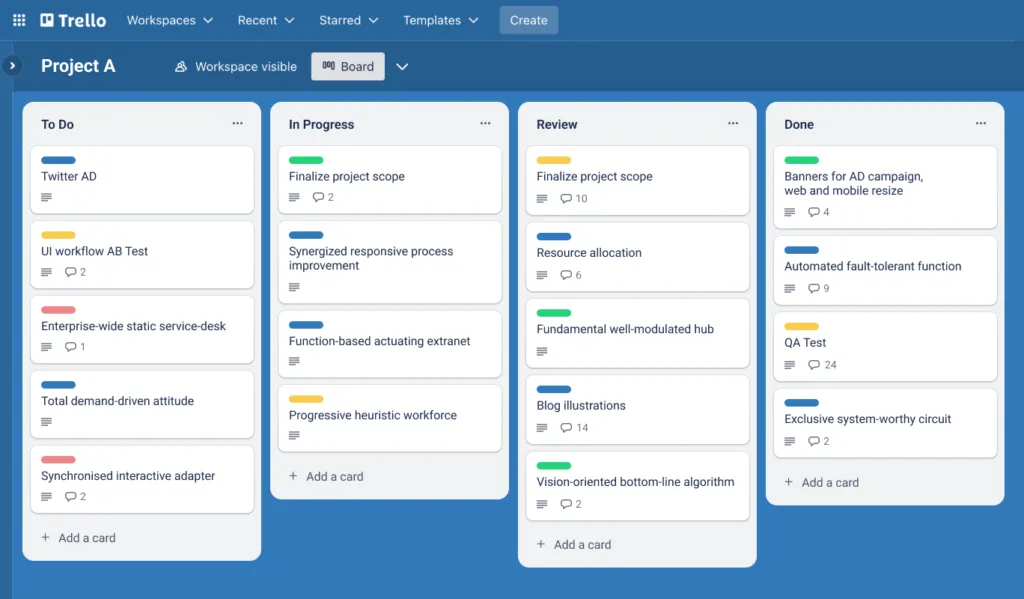
That said, Trello has real limitations. There’s no built-in time tracking, no invoicing, and limited views on the free plan. As a result, if you bill hourly or manage more than 5 concurrent projects, you’ll quickly outgrow it. However, for freelancers who are just getting started with project management and want something they can set up in 15 minutes — Trello is the right first tool.
| Trello Power-Ups (integrations) expand it significantly. The free plan allows unlimited Power-Ups — so you can connect Google Drive, Slack, and Calendar without paying. Furthermore, the Butler Automation Feature handles repetitive actions like moving cards and setting due dates automatically. |
Paymo — Best Free PM Tool for Freelancers Who Bill by the Hour
Paymo is the only tool on this list that includes both time tracking AND invoicing on the free plan. Because of this, it’s specifically valuable for freelancers who charge hourly rates. You track time directly on tasks, and at the end of the month, those hours automatically populate your invoice — no manual calculation, no spreadsheet needed.
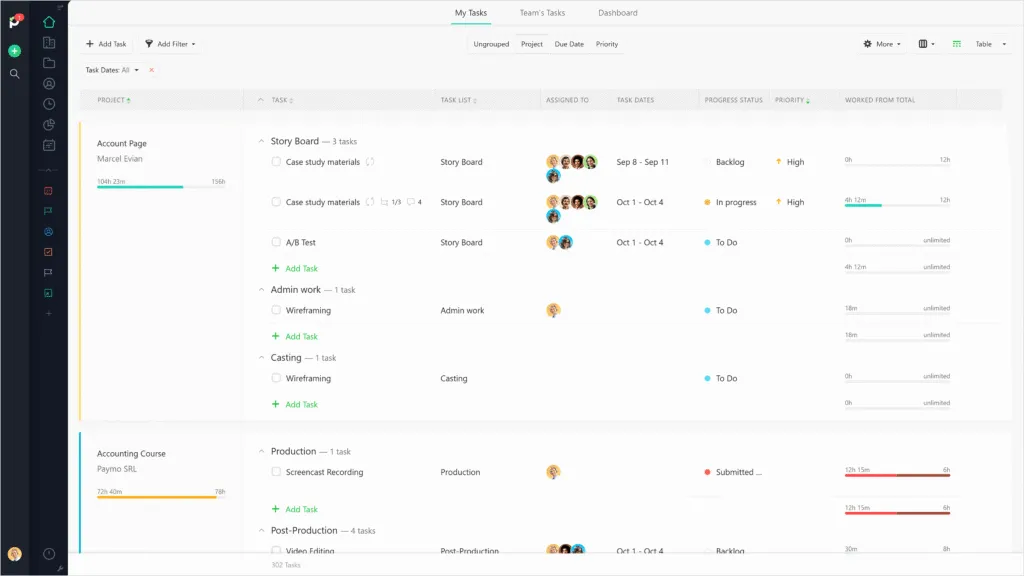
The free plan is limited to 2 active projects and 1 client, which is restrictive. However, the Solo Plan at $5.90/month unlocks unlimited projects and client access — making it one of the most affordable full-featured options for solo freelancers. Furthermore, the Plus plan at $10.90/month adds Gantt charts, proposals, and estimates. As a result, Paymo covers almost everything a billing-focused freelancer needs in one inexpensive tool.
- Time tracking + invoicing on FREE plan — very rare combination
- Solo plan at $5.90/month — excellent value for hourly freelancers
- Client portal included — clients can check project progress and invoices
- Free plan limited to 2 projects and 1 client — upgrade quickly needed
- Interface not as modern as ClickUp or Asana — slightly dated look
Zoho Projects — Best Budget PM Tool for Freelancers Already on Zoho
Zoho Projects at $4/user/month is the cheapest paid PM tool with proper features — Gantt charts, time tracking, task dependencies, and integration with Zoho CRM and Zoho Books. Therefore, if you’re already using other Zoho tools in your freelance business, Zoho Projects is the logical choice. The data flows between apps automatically, eliminating manual data entry.
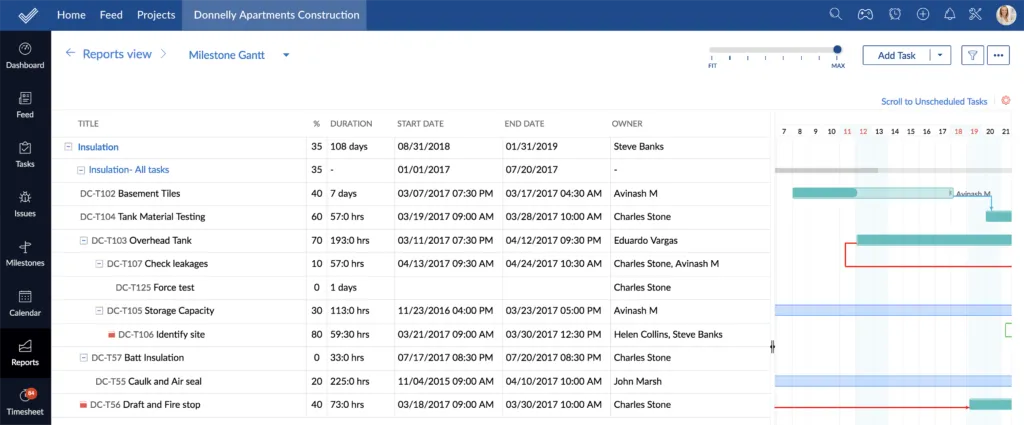
However, if you’re not already in the Zoho ecosystem, the setup time and learning curve may not be worth it compared to ClickUp’s free plan. That said, for freelancers who invoice through Zoho Books or manage client relationships in Zoho CRM, the integration alone saves several hours per month. As a result, the $4/month investment pays for itself quickly.
Considering Zoho Projects but not sure how it compares? Our Zoho Projects vs Asana: Which Wins for Small Business? comparison breaks down exactly where Zoho wins and where Asana is the better choice.
3 Project Management Tips Specifically for Freelancers
Tip 1 — One Space Per Client, Always
The most common freelancer mistake in any PM tool is mixing all clients into one project list. Instead, create a dedicated space or project for each client. Consequently, when a client sends a message asking for a status update, you can pull up their project instantly without hunting through everything. Furthermore, when a client relationship ends, you can archive their entire space cleanly.
Tip 2 — Track Time From Day One, Not Retrospectively
I learned this the hard way. At the end of a project, trying to remember how many hours I spent on client calls, revisions, and research is genuinely impossible. As a result, I always undercharged. Now I start a timer at the beginning of every task — even a 15-minute email exchange. Consequently, my invoices are accurate and my hourly rate is actually what I agreed to charge. Use ClickUp’s native timer or Paymo for this — both are excellent.
Tip 3 — Give Clients a Read-Only View
Most clients want progress visibility without you emailing updates every day. Therefore, set up a shared board or guest access in your PM tool that shows task statuses. As a result, clients can check progress whenever they want, and you save hours of ‘can you send me a quick update?’ messages. ClickUp, Asana, and Paymo all support Guest Access on free or low-cost plans.
Which PM Tool is Right for Your Freelance Work?
| ✅ Choose ClickUp if:You manage 3+ clients simultaneously, want time tracking free, need docs alongside tasks, or want one tool to replace everything else.✅ Choose Notion if:You do content, design, or consulting work where documentation is as important as task tracking.✅ Choose Trello if:You have 1-3 simple clients, just getting started, and want to set up in 15 minutes.✅ Choose Paymo if:You bill by the hour and want time tracking + invoicing in one free tool.✅ Choose Zoho Projects if:You already use other Zoho apps or need the cheapest paid PM tool available. |
Frequently Asked Questions
Final Verdict — Best Project Management Tools for Freelancers in 2026
After using multiple PM tools for freelance work, my honest verdict is this: ClickUp is the best starting point for most freelancers. The free plan is genuinely complete, the time tracking works well, and the structure — once you set it up correctly — keeps everything organized across unlimited clients and projects. Furthermore, when you grow and need to pay, $7/month is fair for what you get.
However, ClickUp isn’t for everyone. If your work is primarily documentation-heavy, Notion may feel more natural and actually get used more consistently. Additionally, if you bill strictly by the hour, Paymo’s combination of free time tracking and invoicing is hard to beat — it’s the only tool in this list that connects tracked time directly to invoice generation at no cost.
Ultimately, the best PM tool for freelancers is the one you open every morning. Therefore, download two free trials this week — I suggest ClickUp and one other — and run a real client project on each for one week. Consequently, you’ll know within 7 days which one fits how you actually work. That direct experience will tell you more than any comparison article, including this one.
Still not sure which tool to pick? Our guide on How to Choose Project Management Software walks through a 5-question framework that helps any freelancer or small business identify the right tool based on team size, budget, and work style.
Working remotely with clients? Additionally, our guide to the Best Tools for Remote Teams in 2026 covers communication, async video, and collaboration tools that complement your PM setup perfectly.
🔍 How We Tested This Tool
Every tool on Tool Growth is tested hands-on using real accounts — not marketing materials. We follow an 8-step review process before publishing.