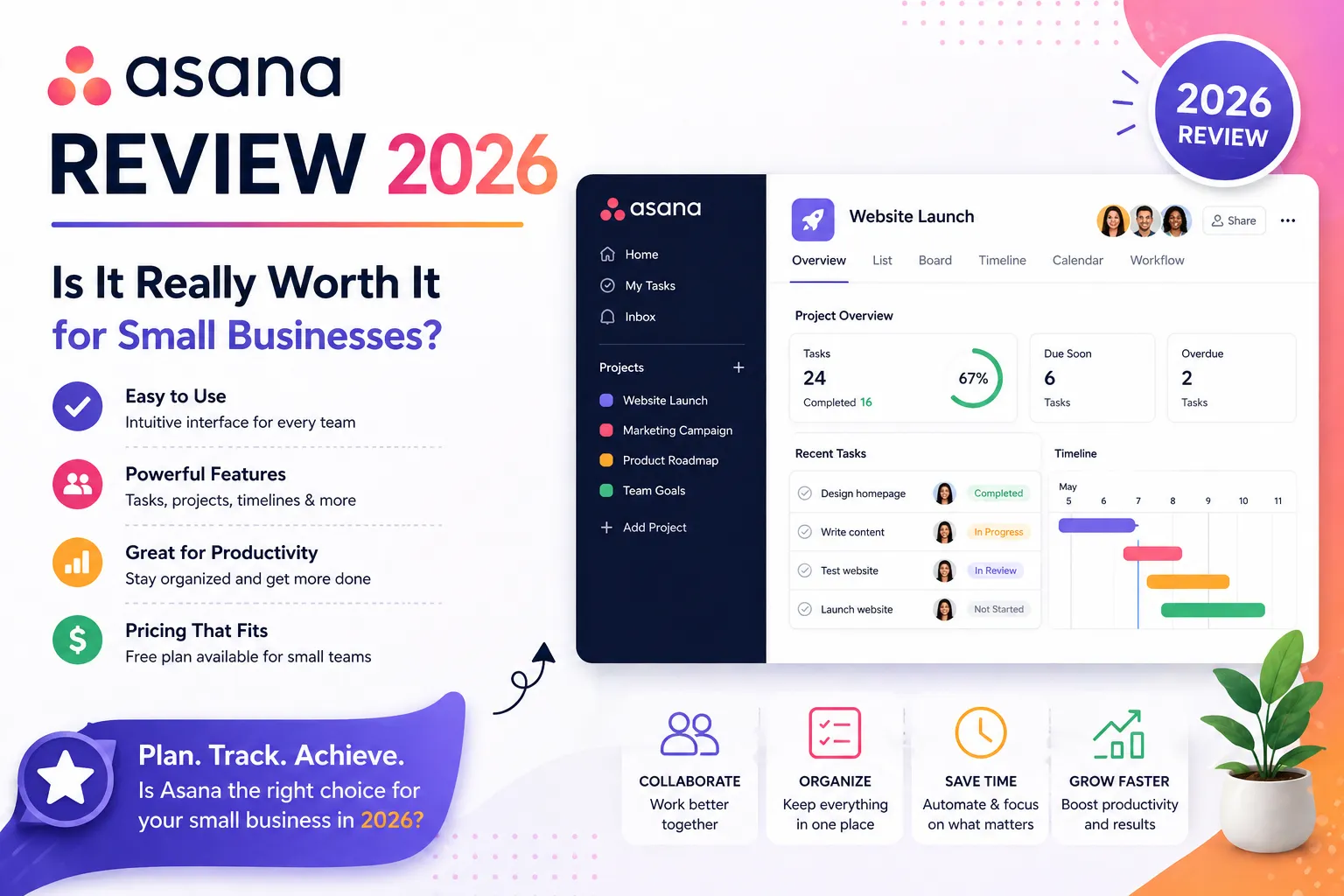
Is Asana actually good — or is it just the most popular project management tool because everyone’s heard of it? In this Asana review, we take a closer look at whether it’s really worth it for small businesses in 2026.
Honestly, I asked myself that exact question before I tested it properly. After all, Asana has been around since 2008, and popularity doesn’t always equal quality. However, after running real projects on Asana for several months and comparing it directly with ClickUp and monday.com, my Asana review conclusion is clear: it earns its reputation — but not for everyone.
Furthermore, if you’re a small business deciding whether Asana is right for your team, this review gives you a straight answer. No fluff, no generic feature lists. Just what Asana does well, where it falls short, and exactly who should — and shouldn’t — use it in 2026.
1. Asana Review — Quick Verdict (Read This First)
Asana is the easiest project management tool to adopt in 2026. The free plan is genuinely useful for teams up to 15 users. However, the pricing jump from Starter ($10.99) to Advanced ($24.99) is steep — and several important features like time tracking and goals are locked behind Advanced. Best for: marketing teams, creative agencies, and non-technical teams who need clean task management fast.
⭐ Our Asana Rating: 4.2 / 5 — Recommended✅ Best for: Beginners, marketing teams, creative agencies, cross-functional teams❌ Not ideal for: Solo users who need time tracking free, budget teams who want more features for less💰 Price: Free forever (up to 15 users) | Starter: $10.99/user/mo | Advanced: $24.99/user/mo
2. Asana Review — Ratings at a Glance
Asana scores highest on ease of use and integrations. It loses points on automation (limited on lower plans) and pricing (the Starter-to-Advanced jump is painful).
| Category | Rating | Score |
| Ease of Use | ★★★★★ Very beginner-friendly | 5.0 / 5 |
| Free Plan Value | ★★★★☆ Generous for small teams | 4.2 / 5 |
| Task Management | ★★★★★ Best-in-class clarity | 4.8 / 5 |
| Automation | ★★★☆☆ Limited on lower plans | 3.5 / 5 |
| Integrations | ★★★★★ 200+ native connections | 4.7 / 5 |
| Pricing Fairness | ★★★☆☆ Expensive jump to Advanced | 3.3 / 5 |
| Mobile App | ★★★★☆ Strong and reliable | 4.2 / 5 |
| OVERALL | ★★★★☆ Recommended for most teams | 4.2 / 5 |
3. Asana Pros and Cons — The Honest List
Asana excels at task clarity and team adoption. The main weaknesses are automation limits on lower plans and no built-in time tracking until Advanced.
| ✅ PROS | ❌ CONS |
| ✅ Easiest PM tool to learn — teams productive within 1-2 days | ❌ No built-in time tracking — needs integration or Advanced plan ($24.99/mo) |
| ✅ Free plan for up to 15 users — very generous compared to competitors | ❌ Automation limited on Starter — needs Advanced for full automation |
| ✅ Clean, beautiful interface — teams actually enjoy using it | ❌ Goals and Portfolios locked behind Advanced ($24.99/user/mo) |
| ✅ Timeline (Gantt) view on Starter plan ($10.99/user/mo) | ❌ Steep pricing jump from Starter to Advanced — more than doubles cost |
| ✅ 200+ integrations — Slack, Google Workspace, Zoom, Salesforce | ❌ 5-seat minimum reported on Starter at checkout — verify before buying |
| ✅ Workflow Builder — visual automation without coding | ❌ No built-in chat — relies on Slack/Teams integrations |
| ✅ Strong mobile app — reliable on iOS and Android | ❌ Reporting basic on Starter — Advanced needed for custom dashboards |
| ✅ AI features included on Advanced — task summaries, smart fields | ❌ Limited guest access controls on lower plans |
| ✅ No minimum seats on Starter — pay for exactly what you need | ❌ Can feel too simple for very complex projects with nested dependencies |
| ✅ Excellent for cross-functional teams: marketing, ops, design | ❌ No offline mode — requires internet connection |
4. Asana Pricing 2026 — What You Actually Pay
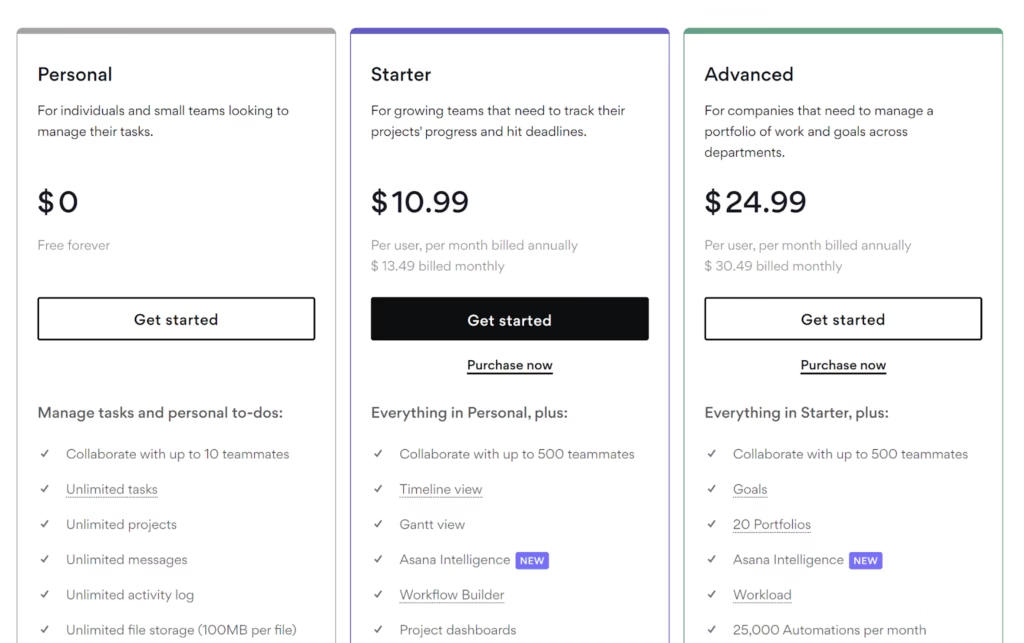
The free plan is genuinely useful. However, the jump from Starter ($10.99) to Advanced ($24.99) more than doubles your cost — and several key features like time tracking and goals require that jump.
| Plan | Price | Best For | What You Get |
| Personal (Free) | $0 / forever | Individuals, small teams (up to 15 users) | Unlimited tasks, list/board/calendar view, basic integrations. No timeline, no automation. |
| Starter | $10.99/user/mo (annual) | Small teams needing Timeline + Workflow | Timeline (Gantt), Workflow Builder, custom fields, forms, advanced search. 5-seat min reported. |
| Advanced | $24.99/user/mo (annual) | Growing teams needing Goals + reporting | Everything + Goals, Portfolios, time tracking, workload, approvals. Big price jump. |
| Enterprise | Custom pricing | Large organizations, compliance needs | SSO, SAML, data residency, advanced admin, 200K AI credits/month. |
| ⚠️ Important pricing warning: Jumping from Starter ($10.99/user/mo) to Advanced ($24.99/user/mo) is a 127% price increase. Several features most small businesses want — time tracking, Goals, Portfolios — are gated behind Advanced. As a result, budget carefully before committing to Starter if you think you’ll need those features soon. |
Additionally, annual billing saves 18-20% compared to monthly. Furthermore, Asana’s pricing is per-user with no minimum seats on most plans — which means a 2-person team pays $21.98/month for Starter, not a forced 3-seat minimum like monday.com. Therefore, for small teams, Asana is meaningfully more affordable than monday.com at the same plan level.
5. Asana Free Plan Review — Is It Enough for Small Teams?
Asana’s free plan is one of the best in project management — 15 users, unlimited tasks, and basic views. However, it lacks timeline (Gantt), automation, and time tracking.
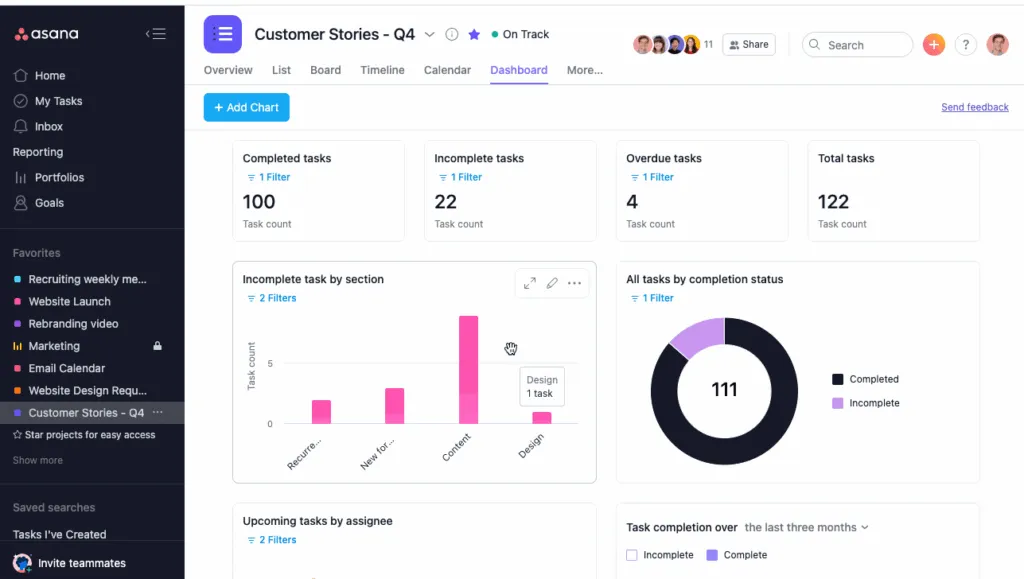
Asana’s Personal (free) plan supports up to 15 users — which is genuinely impressive. Most free PM plans cap at 2-3 users. Consequently, a small team of 8-10 people can run entirely on Asana Free without spending anything.
However, the free plan has important gaps. There is no Timeline (Gantt) view, no automation, and no custom fields. As a result, teams managing projects with dependencies or deadlines that require visual timeline planning will need to upgrade to Starter ($10.99/user/mo) almost immediately.
📋 ✅ What’s included free: Unlimited tasks, list/board/calendar views, 15 users, 200+ integrations, basic reporting
📋 ❌ What’s NOT free: Timeline view, Workflow automation, Custom fields, Forms, Time tracking
| In my experience: The free plan is excellent for simple projects — marketing calendars, team to-do lists, basic task tracking. However, the moment you need to see dependencies or visualize a project timeline, the free plan hits its limit. That’s when Starter becomes necessary. |
6. Asana Key Features Review — What We Tested
Task Management — Where Asana Truly Shines
Asana’s task management is the clearest of any PM tool. Every task has an owner, deadline, priority, and status — visible at a glance.
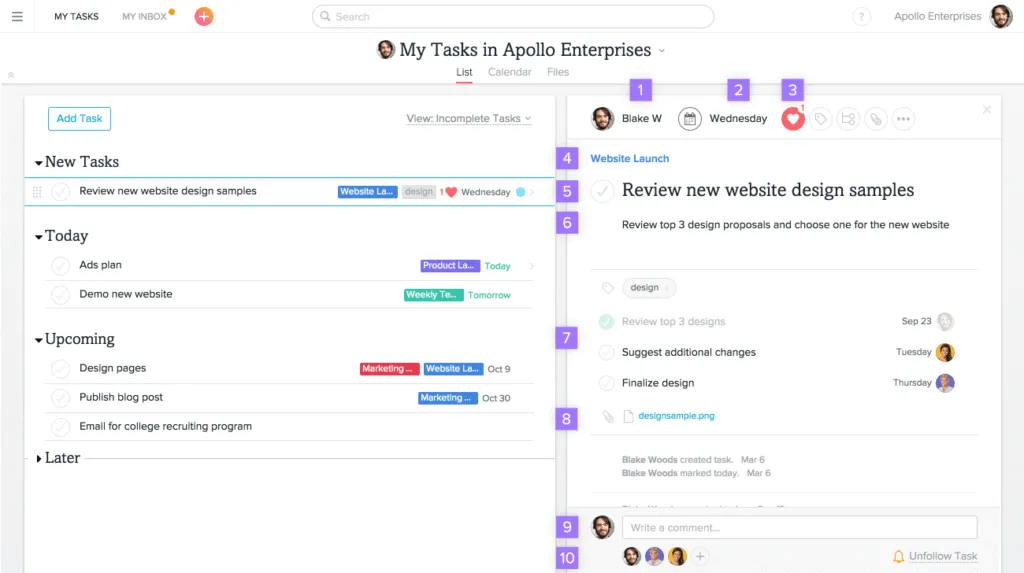
Task management is Asana’s strongest feature. Each task has a single owner, a due date, a priority level, and a status field. Furthermore, you can add subtasks, attach files, and leave comments — all within the task itself. As a result, conversations stay connected to the work rather than scattered across email and Slack threads.
Additionally, task dependencies work smoothly — mark Task B as dependent on Task A, and Asana automatically highlights scheduling conflicts. This is particularly valuable for marketing teams managing campaigns with multiple moving parts.
Workflow Builder — Visual Automation That’s Easy to Configure
Workflow Builder lets you create automations in plain language without coding. However, full automation requires the Starter plan at minimum.
Asana’s Workflow Builder uses a visual, drag-and-drop interface for automation. For example: ‘When a task is marked complete, assign the next task to [person] and set the due date to [3 days from now].’ However, the Workflow Builder requires at least the Starter plan — it’s not available on free.
That said, for teams paying for Starter, the automation quality is excellent. Furthermore, it’s significantly easier to configure than ClickUp’s automation system, which requires more technical familiarity.
Timeline View — The Best Gantt Chart for Non-Technical Users
Asana’s Timeline is the most user-friendly Gantt chart available. It’s included on Starter ($10.99/user/mo) — not locked behind Advanced.
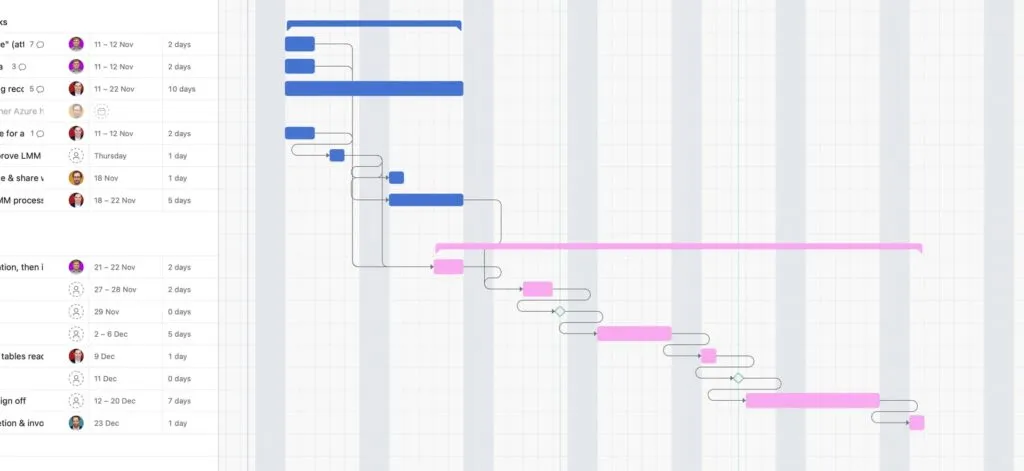
The Timeline view is one of Asana’s standout features. It’s a visual Gantt chart that shows every task, its duration, and its dependencies on a horizontal timeline. Moreover, it updates in real-time — drag a task to reschedule it, and all dependent tasks automatically adjust.
Importantly, Timeline is available on the Starter plan, not just Advanced. Consequently, teams paying $10.99/user/month get a genuinely professional Gantt chart without needing to upgrade further.
Integrations — 200+ Native Connections
Asana integrates natively with over 200 tools including Slack, Google Workspace, Microsoft Teams, Zoom, Salesforce, HubSpot, GitHub, and Zapier. Furthermore, most integrations work in both directions — Slack messages can become Asana tasks in one click, and Asana task updates can notify Slack channels automatically.
7. Asana vs ClickUp vs monday.com — Quick Comparison
Asana wins on ease of use. ClickUp wins on free plan features. monday.com wins on visual flexibility. For beginners, Asana is the clearest choice.
| Feature | Asana | ClickUp | monday.com |
| Free users | 15 users | Unlimited | 2 users only |
| Free timeline/Gantt | ❌ No | ✅ Yes | ❌ No |
| Paid from | $10.99/user/mo | $7/user/mo | $9/user/mo |
| Min. seats (paid) | None reported | None | 3 seats min |
| Time tracking | Advanced plan only | ✅ Free plan | Pro plan only |
| Ease of use | ★★★★★ Easiest | ★★★☆☆ Steeper | ★★★★☆ Moderate |
| Best for | Beginners, marketers | Feature-heavy users | Visual teams, agencies |
Want the full head-to-head? Our dedicated ClickUp vs Asana: Which One Should You Choose? comparison covers every key difference — with pricing, free plans, and a clear verdict for different team types.
8. Who Should Use Asana in 2026?
Asana is ideal for non-technical teams and beginners. It’s not ideal for solo users who need free time tracking or teams on very tight budgets.
| ✅ USE Asana if you:• Are a marketing, creative, or operations team needing clean, visual task management• Have a small team (under 15) and want a genuinely functional free plan• Prioritize ease of adoption — your team needs to be productive within 1-2 days• Already use Google Workspace or Slack and want seamless integration• Need a Timeline (Gantt) view without paying enterprise prices |
| ❌ SKIP Asana if you:• Need time tracking on a budget — ClickUp Free includes time tracking, Asana doesn’t• Want the most features for the least money — ClickUp wins at $7/user/mo• Are a solo freelancer — ClickUp or Notion offer better solo value• Need advanced automation without paying $24.99/user/mo (Advanced)• Manage software development sprints — use Jira instead |
Still deciding between Asana and other PM tools? Furthermore, our full guide to the best project management tools for small businesses in 2026 compares Asana alongside ClickUp, monday.com, Notion, Trello, and Zoho Projects.
Asana Review — Frequently Asked Questions
10. Final Verdict — Asana Review 2026
After testing Asana properly across real projects, my conclusion is this: Asana earns its 4.2/5 rating. It is genuinely the easiest project management tool to adopt in 2026 — and for teams where fast onboarding matters more than maximum features, that ease of use is worth a premium.
However, the pricing structure is a real concern. The jump from Starter to Advanced more than doubles your cost per user, and several practical features — time tracking, Goals, Portfolios — live behind that price wall. Consequently, I always recommend being honest about whether you’ll need those features before committing to Starter.
Recommendation
Ultimately, my personal recommendation is this: if you’re choosing between Asana and ClickUp for a small team, start with Asana Free for two weeks. In my experience, teams that value simplicity and clean interfaces naturally stay with Asana. Teams that want more customization and features naturally migrate to ClickUp. Let your team’s reaction to the free trial guide the decision — not a feature comparison list.
| 💬 Found This Asana Review Helpful? Drop a comment below — tell us which PM tool you’re currently using and what’s working (or not working) for you.Also — if you found this review useful, share it with someone who’s currently trying to choose a project management tool. It might save them hours of research. |
Still not sure if Asana is right for you? Moreover, our guide on how to choose project management software walks you through a 5-question framework that narrows down the right PM tool for your specific team, budget, and work style.
Asana is one piece of your productivity stack. Additionally, our guide to the best productivity tools for small businesses in 2026 covers everything else you need: email marketing, communication, documentation, and automation tools that work alongside Asana.
🔍 How We Tested This Tool
Every tool on Tool Growth is tested hands-on using real accounts — not marketing materials. We follow an 8-step review process before publishing.