In this Shopify review, we found Shopify to still be one of the easiest and most reliable eCommerce platforms in 2026 — the setup is fast, the app ecosystem is enormous, and the POS system genuinely connects online and physical selling. But the real monthly cost is higher than the $39 (US) headline price once you add a theme, apps, and processing fees, and a few important details (like staff accounts on the entry plan) have changed this year. If you want a serious online business with minimal technical hassle, Shopify is still worth considering — but budget for the real number, not the sticker price.
If you’re on a tight budget, WooCommerce may still be cheaper long-term — see our full WooCommerce vs Shopify comparison. The Quick Verdict below has our full recommendation and a link to test Shopify yourself.
We run two real Shopify stores — Handiora, a luxury jewelry brand, and cars4part.com, a US car-accessories store. This review is based on that genuine, ongoing experience, plus a fresh round of fact verification against Shopify’s own current pricing and documentation, completed 1 September 2026.
Is Shopify Worth It in 2026? The Short Answer
Yes — if your store can cover about $150 a month in real running costs from its profit. That’s the honest break-even test, and it’s the part most “is Shopify worth it” answers skip.
Here’s the math we use on our own stores. A realistic Shopify bill sits around $100–$200/month: the Basic plan, a few paid apps, and a premium theme spread over its first year. If your average order leaves you $25 profit after product cost, shipping, and payment fees, you need about 6 orders a month just to cover a $150 Shopify bill. At $10 profit per order, that becomes 15 orders.
- Worth it: you have a product and a way to bring traffic (ads, social, an existing audience), and you expect to pass break-even within 2–3 months.
- Worth it: you also sell in person — POS inventory sync alone saves hours of manual stock work every week.
- Not yet: you’re still testing an idea with no traffic plan. The $1/month for 3 months offer lowers the plan cost, but apps and ads still cost money from day one.
- Probably not: your business is content-first, or you want full control over code and hosting — WooCommerce fits better (see our WooCommerce vs Shopify comparison).
Basic costs $39/month, or $29/month billed annually (US pricing, verified on shopify.com/pricing, 1 September 2026).
Shopify Review 2026: Quick Verdict
This post contains affiliate links. If you purchase through our link, we may earn a commission at no extra cost to you. Our affiliate relationship never influences the editorial verdict below.
How We Tested Shopify for This Review
This review combines genuine, ongoing hands-on use with fresh fact verification — and we want to be specific about where each claim comes from, rather than blurring the two together.
- What we actually tested, on our own stores: store setup and the Prestige theme (Handiora), the admin dashboard and day-to-day product/order workflow, Shopify Payments, Shopify POS, Shopify Collabs, and the Judge.me review app.
- What we researched rather than personally tested: Shopify Magic and Sidekick in depth, the technical details of Shopify SEO, international-selling functionality, and review apps beyond Judge.me (Loox, Vitals, Yotpo, Stamped.io). We’re clear about this distinction wherever it comes up below.
- Pricing and product facts: independently verified against Shopify’s official pricing page and Help Center on 1 September 2026 — not carried over from older reviews or competitor articles.
Who Should Use Shopify — and Who Should Skip It?
Shopify is best for
- First-time serious ecommerce sellers who want to avoid managing their own hosting, security, or server infrastructure.
- Growing DTC brands that need a professional storefront without a developer on staff.
- Multichannel sellers who sell online and in person and want inventory to sync automatically between the two.
- Sellers who’d rather install an app than commission custom development for most new features.
Shopify may not be right for
- Very tight budgets. The realistic monthly cost for a working store is usually well above the $39 US (or $29 annual) headline price once a theme and a few apps are added.
- Content- or blog-first businesses. Shopify’s blogging tools are more limited than a dedicated CMS like WordPress.
- Businesses needing deep technical control. Shopify’s structure is deliberately opinionated; heavy customization means learning Liquid or hiring someone who already knows it.
- Businesses in payment categories Shopify Payments doesn’t support. Cannabis/CBD, adult products, and products making unverified health claims fall outside Shopify Payments’ eligible categories and need a third-party gateway instead — details vary by region (more on this below).
- Very small or hobby sellers who are still testing an idea — the ongoing subscription may be hard to justify before you have any sales.
What is Shopify?
Shopify was founded in 2006 in Ottawa, Canada, by Tobias Lütke. Shopify’s own current materials describe it as powering “millions of merchants” across more than 175 countries — Shopify no longer publishes a single exact store count, so we’re using its own current wording here rather than picking one third-party estimate over another. The core idea is simple: you get hosting, design tools, payments, and apps in one dashboard.
That simplicity is both Shopify’s greatest strength and its core trade-off. Shopify owns a wide ecosystem — Shopify Payments, Shopify POS, Shopify Collabs, and thousands of third-party apps — which means most of what a new store needs lives in one place, without separate plugins or a developer for basic features.
- Online Store — drag-and-drop builder with access to Shopify’s Theme Store
- Shopify Payments — built-in payment processor (no Shopify transaction fees when used)
- Shopify POS — sell in physical stores with the same inventory
- Shopify Mobile App — manage your store from anywhere
- Shopify Collabs — connect with influencers and affiliates
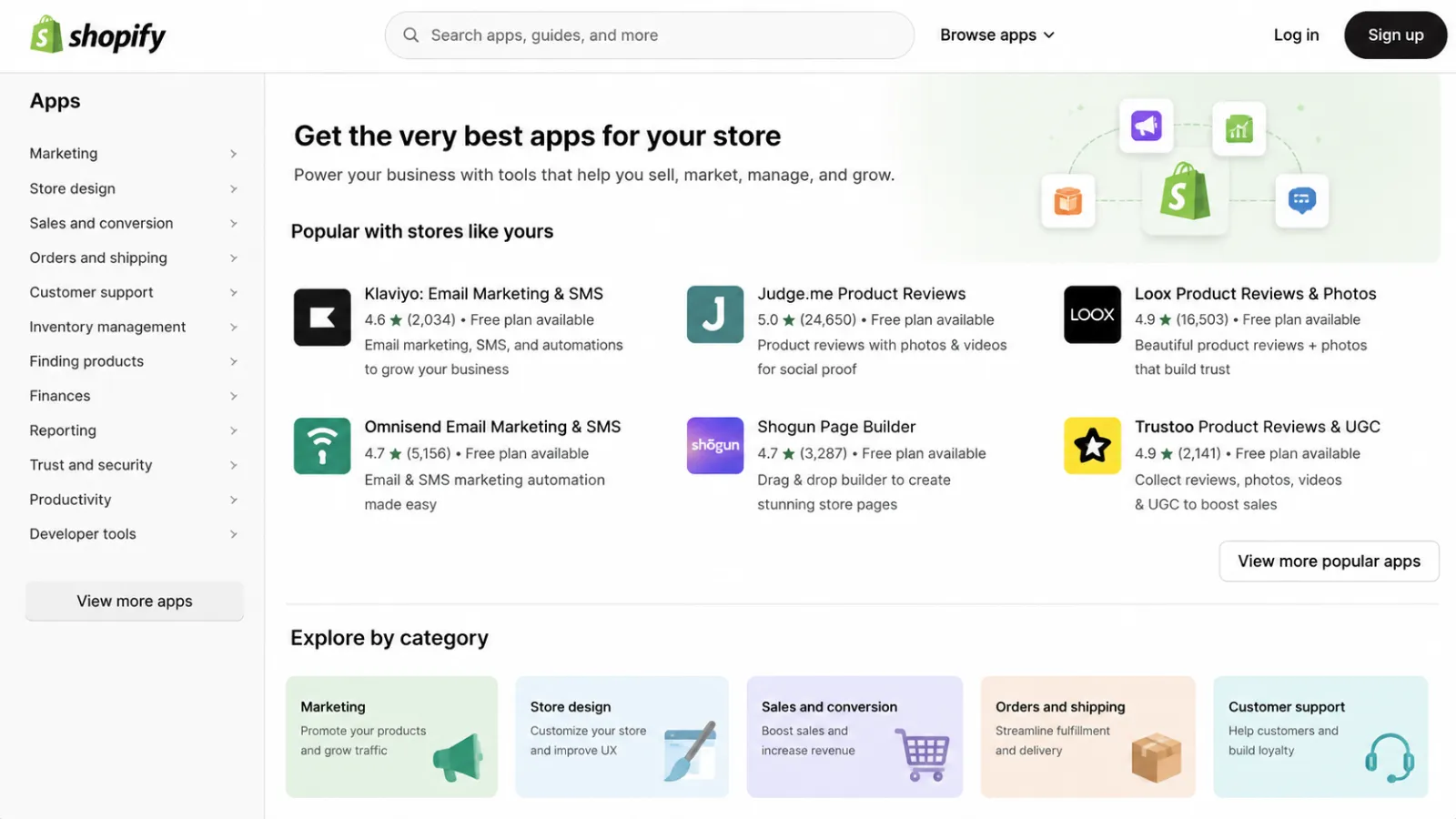
- App Store — thousands of apps for reviews, marketing, shipping, and more
Shopify Ease of Use: What Building a Real Store Is Like
Setting up our Shopify store
When we first set up Handiora on the Prestige theme, we had a working store live in under 90 minutes. That’s the thing about Shopify that’s easy to undersell in a feature list: the admin dashboard, inventory tools, and payment setup all feel genuinely polished in a way a lot of competitors still struggle to match.
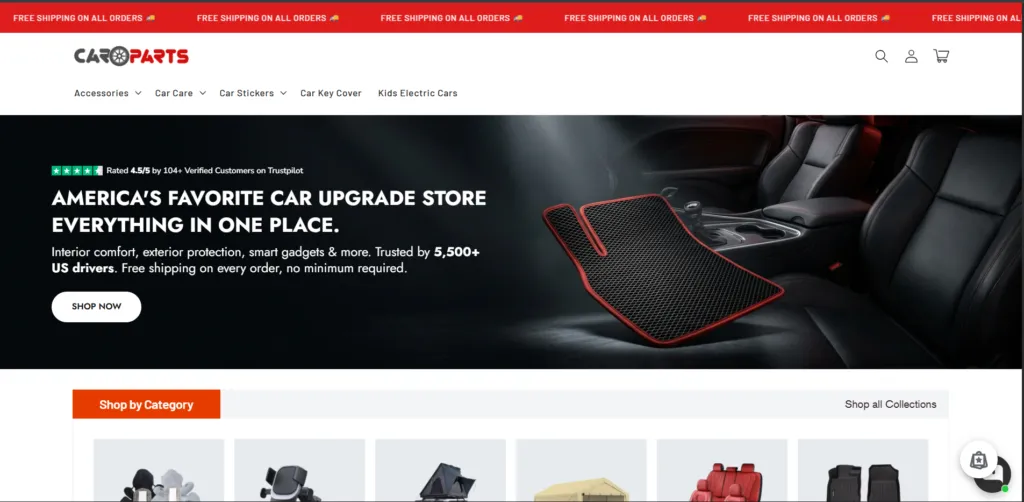
Shopify admin dashboard
Day to day, we move between products, orders, inventory, payments, and analytics from the same dashboard on both Handiora and cars4part.com. It’s not flashy, but it’s consistent — the same logic applies whether you’re updating a product on a luxury jewelry store or a car-parts store, which matters more than it sounds once you’re managing more than one store.
Where beginners may struggle
The friction shows up in a few predictable places: advanced theme customization beyond what the editor exposes, configuring apps correctly so they don’t conflict with each other, and getting shipping/tax settings right for your specific situation. One current, concrete constraint worth knowing before you sign up: the Basic plan no longer includes any additional staff accounts — it’s just the owner, with more seats available from the Grow plan up. If you’re planning to bring on help early, that’s a real cost to factor in, not just a “nice to have.”
Shopify Themes & Customization
Free vs premium themes
The Shopify Theme Store holds more than 1,000 themes in total — currently 1,243, with 24 of those free (checked directly on the Theme Store, September 2026; these numbers shift over time as Shopify adds and retires themes, so treat the exact count as a snapshot rather than fixed). Shopify’s own flagship free options include Horizon, part of Shopify’s newer Horizon theme system, and Dawn (the previous default, still available and still widely used), alongside the rest of that free set. Premium third-party themes, including the Prestige theme we use on Handiora, typically run $250–$400 as a one-time purchase.
Theme editor experience
The theme editor is genuinely no-code: drag-and-drop sections, adjustable colors and fonts, and image blocks you can rearrange without touching a line of markup. On Prestige, we could get a professional-looking layout without any custom code — the editor exposes enough sections and settings to make real design decisions, not just swap a logo.
When you need Liquid or custom code
Liquid is Shopify’s own templating language, and it’s what sits underneath every theme. For anything the theme editor doesn’t expose — a genuinely custom layout, a non-standard interaction, or deep integration with a specific app — you’re going to need someone who knows Liquid, whether that’s you or a hired developer. This is the honest trade-off behind Shopify’s simplicity: easy for 90% of what most stores need, but the last 10% of custom behavior requires real code.
Our experience using Prestige on Handiora
We chose Prestige specifically because Handiora needed a theme that could carry a luxury jewelry brand’s visual weight without a custom build. In our experience, it delivered on that within the editor alone — no Liquid required to get the store looking genuinely professional. The honest limitation is the one you’d expect: if we ever want something outside what Prestige’s settings expose, that’s when this becomes a Liquid conversation instead of a theme-editor one.
Product & Inventory Management
Adding and organizing products
Every Shopify plan supports unlimited products, and the product editor covers the essentials: titles, descriptions, images, pricing, and organization into collections. On both Handiora and cars4part.com, this part of the workflow is the same regardless of the very different product types involved — a genuinely consistent experience across catalog styles.
Variants and inventory
Products can have variants — size, color, material, and so on — each tracked as its own inventory line. Stock levels update automatically as orders come in, and low-stock thresholds can trigger alerts. This is standard, documented Shopify functionality rather than something unique to our stores, but it’s dependable in day-to-day use.
Managing larger catalogs
Per Shopify’s current plan comparison, Basic, Grow, and Advanced all support up to 10 inventory locations, while Plus supports up to 200. For most single-location or small-multi-location sellers, this ceiling won’t matter; it becomes relevant once you’re running several warehouses or retail locations that each need independent stock tracking.
Multichannel inventory
The same inventory pool feeds your online store, POS, and any connected sales channels (social, marketplaces) — a sale in one place reduces stock everywhere else automatically. This is the piece we’ve found genuinely useful in practice on the POS side specifically, covered in more detail further down.
Shopify Pricing 2026: What Does It Really Cost?
Pricing verified directly against shopify.com/pricing and Shopify’s Help Center, 1 September 2026.
Current Shopify plans
One important update if you last looked at Shopify’s pricing a while ago: the mid-tier plan previously called “Shopify” has been renamed Grow. It’s the same position in the lineup, just a new name — but it means any older review (including our own previous version) that says “the Shopify plan” is now describing Grow.
The figures below are current US pricing (USD). Shopify pricing varies by country and market — check the pricing page for your own region before deciding.
| Plan | Pay monthly | Pay yearly (per mo) | Additional staff accounts | Best for |
|---|---|---|---|---|
| Basic | $39 | $29 | None (owner only) | Solo sellers, new stores |
| Grow (formerly “Shopify”) | $105 | $79 | Up to 5 | Growing stores, small teams |
| Advanced | $399 | $299 | Up to 15 | Higher-volume sellers |
| Plus | From $2,300/mo (3-year term) | Unlimited | Enterprise brands | |
Annual billing saves roughly 25% across Basic, Grow, and Advanced — the “$29/$79/$299” figures you’ll see quoted around the web are the annual rate, not the pay-monthly price. All plans include a 3-day free trial, followed by $1/month for your first 3 months.
Our honest take: for most new stores, Basic is more than enough to start. The jump to Grow is worth it once you actually need a second staff account or the lower processing rates start to outweigh the price difference — not before. See current Shopify pricing and start free.
Transaction and payment processing fees
| Plan | Shopify Payments (online) | Third-party gateway fee |
|---|---|---|
| Basic | 2.9% + 30¢ | 2% |
| Grow | 2.7% + 30¢ | 1% |
| Advanced | 2.5% + 30¢ | 0.6% |
| Plus | Most competitive rates | 0.2% |
Theme costs
Free themes (like Dawn or Horizon) cost nothing. Premium themes from Shopify’s Theme Store — including Prestige, which we use on Handiora — typically run $250–$400 as a one-time purchase rather than a subscription.
App costs
This is where the advertised price quietly stops telling the whole story. See our real example directly below, and the fuller App Store discussion later in this review.
Our real Shopify cost example
On Handiora, our actual monthly spend has included the Shopify plan, the Prestige theme ($300 one-time), roughly six paid apps (around $80/month combined), and ad spend on top of that. Altogether, the realistic monthly cost for a serious store like this lands closer to $150–$200/month — not the $29–$39 headline figure. (Note: current Basic pricing is $39/month billed monthly or $29/month billed annually; the underlying math on “plan + theme + apps” hasn’t changed, but check today’s exact plan price against what we’ve quoted here.)
Shopify Payments & Checkout
Shopify Payments
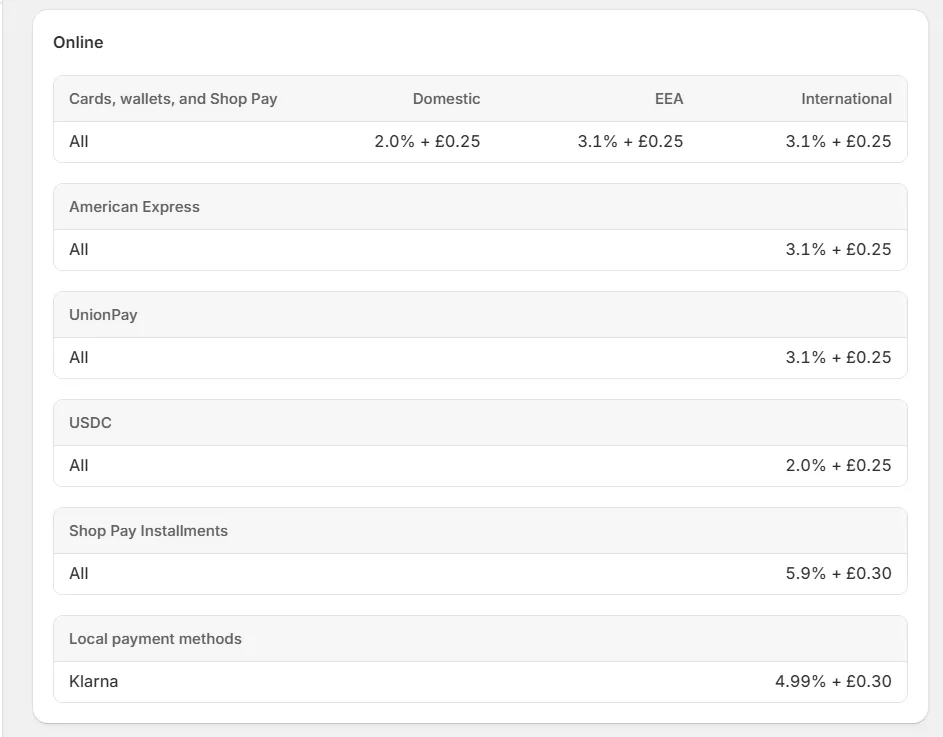
If you’re eligible, use it. Shopify Payments removes the third-party transaction fee that otherwise applies on every plan, so you only pay the card-processing rate, and payouts land on a standard 2–3 business day schedule in our experience.
Third-party gateways
If you use a payment provider other than Shopify Payments, Shopify still charges a separate transaction fee on top of whatever your gateway charges you — 2% on Basic, 1% on Grow, 0.6% on Advanced, 0.2% on Plus. This is the fee Shopify Payments exists specifically to avoid.
Transaction fees explained with a practical example
On $10,000 in monthly revenue processed through a third-party gateway instead of Shopify Payments, the Basic-plan 2% fee alone works out to about $200/month — money you keep if you switch to Shopify Payments (assuming you’re eligible in your country and industry).
Shopify Payments availability
Shopify Payments isn’t available in every country, so check eligibility before relying on it. On restricted business types specifically, Shopify’s own Payments eligibility documentation groups prohibited products and services into a few official categories: regulated or illegal products (including cannabis and related products, prescription drugs, tobacco, firearms and ammunition), adult products (sexually explicit content), pseudo-pharmaceuticals (products making health claims that aren’t verified by a regulatory body — this is the category that catches some supplements and nutraceuticals, not supplements as a whole category), and certain financial products and services (money transfers, cryptocurrencies, credit repair). Shopify is explicit that this list isn’t exhaustive and that eligibility varies by region, so if your product sits anywhere near these categories, check Shopify’s current country-specific eligibility page directly rather than relying on a general summary like this one.
Shopify App Store: Biggest Strength or Hidden Cost?
The App Store is arguably Shopify’s biggest advantage over building something from scratch — and, in the same breath, the most common way the real monthly bill quietly grows past what you budgeted. Both things are true at once, so it’s worth looking at honestly rather than just as a features list.
Apps we actually used
We use Judge.me on Handiora. It’s free on its Forever Free plan, fast to set up, and looks genuinely professional on the Prestige theme — no design compromise for being the free option. Beyond Judge.me, we haven’t personally tested other review apps like Loox, Vitals, Yotpo, or Stamped.io in depth, so what follows on those is comparison research rather than hands-on experience.
| App | Best for | Free plan? |
|---|---|---|
| Judge.me ⭐ (what we use) | Most stores — solid all-round option | Yes, Forever Free plan |
| Loox | Photo & video reviews | No — from $9.99/mo |
| Vitals | All-in-one toolset | Trial only |
| Yotpo / Stamped.io | Larger brands, loyalty + reviews | Limited free tiers |
When an app becomes necessary
Core Shopify covers the essentials, but most real stores end up needing apps for things like customer reviews, email/SMS marketing, upsells, and inventory sync with suppliers. The pattern we’ve seen on our own stores: each individual app decision feels small and cheap in isolation, and it’s the accumulation that changes the real monthly bill.
How app costs stack up
Our own Handiora example runs about six paid apps at roughly $80/month combined — which is a normal, not unusual, range for an active store. Budget for this from day one rather than being surprised by it three months in.
Shopify SEO: Is It Good for Google?
SEO features Shopify handles automatically
Shopify auto-generates an XML sitemap, applies canonical tags to prevent duplicate-content issues (a common problem with product-variant URLs), and includes SSL/HTTPS on every plan by default. This is documented, standard Shopify behavior rather than something we’ve independently audited on our own stores.
What you can optimize
You have direct control over title tags, meta descriptions, image alt text, and URL handles for products, collections, and pages, plus the ability to set up redirects. This gives you the core levers most stores actually need without requiring a dedicated SEO plugin.
Shopify SEO limitations
The main constraint is structural: Shopify enforces URL prefixes like /products/ and /collections/ that most stores can’t fully remove, and its blogging tools are noticeably more limited than a dedicated platform like WordPress if content marketing is central to your strategy. For a straightforward product-focused store, this rarely matters. If SEO-driven content is a major growth channel for you, it’s a genuine trade-off worth knowing before you commit.
Shopify POS: Selling Online and In Person
This is one of the most positive sections of this entire review. Shopify POS is one of the most deeply integrated in-person/online setups we’ve come across — inventory, customers, and orders sync in real time, with no manual reconciliation.
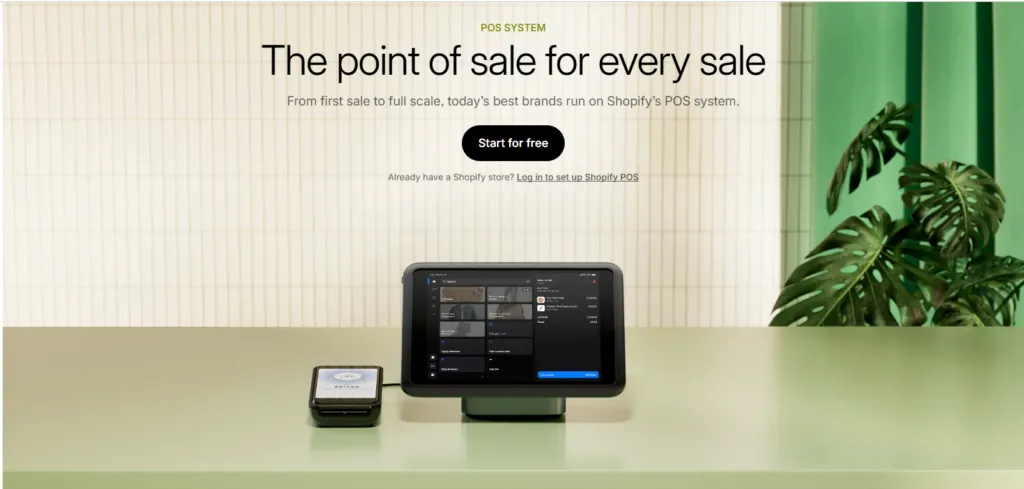
Shopify sells its own card readers, receipt printers, barcode scanners, and full POS terminals, all of which work out of the box in our experience.
- POS Lite — included free with every Shopify plan (basic in-person selling)
- POS Pro — $89/month per location (advanced retail features)
- Real-time inventory sync — online and offline stock stay accurate
- Customer profiles — the same customer data appears online and in-store
- Hardware bundle — card reader + dock + printer around $300
- iPad-friendly — the POS app works well on iOS
In our experience: for brands selling at markets, pop-ups, or physical retail, POS Pro is genuinely worth $89/month. The inventory sync alone saves real time every week compared to manually reconciling stock across systems.
Marketing, Automation & Shopify Collabs
Built-in marketing tools
Every plan includes email campaign tools, discount codes, gift cards, and abandoned-checkout recovery as standard. If you want a more dedicated email/SMS platform, our guide to the best email marketing tools for small businesses covers Klaviyo, Mailchimp, and others that integrate directly with Shopify.
Shopify automation
Shopify’s workflow-automation tooling can handle routine tasks — tagging orders, sending internal alerts, adjusting inventory rules — without needing a separate automation platform for basic logic. We haven’t built anything elaborate with it ourselves, so treat this as a general capability note rather than a hands-on verdict.
Our Shopify Collabs experience
We tested Shopify Collabs on cars4part.com. The setup took about 10 minutes, and within a week we had several micro-influencers signed up — genuinely one of the more pleasant surprises across both stores. Two current details worth knowing before you rely on it: Collabs currently limits creators to those based in the US, Canada, or the UK, and commission payouts carry their own fee on top of whatever commission rate you set. It’s still a real alternative to paying separately for a tool like Refersion or LeadDyno, but it’s not entirely free in the way “built-in and included” might suggest — worth setting up if organic influencer reach is part of your plan, not an automatic must-have for every store.
Shopify AI: Magic & Sidekick in 2026
We haven’t run structured tests of Shopify’s AI tools on our own stores yet, so this section is based on Shopify’s current documentation and product pages rather than first-hand use — we’re flagging that clearly rather than presenting researched information as something we personally verified.
Shopify Magic
Shopify Magic is the platform’s content-generation layer — it drafts product descriptions, blog posts, and email copy from a short prompt, and can edit product images (like removing or swapping backgrounds). It’s included free across every plan.
Sidekick
Sidekick is Shopify’s conversational AI assistant for running the store itself — answering questions about your data, drafting a discount code from a plain-language request, or helping diagnose why sales moved in a given week. It’s also included across all plans, with a bundled allowance of AI usage (“millions of tokens,” per Shopify’s own pricing page).
What Shopify AI actually saves time on
Based on current documentation and reporting from other merchants (not our own testing), the clearest wins seem to be first-draft product descriptions for catalog-heavy stores and quick answers to admin questions that would otherwise mean digging through menus. The same sources are honest that Magic-generated copy still needs an editor’s pass rather than being publish-ready — a sensible expectation for any AI drafting tool. We’d want to test this ourselves on Handiora or cars4part.com before giving it a first-hand verdict, and we’ll update this section when we do.
Is Shopify Good for International Selling?
Shopify Markets handles the core mechanics of selling across borders — localized currencies and pricing, storefront translation, and estimated duties/import taxes at checkout — without needing a separate app for each. This is researched rather than something we’ve used ourselves, since both our stores currently sell primarily to one main market. For a store actively expanding internationally, this is a genuine, well-built part of the platform rather than an afterthought; for a single-country store, it’s simply not something you’ll interact with much.
Is Shopify Good for Dropshipping?
Shopify remains one of the stronger platforms for dropshipping, mainly because of the ecosystem — integrations with suppliers like AliExpress, CJ Dropshipping, and Zendrop are more mature here than on most alternatives. That said, this review isn’t the place for a step-by-step dropshipping tutorial, so here’s the buying-decision version.
The real cost stack for dropshipping is the same one that applies to any Shopify store — plan, apps (typically $30–$50/month for sourcing/fulfillment apps), and ad spend — so margins get thin fast if pricing doesn’t account for it. Shopify suits dropshipping well if you’re building a real, ongoing brand around it; it’s a weaker fit if the plan is to chase whatever’s trending with minimal margin.
What Real Shopify Users Like — and Complain About
Rather than present individual quotes we can’t verify, here’s what’s checkable on public review platforms. Shopify holds a 4.4/5 rating on G2 from roughly 5,000 reviews (predominantly small-business users), and a similarly strong score on Capterra, where individual dated reviews are visible and traceable. Some review aggregators report a notably lower Trustpilot score for Shopify by comparison — a gap that’s worth reading as much about how review platforms attract different audiences (Trustpilot tends to skew toward people posting about a single bad experience) as about Shopify itself, rather than treating either extreme as the full picture.
Common praise
Across the G2 and Capterra reviews we looked at, the most recurring positives are ease of setup, reliable hosting/uptime, the depth of the app and API ecosystem, and — echoing our own POS experience above — how well online and in-person inventory sync for multichannel sellers.
Common complaints
The most recurring frustrations in the same reviews are the ongoing cost of app subscriptions needed to cover features that feel like they should be built in, the learning curve for Liquid when customization needs go beyond the theme editor, and occasional reports of slower support response times during busy periods. Shopify POS has its own recurring, more specific complaints in its dedicated Shopify POS Capterra reviews — most commonly hardware (receipt printer/barcode scanner) connectivity issues and limited inventory-costing method options.
Note: ratings and review counts shift over time — the figures above reflect what was visible on G2 and Capterra as of September 2026.
Shopify Pros and Cons
| PROS | CONS |
| One of the fastest setups among the platforms we’ve used — a live store in under 90 minutes | Basic plan now includes zero additional staff accounts — it’s owner-only |
| Reliable hosting with virtually no downtime in our experience | Third-party gateway fees still apply if you skip Shopify Payments (2% on Basic) |
| A huge app ecosystem — most features are an install away | App costs stack up fast; ours run roughly $80/month across six apps |
| Genuinely integrated POS — online and offline inventory stay in sync | Premium themes are a real cost — $250–$400 one-time per theme |
| Shopify Payments eliminates third-party transaction fees where eligible | Custom design beyond the theme editor requires learning Liquid |
| Shopify Collabs is a genuinely useful built-in affiliate/influencer tool | Cannabis, adult products and unverified health claims are excluded from Shopify Payments (details vary by region) |
| Mobile admin app is strong — we manage both stores from our phones regularly | Blogging/content tools are more limited than a dedicated CMS like WordPress |
| 24/7 support, responsive via chat in our experience | Real monthly cost is usually $100–$200+, not the $29–$39 US headline price |
Shopify vs Alternatives: Which Should You Choose?
No platform is the right answer for every business. Here’s the short version of when each makes more sense:
- Want the best all-round hosted ecommerce experience? Choose Shopify.
- Want maximum ownership, control, and content flexibility, and don’t mind managing your own hosting? Choose WooCommerce — see our full WooCommerce review and our direct WooCommerce vs Shopify comparison.
- Want another serious hosted ecommerce platform to compare against? Consider BigCommerce, particularly for B2B or high-volume catalog needs.
- Want a simpler website with lighter ecommerce needs? Consider Wix.
If you’re still comparing options broadly, our best ecommerce platforms for small business guide puts several of these side by side on pricing and real transaction costs.
Final Verdict — Our Shopify Review Rating
| Category | Rating | Score |
| Ease of Use | ★★★★★ One of the easiest eCommerce platforms we’ve used | 5.0 / 5 |
| App Ecosystem | ★★★★★ Thousands of apps available | 5.0 / 5 |
| POS System | ★★★★★ One of the best omnichannel POS setups we’ve tested | 4.9 / 5 |
| Payments | ★★★★☆ Great when eligible; category restrictions apply | 4.5 / 5 |
| Pricing Fairness | ★★★★☆ Hidden costs add up; staff-account change stings | 4.0 / 5 |
| Themes & Design | ★★★★☆ Polished but premium | 4.2 / 5 |
| Customer Support | ★★★★★ 24/7 and responsive in our experience | 4.8 / 5 |
| OVERALL | ★★★★★ Strong recommendation, with conditions | 4.5 / 5 |
After running Handiora and cars4part.com on Shopify, our conclusion is: Shopify is still one of the strongest eCommerce platforms available in 2026 for sellers who value reliability and ecosystem breadth over maximum control or minimum cost. The combination of Payments, POS, Collabs, and a huge app catalog is hard to match feature-for-feature, which is why serious sellers keep choosing it even when cheaper alternatives exist.
Be honest about your budget first
If your realistic monthly cost lands at $100–$200 (plan + theme + apps) and you can’t generate revenue to cover it within a few months, WooCommerce may be the more sensible starting point. Paying for Shopify before you’re ready to invest in marketing is paying for the wrong problem.
- Choose Shopify if you want a reliable, all-in-one platform and are ready to budget for the real (not advertised) monthly cost.
- Consider WooCommerce if budget and technical control matter more than convenience.
- Skip both for now if you’re still validating an idea and aren’t ready to invest in marketing yet.
Start your free Shopify trial here. It takes about an hour to set up a real store, and the 3-day free trial plus $1/month for your first 3 months gives you room to get going before paying full price.
| Prices below are current US pricing (varies by market): ✅ Best plan to start: Basic ($39/mo, or $29/mo billed annually) — right for most new stores ✅ Best upgrade: Grow ($105/mo, or $79/mo annually) — once you need a second staff account or lower processing rates ✅ Best for retailers: Basic + POS Pro ($89/mo) — full omnichannel selling ✅ Best feature most sellers skip: Shopify Collabs — a genuinely useful built-in affiliate/influencer tool |
Running a serious Shopify store? Our guide to the best CRM tools for small businesses in 2026 covers HubSpot, Zoho, Pipedrive, and more — all of which integrate with Shopify.
Shopify FAQ
Is Shopify really worth it in 2026?
Yes, for most serious sellers. Basic at $39/month ($29/month billed annually — current US pricing; check shopify.com/pricing for your market) covers what new sellers need — unlimited products, secure hosting, payments, and 24/7 support. But budget for the real monthly cost: themes, apps, and processing fees typically push the total to $100–$200/month. It’s harder to justify for hobby stores still testing an idea. See the break-even math near the top of this review.
How much does Shopify really cost per month?
The plan itself starts at $39/month ($29 annual) for Basic, $105/month ($79 annual) for Grow, and $399/month ($299 annual) for Advanced — all current US pricing, verified against shopify.com/pricing, 1 September 2026. Shopify pricing varies by country, so check the pricing page for your own market. A realistic total including a theme and a handful of apps usually lands between $100 and $200/month for an active store.
Does Shopify charge transaction fees?
Not if you use Shopify Payments. If you use a third-party gateway instead, Shopify charges an additional fee on top — 2% on Basic, 1% on Grow, 0.6% on Advanced, and 0.2% on Plus.
Is Shopify good for beginners?
Yes — in our experience, it’s genuinely one of the easier platforms to get a working store live on quickly. The main things beginners run into are advanced customization, app configuration, and the fact that Basic no longer includes any extra staff accounts.
Is Shopify good for small businesses?
Generally yes, particularly for small businesses that want to avoid managing their own hosting and want online and in-person selling connected through POS. The main caveat is cost — the real monthly spend is higher than the headline plan price once you add what most active stores actually need.
Is Shopify good for SEO?
It handles the basics well automatically (sitemaps, canonical tags, SSL) and gives you direct control over titles, meta descriptions, and alt text. Its main SEO limitation is more rigid URL structure and more limited blogging tools than a dedicated CMS like WordPress — worth knowing if content marketing is central to your growth plan.
Can you sell internationally with Shopify?
Yes, through Shopify Markets — localized pricing/currency, storefront translation, and duty/tax estimation at checkout. We haven’t used this ourselves in depth since both our stores currently focus on one main market, so treat this as researched rather than first-hand.
Do I need coding skills for Shopify?
No, not for most stores. The theme editor is genuinely no-code, and we built Handiora’s entire look on the Prestige theme without touching Liquid. Coding (or hiring someone who knows Liquid) only becomes necessary for customization the theme editor doesn’t expose.
Shopify vs WooCommerce — which is better?
Shopify is better for most sellers who want zero technical maintenance — hosting, security, and updates are handled for you. WooCommerce can be cheaper long-term if you’re comfortable managing WordPress and hosting yourself, and it offers more content and customization flexibility. See our full Shopify vs WooCommerce comparison for the detailed breakdown.