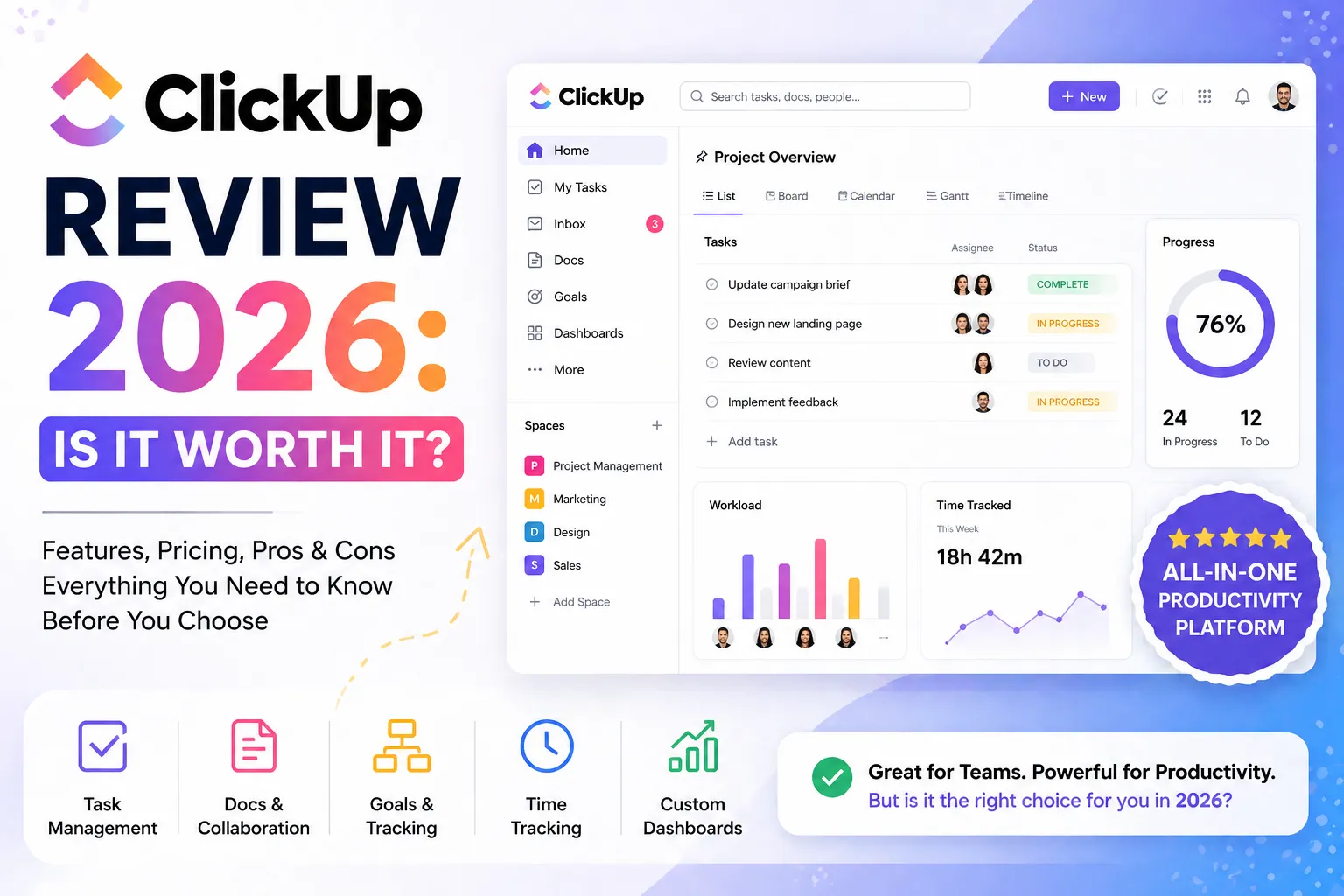
Free forever. Unlimited tasks. Unlimited members. Is ClickUp actually too good to be true — or is it the real deal? In this ClickUp review, we take a closer look at whether it’s really worth it for small businesses in 2026.
Honestly, when I first saw ClickUp’s free plan, I thought there had to be a catch. Unlimited tasks AND unlimited members on a free plan? That sounds like something that expires after 14 days. However, after using ClickUp properly and verifying every detail directly from their official pricing page, I can confirm — the free forever plan is exactly what it says.
Furthermore, ClickUp isn’t just a task manager. It includes collaborative docs, sprint management, Kanban boards, calendar view, in-app video recording, and 24/7 support — all at zero cost. As a result, this ClickUp review will walk you through exactly what you get at each plan level, the top features that make a difference, and who should actually use it.
Additionally, all pricing and features in this review are taken directly from ClickUp’s verified official source — so you can trust the numbers before signing up.
1. ClickUp Review — Quick Summary
2. What is ClickUp? — Simple Explanation
ClickUp is an all-in-one work management platform. It replaces separate task managers, docs tools, time trackers, and chat apps — all in one place, starting at $0.
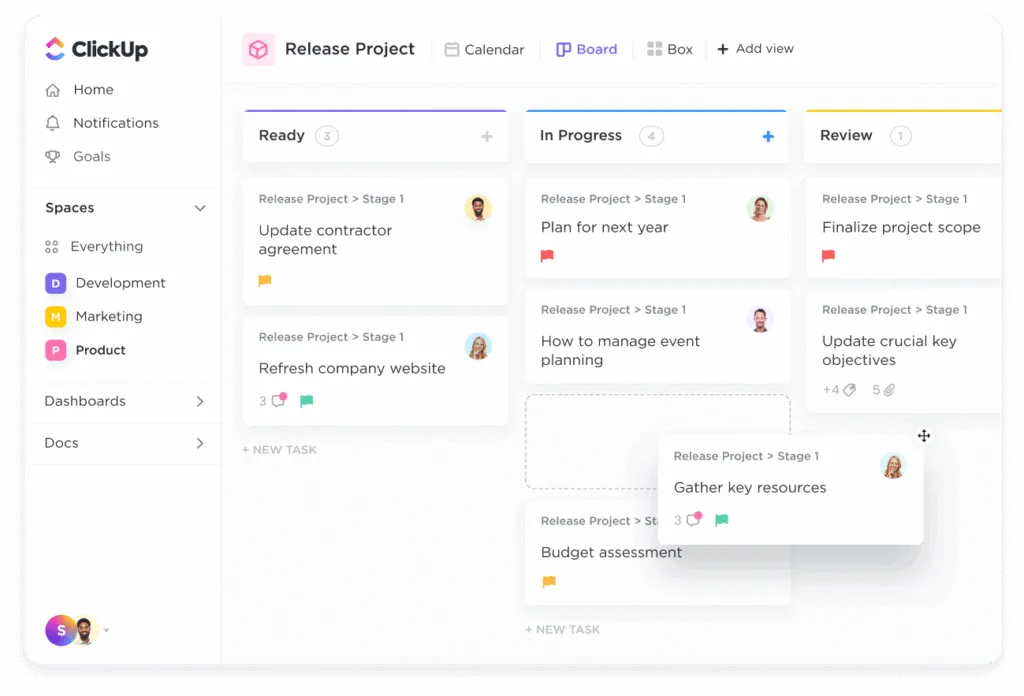
ClickUp is a work management platform that helps individuals and teams organize tasks, track time, collaborate on documents, and manage projects in one place. Specifically, it is built around tasks as the core unit — every request gets captured, assigned to someone, given a deadline, and tracked until it’s done.
Furthermore, ClickUp goes beyond basic task management. It includes collaborative docs, sprint management, Kanban boards, calendar view, in-app video recording, and a built-in chat feature. As a result, many teams use ClickUp to replace three or four separate tools — reducing both cost and the confusion of switching between apps.
According to ClickUp’s official platform information, over 3 million teams use ClickUp to report and act from the same place. Additionally, the platform is designed to scale — from personal to-do lists all the way to cross-team enterprise workflows — without requiring a platform change.
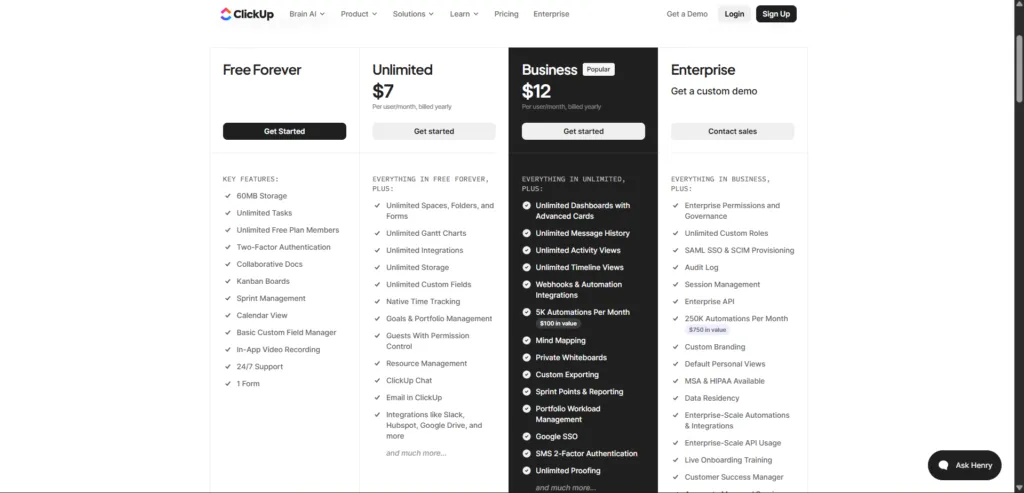
Monthly Price & Key Additions
| Monthly Price | Key Additions |
| $0 always | Unlimited tasks, unlimited members, Kanban boards, sprint mgmt, calendar view, 60MB storage, 1 form, 24/7 support, in-app video recording |
| Unlimited Plan $10 Per user/month, billed monthly | Everything Free + unlimited Gantt charts, unlimited integrations, unlimited storage, native time tracking, goals & portfolio, ClickUp Chat, email in ClickUp |
| Business Plan $19 Per user/month, billed monthly | Everything Unlimited + unlimited dashboards, 5K automations/month, mind mapping, private whiteboards, sprint points & reporting, portfolio workload management |
| Custom pricing | Everything Business + 250K automations/month, SAML SSO, SCIM, custom branding, HIPAA, data residency, customer success manager |
7. ClickUp Review — Quick FAQs
Yes — according to ClickUp’s official platform, the Free Forever plan has no time limit, no credit card required, and includes unlimited tasks and unlimited free plan members. Therefore, your entire team can use ClickUp at zero cost indefinitely. However, storage is limited to 60MB and only 1 form is included on the free tier.
According to ClickUp’s own FAQ, most people are up and running in minutes. Additionally, ClickUp’s onboarding says ‘setup in 2 min’ on their official page. However, in my experience, setting up a proper workspace structure for a team — with dedicated spaces per client or project — takes about 2-3 hours on the first setup. Consequently, give yourself an afternoon to configure it properly before going live with your team.
Yes — unlimited integrations are included on the Unlimited plan ($7/user/month yearly). According to ClickUp’s official pricing page, integrations include Slack, HubSpot, and Google Drive, with much more available. Furthermore, the Business plan adds Webhooks and automation integrations. As a result, ClickUp connects with most tools that small businesses already use.
Yes — Asana has strong iOS and Android apps. The mobile app lets you create tasks, update statuses, add comments, and check project progress from your phone. Furthermore, push notifications keep you updated on task changes without needing to open the desktop version. The mobile experience is one of Asana’s stronger points compared to competitors like ClickUp.
Yes — particularly on the Unlimited plan ($7/user/month yearly), which adds native time tracking with billable/non-billable entries and Timesheets. Consequently, freelancers can track time per task, mark it as billable, and generate timesheet reports — all inside ClickUp. Furthermore, the free plan’s sprint management makes it suitable for freelancers managing complex client deliverables without paying anything initially.
8. Final Verdict — ClickUp Review 2026
Honestly, after verifying every detail from ClickUp’s official source, my ClickUp review verdict is clear: the free plan is genuinely one of the best in the market. Unlimited tasks, unlimited members, 24/7 support, in-app video recording, sprint management, and collaborative docs — all at zero cost. Furthermore, the yearly pricing on paid plans ($7/user/month for Unlimited) is extremely competitive compared to alternatives.
However, Clickup does have a learning curve. The first week feels overwhelming because there are so many options. That said, once you set up your workspace structure, the daily experience becomes much smoother. Consequently, I always recommend giving ClickUp a proper two-week trial with a real project before deciding. Most teams that push through the first week stay with ClickUp long-term.
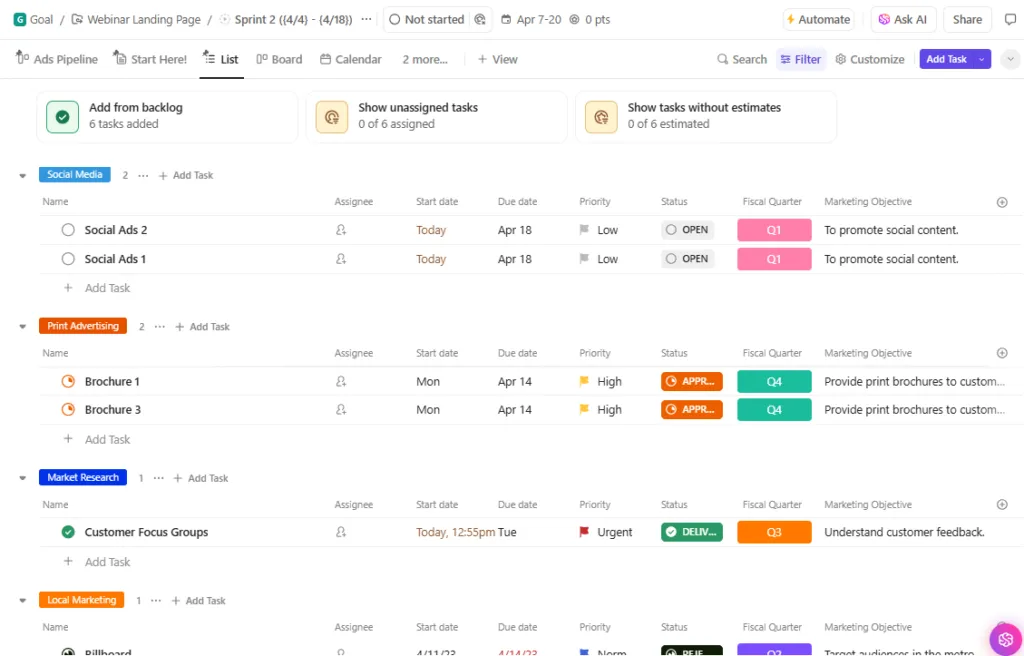
Ultimately, if you’re a small business looking for a free project management tool that your whole team can use — or a freelancer who needs time tracking at an affordable price — ClickUp is the strongest option available in 2026. The official numbers back this up: free forever, real features, real support.
| ⭐ Final Rating: 4.4 / 5 — Strongly Recommended✅ Start with: ClickUp Free Forever — unlimited tasks, unlimited users, no credit card✅ Upgrade to: Unlimited ($7/user/mo yearly) when you need time tracking + Gantt charts✅ Move to: Business ($12/user/mo yearly) when you need automations + dashboards👉 Start free today — no credit card, setup in 2 minutes, real support from day one. |
💬 Did This ClickUp Review Help You?
Drop a comment below — which plan are you considering, or what’s stopping you from trying ClickUp?
Want to compare ClickUp with Asana, monday.com, Trello, and Notion side by side? Moreover, our full guide to the best project management tools for small businesses in 2026 covers every major option with pricing and honest recommendations.
Still not 100% sure ClickUp is right for you? Additionally, our guide on how to choose project management software walks through a 5-question framework that identifies the right PM tool based on team size, budget, and work style.
Are you a freelancer? Furthermore, our guide to the best project management tools for freelancers in 2026 explains exactly how ClickUp’s time tracking and task system fits solo freelance work — alongside Notion, Paymo, and Trello.
⚠️ All pricing and features verified from ClickUp’s official source. Confirm current pricing at clickup.com before purchasing.
🔍 How We Tested This Tool
Every tool on Tool Growth is tested hands-on using real accounts — not marketing materials. We follow an 8-step review process before publishing.