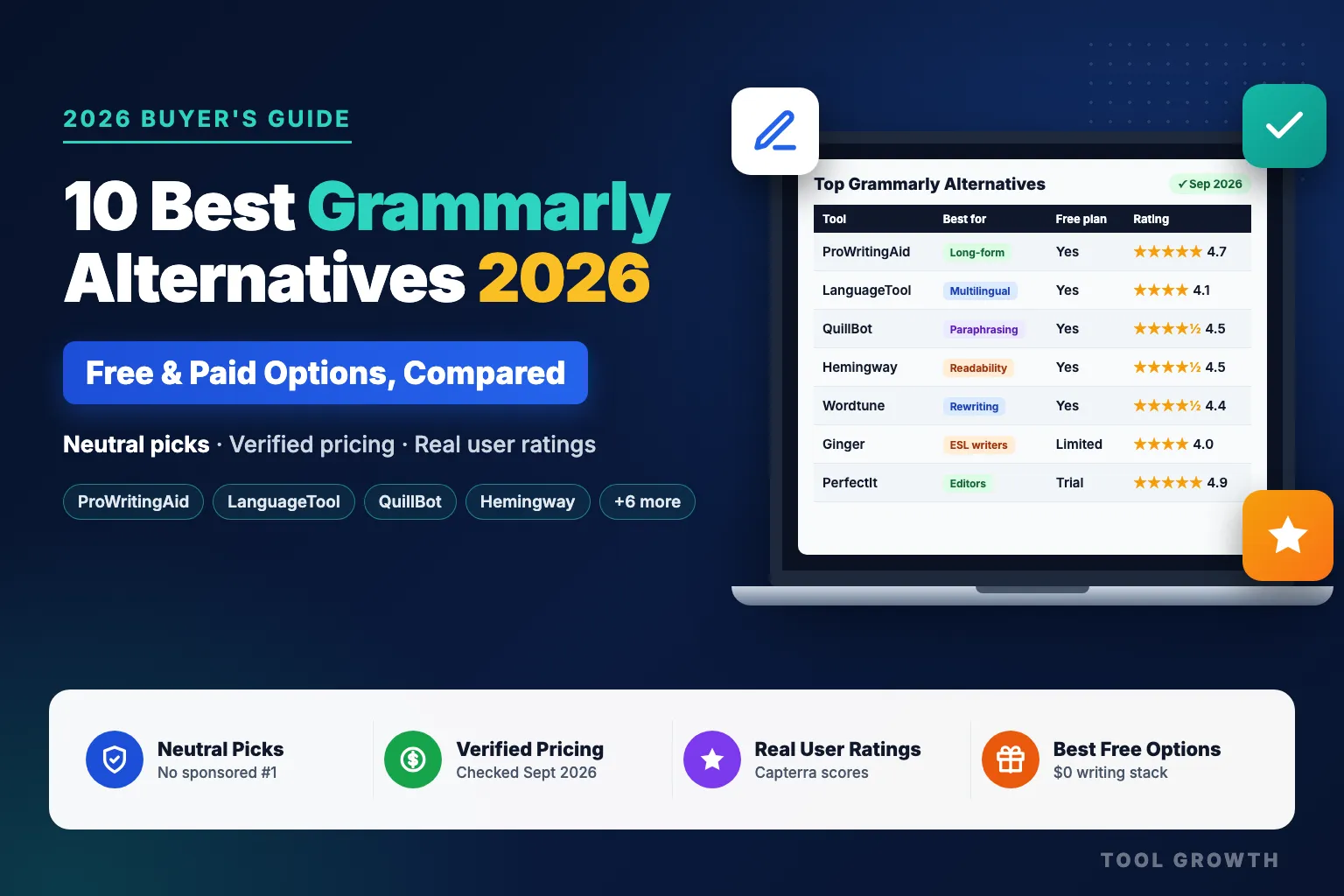
Most people searching for Grammarly alternatives aren’t unhappy with Grammarly’s grammar checking. They’re unhappy with something around it: the $30/month price on monthly billing, the English-first focus, suggestions that flatten their voice, or a free plan that keeps pushing upgrades. The right alternative depends on which of those problems is actually yours — which is why this guide starts with a decision table, not a ranked list.
Two things make this list different from most you’ll find. First, it’s neutral — ToolGrowth doesn’t make a writing tool, so no product is ranked #1 because we own it (two of the top-ranking Grammarly alternatives articles right now put their own product first). Second, every price and rating is current: pricing was checked on each vendor’s official pricing page and user ratings were pulled from Capterra on 23 September 2026. Where a vendor hides its price or we couldn’t verify a figure, we say so instead of guessing.
Which Grammarly Alternative Is Right for You? (Quick Decision Table)
Find your situation in the left column. The detailed breakdown of every tool is further down.
| If you are… | Use | Why |
|---|---|---|
| A novelist, blogger or long-form writer | ProWritingAid | Style, pacing and repetition reports go well beyond grammar; lifetime licence available. |
| Writing in more than one language | LanguageTool | 30+ languages, including German, Spanish, French, Dutch, Portuguese and Polish. |
| A student reworking sources and building citations | QuillBot | Paraphraser, summariser, citation generator and grammar checker in one subscription. |
| Trying to make writing simpler and more readable | Hemingway Editor | Highlights hard-to-read sentences, adverbs and passive voice; web editor is free. |
| Rewriting sentences on a tight budget | Wordtune | Advanced from $6.99/mo billed annually; Unlimited rewrites from $9.99/mo. |
| A non-native English speaker wanting low cost | Ginger | Sentence rephraser plus translation, frequently on 50%-off promotions. |
| Running a support or sales team | Sapling | Autocomplete and snippets built for customer-facing messaging. |
| A professional editor or proofreader in Word | PerfectIt | Catches inconsistencies (hyphenation, capitalisation, acronyms) that grammar tools miss. |
| A large company needing brand governance | Writer | Enterprise AI platform with brand profiles and governance controls. |
| Happy with Grammarly, just not the price | Grammarly Free + LanguageTool Free | Two free layers cover most everyday grammar checking at $0. |
Why Look for a Grammarly Alternative?
Grammarly is still the category benchmark — it holds a 4.7/5 rating from 7,224 reviews on Capterra, and our full Grammarly review explains why. But the same reviews, and our own use of the tool, surface five recurring reasons people look elsewhere:
- Price on monthly billing. Grammarly Pro is $12/month only when you commit annually ($144/year). Pay month to month and it’s $30/month — among the most expensive options on this list.
- English-first. Grammarly is built around English. If you write in German, Spanish or French as well, a multilingual checker like LanguageTool is a better fit.
- Suggestions that flatten your voice. Fiction writers and anyone with a deliberate style often find aggressive suggestions strip out personality. Capterra reviewers flag over-correction on technical and specialised writing too.
- A free plan that keeps upselling. The free plan catches real errors, but clarity rewrites, plagiarism checks and most AI features are Pro-only — and the upgrade prompts are constant.
- Specialist needs. Paraphrasing (QuillBot), readability (Hemingway), deep manuscript analysis (ProWritingAid) and style-guide consistency (PerfectIt) are each done better by a focused tool.
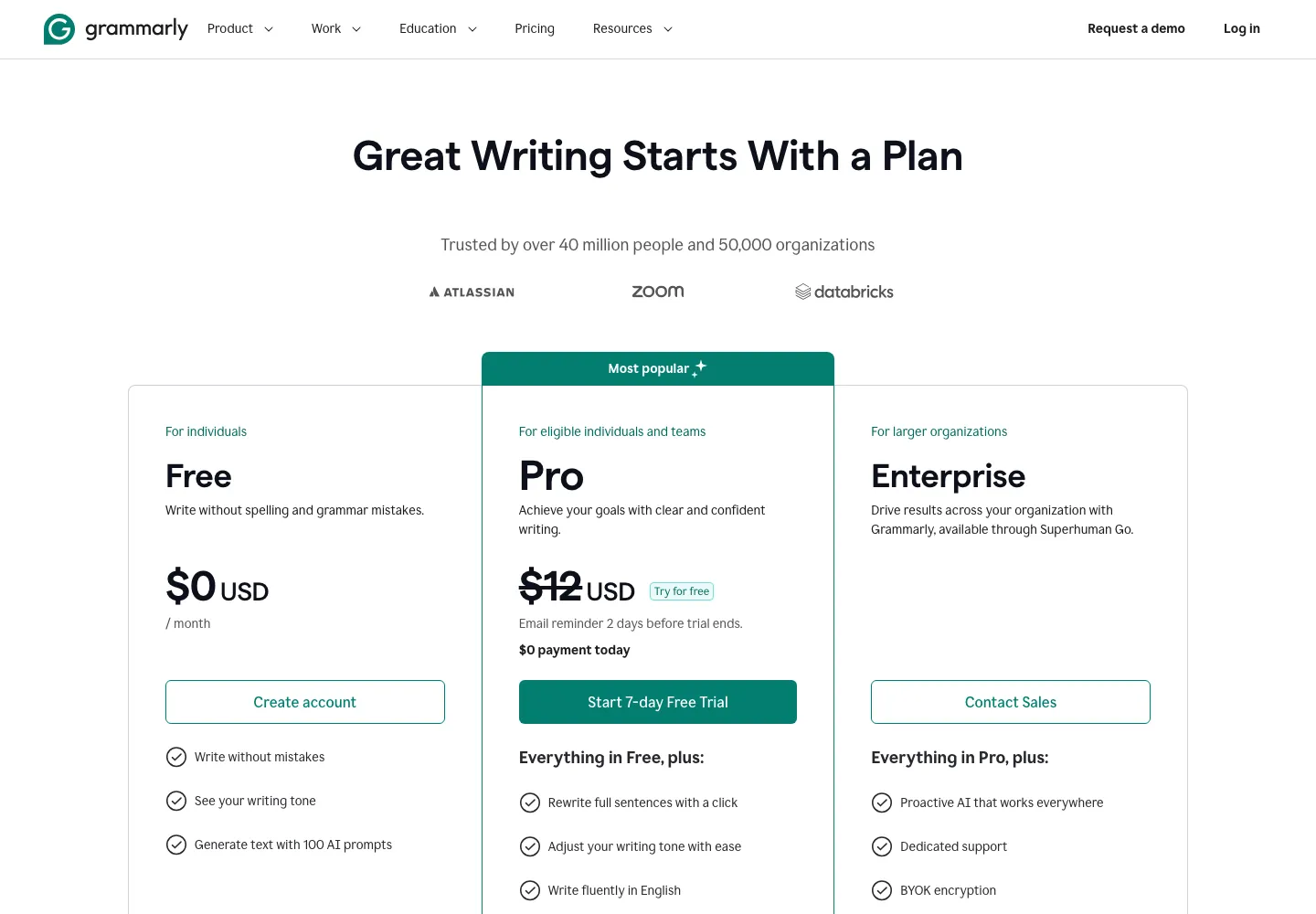
Grammarly plans page: Pro is $12/mo billed annually, with a 7-day free trial (checked 23 Sep 2026).
How We Chose and Verified These Tools
Here’s exactly what sits behind this list, so you can judge how much weight to give it:
- Grammarly baseline: our own hands-on use of Grammarly, documented in our Grammarly review and Grammarly vs QuillBot comparison.
- Shortlist: we analysed the pages currently ranking for “Grammarly alternatives” and mapped which tools they recommend. ProWritingAid appeared on every one; Hemingway and LanguageTool on almost every one. We kept tools that genuinely replace part of what Grammarly does, and moved plagiarism-only and pure content generators to a separate “also considered” section.
- Pricing: checked on each vendor’s official pricing page or help centre on 23 September 2026. Where the vendor doesn’t publish prices publicly, we say so and name the source we used instead.
- Ratings: Capterra overall rating and review count, pulled on 23 September 2026. We use one source for every tool so the numbers are comparable — and we flag it where a rating rests on very few reviews.
- Neutrality: no tool paid for placement, and no ranking is based on a commission.
What we haven’t done is run all ten tools through an identical, side-by-side error test for this article. The feature assessments below come from each tool’s current documentation, published user reviews and our Grammarly baseline — not from a controlled lab test — and we’ve written them accordingly.
Grammarly Alternatives Compared: Price, Free Plan & Ratings
Prices from official pricing pages; ratings from Capterra. Both checked 23 September 2026.
| Tool | Best for | Free plan | Paid from | Capterra |
|---|---|---|---|---|
| Grammarly (baseline) | All-round grammar + tone everywhere | Yes — 100 AI prompts/mo | $12/mo annual · $30 monthly | 4.7 (7,224) |
| ProWritingAid | Long-form & fiction writers | Yes — 500 words, 2 runs/day | $10/mo annual ($120/yr) · $30 monthly | 4.7 (497) |
| LanguageTool | Multilingual writers | Yes — 2,000 characters/field | $69.90/yr list ($34.95 on current promo) | 4.1 (50) |
| QuillBot | Paraphrasing, students | Yes — 125-word paraphrasing | $99.95/yr ($8.33/mo) · $19.95 monthly | 4.5 (157) |
| Hemingway Editor | Readability & concise writing | Yes — free web editor | Plus $100/yr · $10 monthly | 4.5 (13)* |
| Wordtune | Sentence rewriting on a budget | Yes — 10 rewrites/day | $6.99/mo annual · $13.99 monthly (Advanced) | 4.4 (82) |
| Ginger | ESL writers, low cost | Limited free checks | $7.50/mo annual list · $13 monthly | 4.0 (86) |
| Sapling | Support & sales teams | Yes — basic assistance | Pro $12/mo annual · $25 monthly | 4.6 (11)* |
| PerfectIt | Editors, consistency checks | No — 14-day trial | $115/yr (Professional) · $145/yr (Elite) | 4.9 (371) |
| Writer | Enterprise brand governance | No — 14-day trial | Starter per-seat (price on request) · Enterprise custom | — |
| WhiteSmoke | Legacy desktop users only | Free Chrome add-on | ~$59.95/yr (third-party listings) | 3.8 (24) |
* Based on fewer than 20 reviews — treat as a weak signal. Capterra ratings are user-submitted and can shift over time; we’ll re-check them when this article is next updated.
Best Grammarly Alternatives for Grammar, Style & Readability
These tools replace Grammarly’s core job: catching errors and improving how your writing reads.
1. ProWritingAid — Best Overall Grammarly Alternative
Verdict: the strongest direct replacement if you write long-form content, especially fiction.
ProWritingAid is the one tool every competing guide recommends, and for good reason. It covers grammar and spelling like Grammarly, but its real strength is its reports — style, overused words, sentence-length variation, repetition, pacing and more — which make it more of a self-editing coach than a spell checker. For novelists and bloggers working on long documents, that depth is the reason to switch. The newer Premium Pro tier adds AI “chapter critiques” and a community with live author and editor workshops.
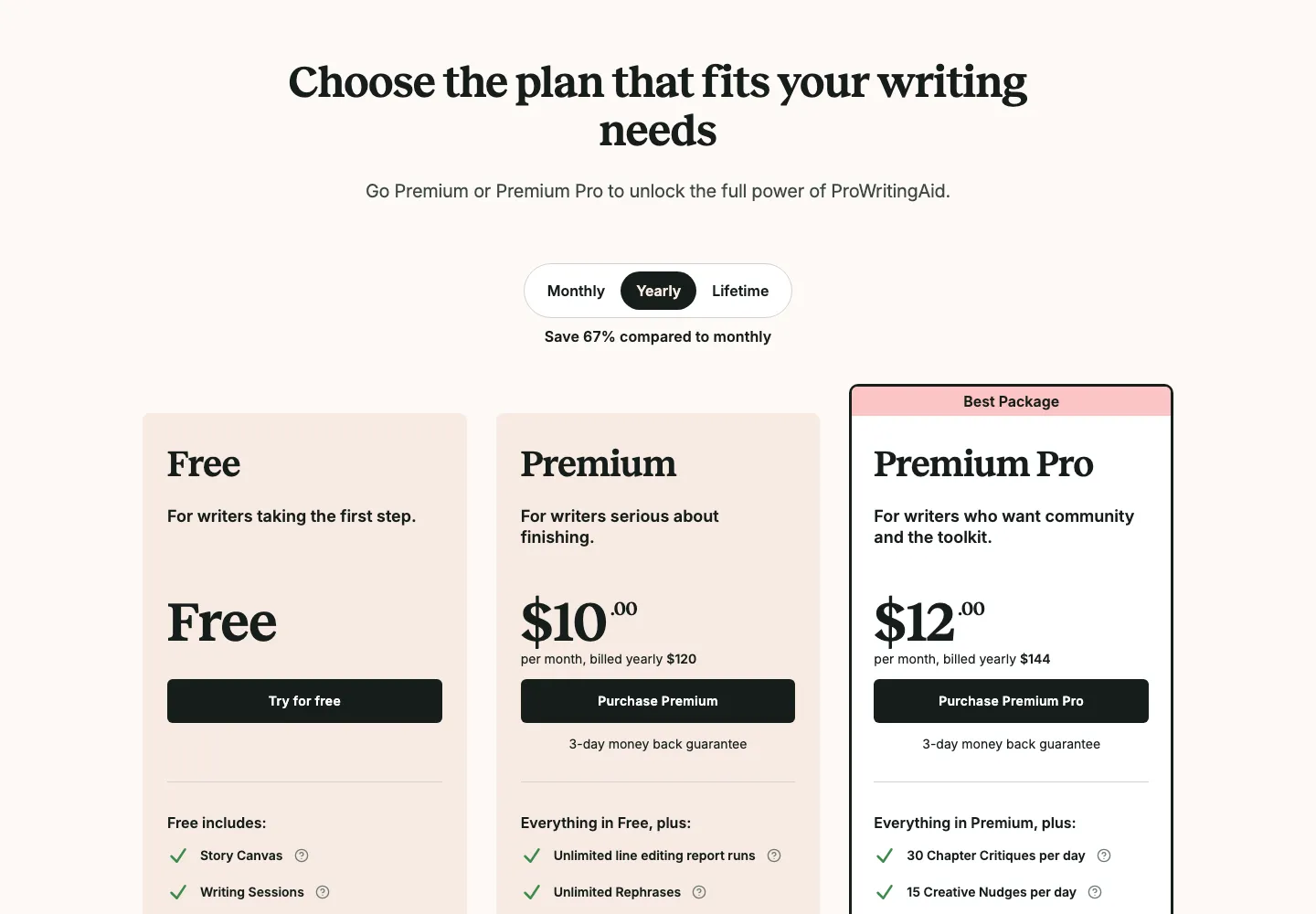
ProWritingAid pricing page: Premium $10/mo and Premium Pro $12/mo, billed yearly (checked 23 Sep 2026).
Choose it if you edit long drafts and want to understand why your writing feels flat. Skip it if you mainly need quick corrections in emails and chat — the report-heavy interface is more than you need, and Grammarly or LanguageTool is lighter to live with. Only a 3-day money-back guarantee applies to paid plans, so test the free tier properly first.
2. LanguageTool — Best Multilingual and Budget Alternative
Verdict: the best choice if you write in more than one language — and the most generous free plan here.
LanguageTool checks grammar, punctuation and style in 30+ languages, which is its clearest advantage over Grammarly. It runs as a browser add-on (Chrome, Edge, Firefox, Safari, Opera), in Google Docs, Word, Gmail, Apple Mail and Thunderbird, and as desktop apps for Windows and macOS, so coverage is close to Grammarly’s. Capterra reviewers repeatedly praise its simpler interface and its privacy focus compared with Grammarly.
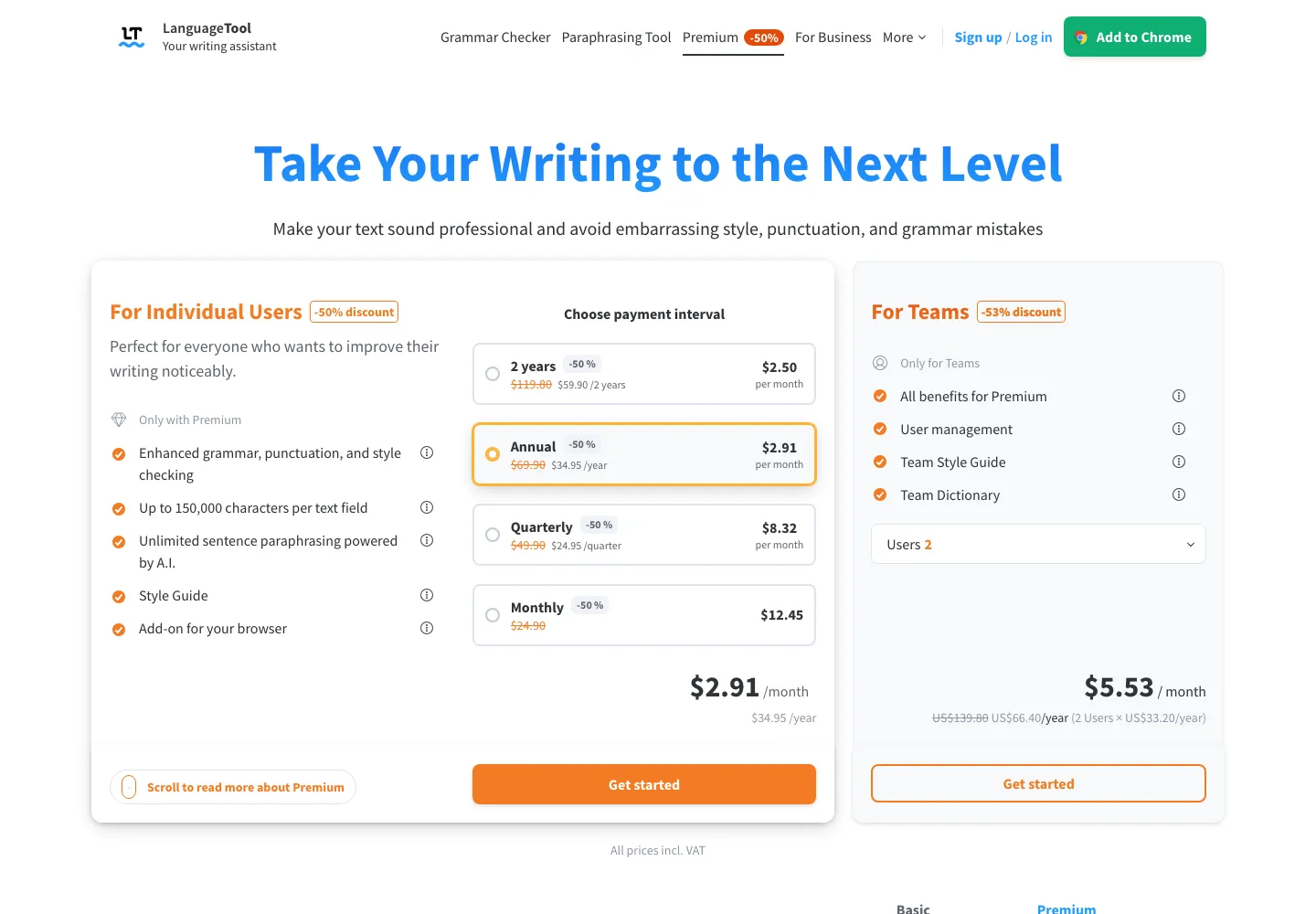
LanguageTool Premium pricing: the 50% promo live on 23 Sep 2026 cut the annual plan from $69.90 to $34.95.
Choose it if you switch between languages or want the best $0 option. Skip it if you write only in English and want Grammarly-level tone and clarity rewrites — LanguageTool’s style suggestions are good, but lighter.
3. Hemingway Editor — Best for Readability
Verdict: a brilliant free second layer, but not a full grammar checker.
Hemingway doesn’t try to catch every grammatical error. Instead, it colour-codes sentences that are hard to read, flags adverbs, passive voice and complex phrases, and gives your text a readability grade. That makes it excellent for web copy, reports and anyone told their writing is “too dense”. The paid Hemingway Editor Plus adds AI-powered suggestions for rewriting the sentences it flags.
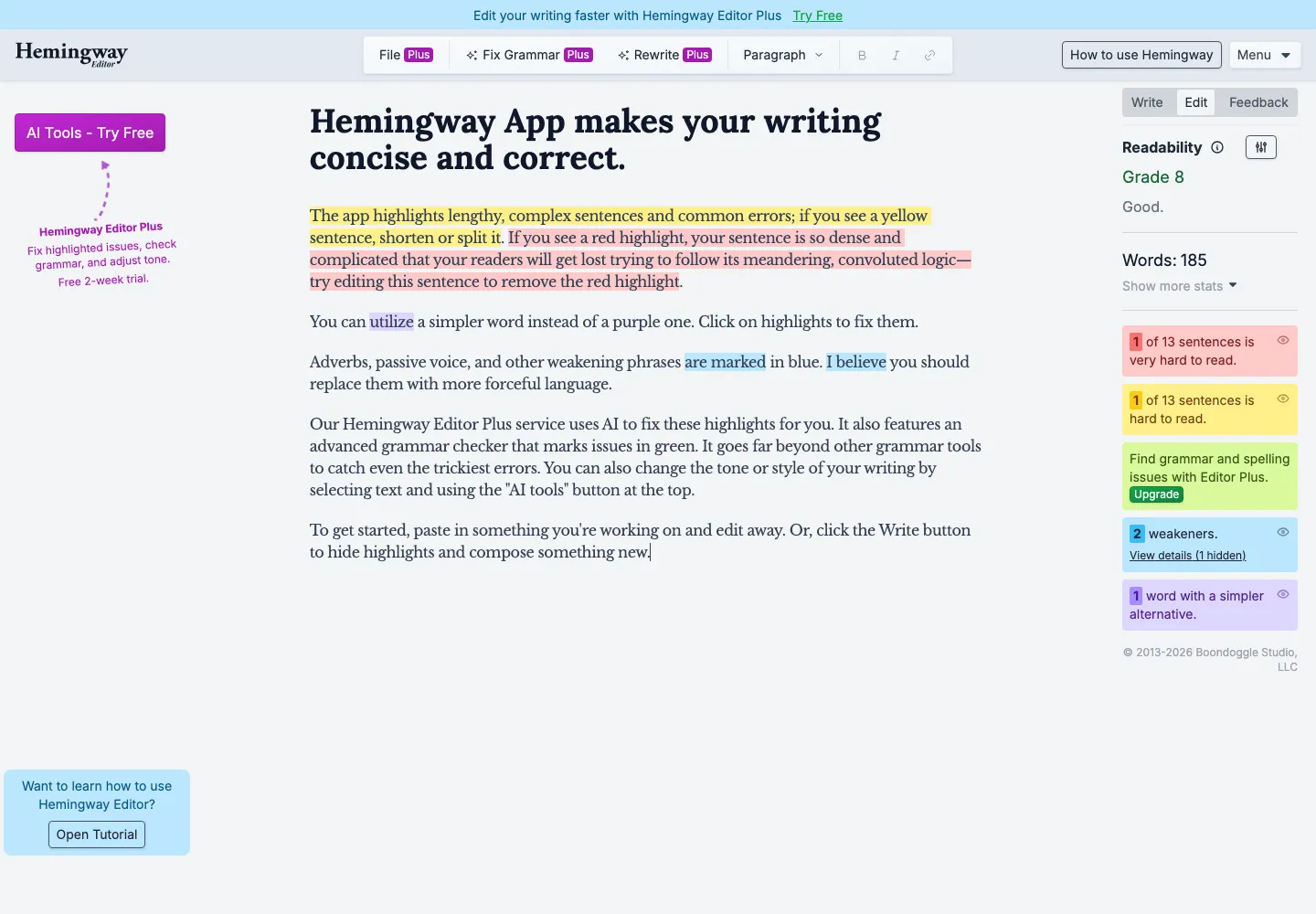
The free Hemingway web editor colour-codes hard-to-read sentences, adverbs and passive voice, and shows a readability grade.
Choose it if clarity is your problem more than correctness. Skip it if you need a single tool to replace Grammarly — pair the free editor with LanguageTool Free instead.
4. Ginger — Best Low-Cost Option for Non-Native Speakers
Verdict: cheap and ESL-friendly, but it hasn’t kept pace with the leaders.
Ginger combines a grammar checker with a sentence rephraser, translation and a text-reader, which is why it keeps appearing on lists aimed at English learners. Its pricing is aggressive — the official store currently shows 50% off every plan. The trade-off is depth: Capterra reviews (4.0/5) are noticeably lower than ProWritingAid’s or Grammarly’s.
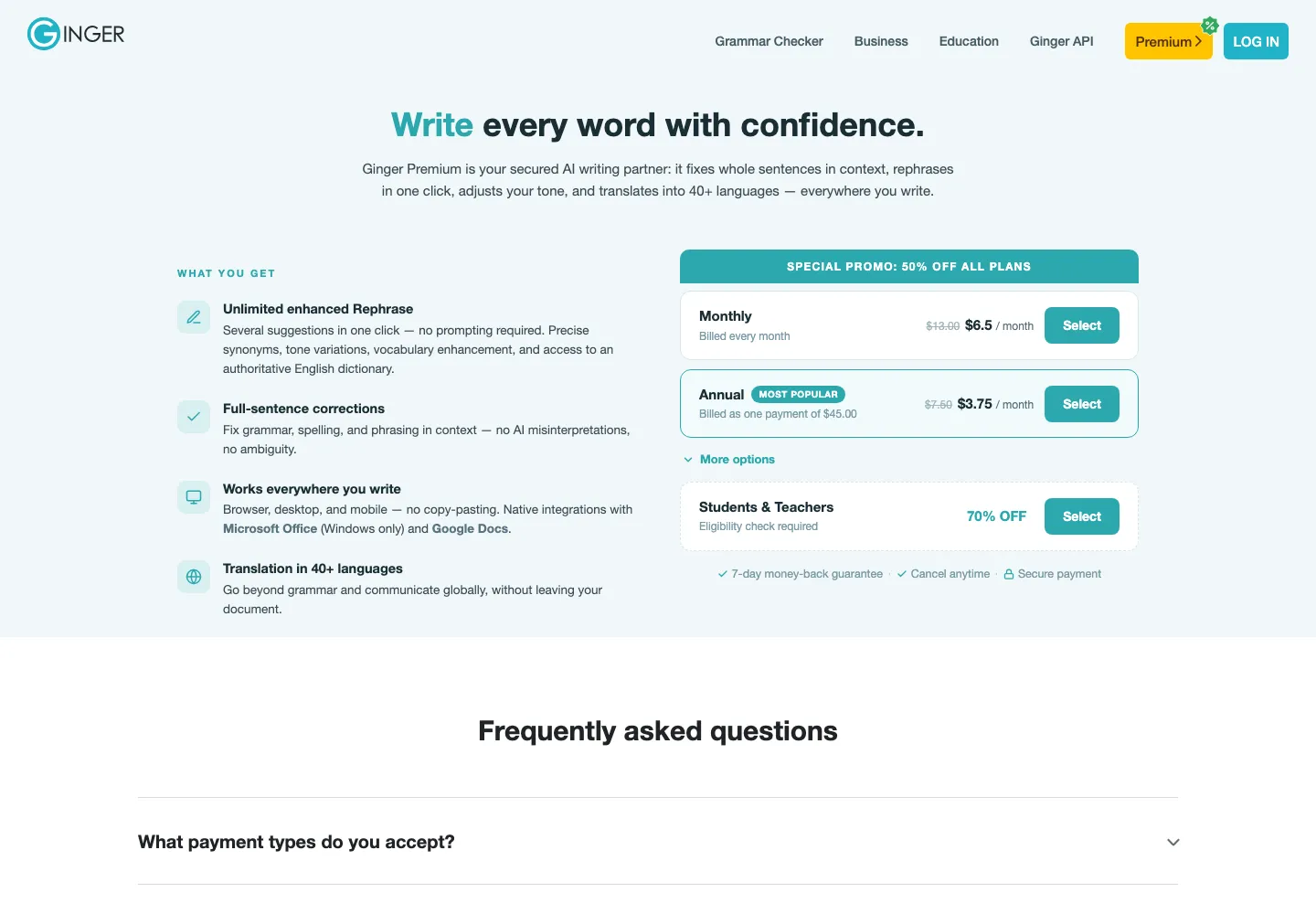
Ginger store on 23 Sep 2026: a 50% promo on every plan, with the annual plan at $45 instead of $90.
Choose it if budget is the priority and you’re improving your English. Skip it if you need professional-grade style feedback — LanguageTool offers more for similar money.
5. WhiteSmoke — Only If You Already Rely on It
Verdict: hard to recommend for new users in 2026.
WhiteSmoke still appears on many alternatives lists because it has been around a long time and bundles grammar, style, plagiarism and translation tools. But its homepage still lists availability for Windows 7, 8.1 & 10 with Mac support “coming soon”, shows no modern AI features, and doesn’t publish prices publicly — a clear sign of a product that has fallen behind. Its Capterra rating (3.8/5 from 24 reviews, 21% negative) is the lowest on this list.
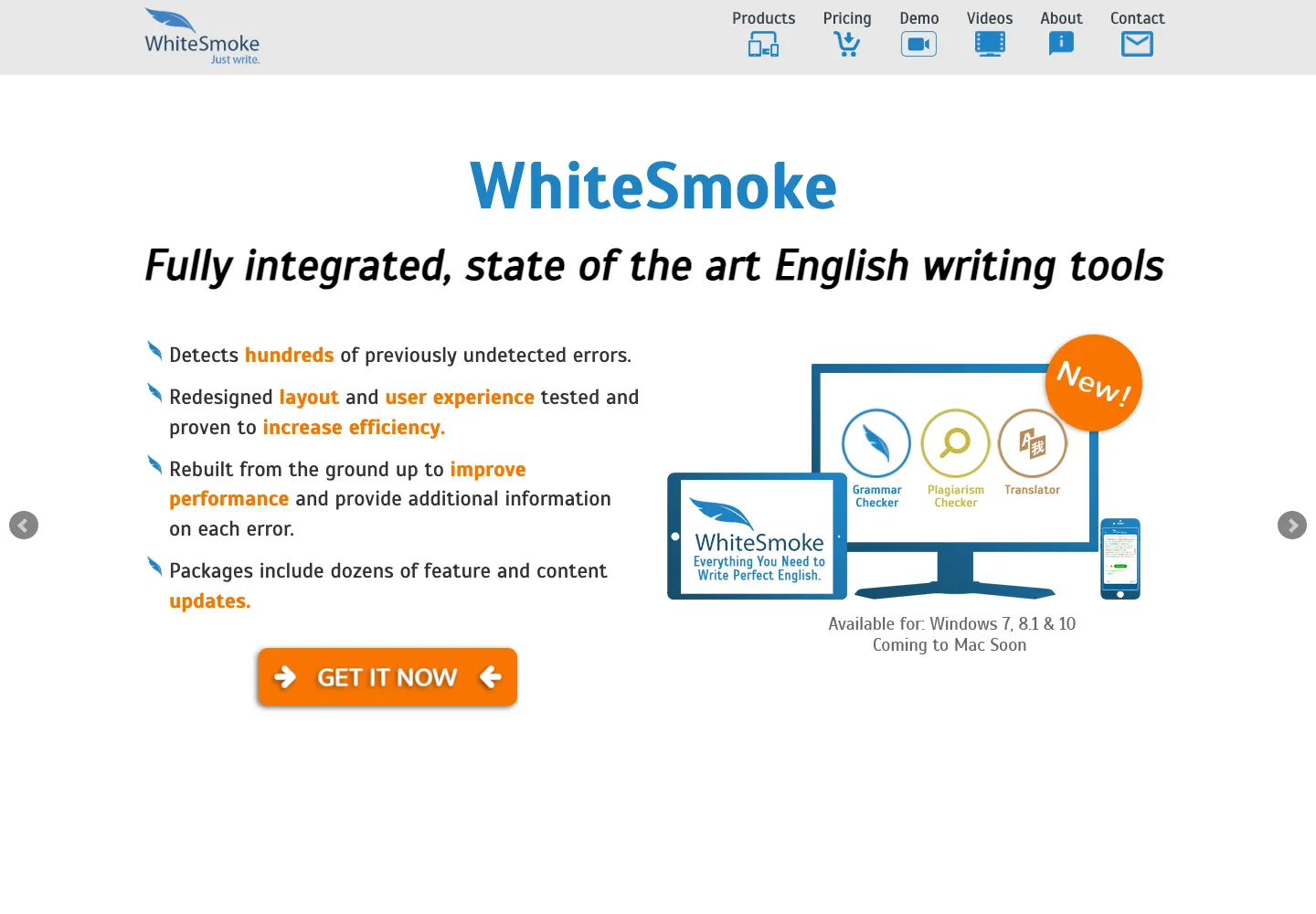
WhiteSmoke homepage on 23 Sep 2026: still listing Windows 7, 8.1 and 10, with Mac support coming soon.
Best Grammarly Alternatives for AI Rewriting & Paraphrasing
If what you actually use in Grammarly is its rewrite and AI prompt feature, these tools do that job better or cheaper.
6. QuillBot — Best for Paraphrasing and Students
Verdict: the best rewriting tool on the list, with a solid (if secondary) grammar checker.
QuillBot’s paraphraser — with multiple rewriting modes plus custom modes — is its core product, surrounded by a grammar checker, summariser, citation generator, AI detector, plagiarism checker and translator. We compared it head-to-head in our Grammarly vs QuillBot guide: Grammarly is the better editor for original writing, QuillBot is the better tool for reworking existing text. Many writers use both.
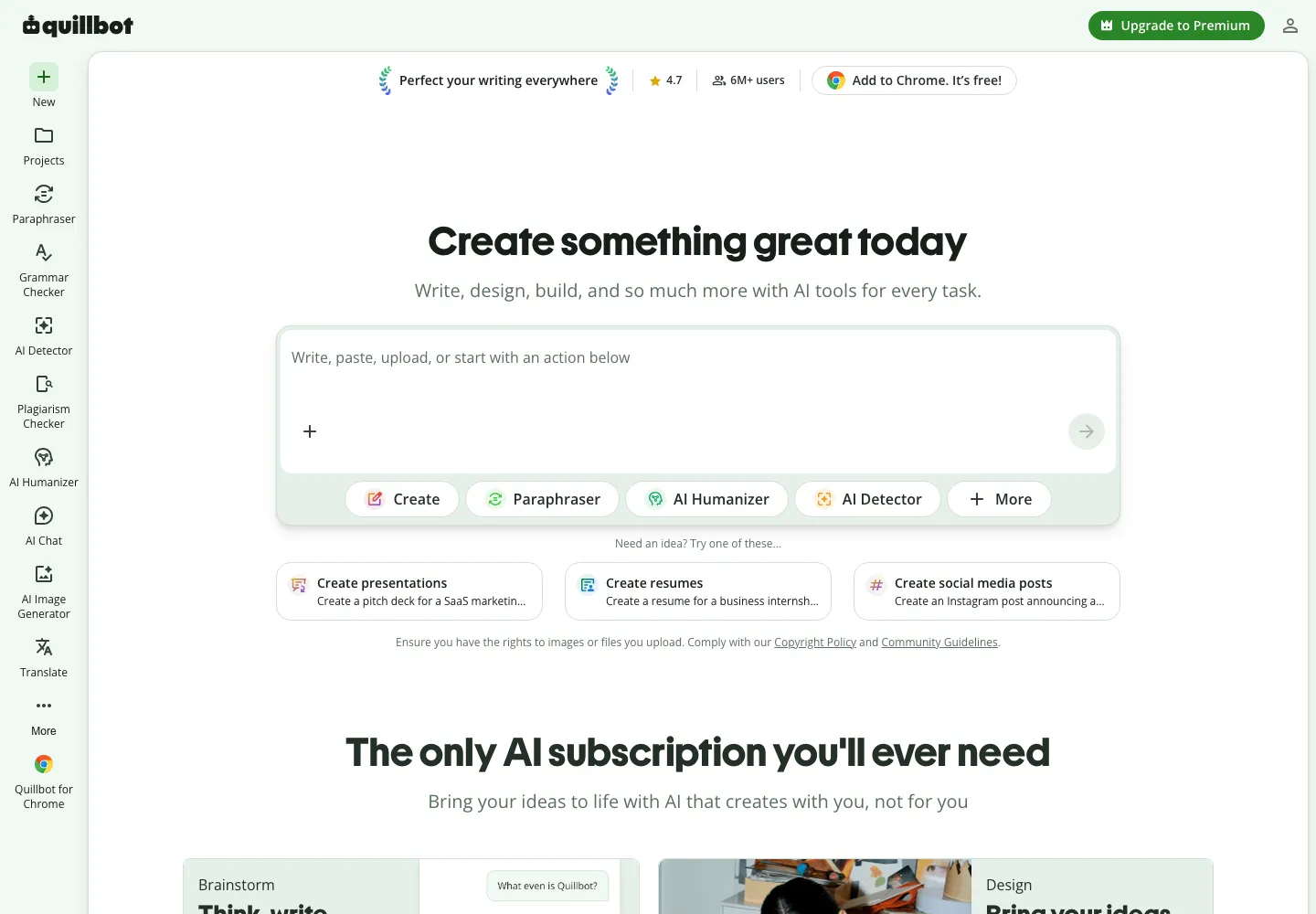
QuillBot bundles a paraphraser, grammar checker, AI detector, plagiarism checker and more in one workspace.
Choose it if you paraphrase, summarise or cite regularly. Skip it if you want a dedicated grammar and tone coach — and remember no paraphraser reliably gets past plagiarism or AI-detection software, nor should it be used to try.
7. Wordtune — Best Budget Rewriter
Verdict: a focused sentence rewriter with a usable free plan — but not the cheapest option once you pay monthly.
Wordtune suggests alternative phrasings for whole sentences — more casual, more formal, shorter or longer — and adds AI summaries plus grammar and spelling correction. It’s lighter than Grammarly on proofreading, but for people who mostly want to rephrase clunky sentences it’s strong value.
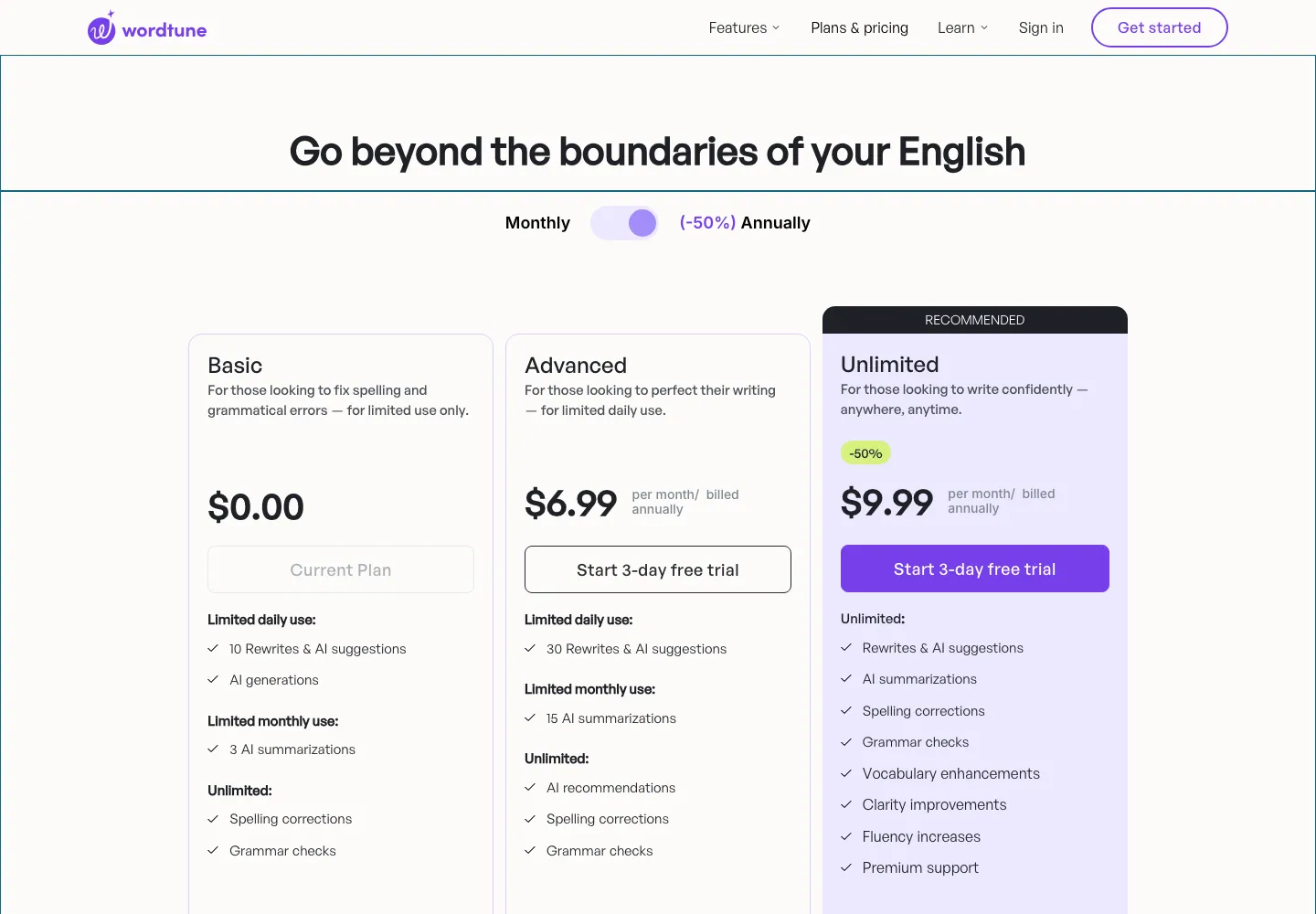
Wordtune plans with annual billing: Advanced $6.99/mo and Unlimited $9.99/mo (checked 23 Sep 2026).
A note on neutrality: Wordtune publishes its own Grammarly alternatives article — and ranks itself first. We’ve placed it where its features fit, not at the top.
Best Grammarly Alternatives for Teams and Professional Editors
8. Sapling — Best for Customer-Facing Teams
Verdict: built for support and sales messaging rather than general writing.
Sapling’s grammar checking is paired with autocomplete, reusable snippets and team analytics — features aimed at support and sales agents who write hundreds of short replies a day. It also offers an AI detector and developer APIs.
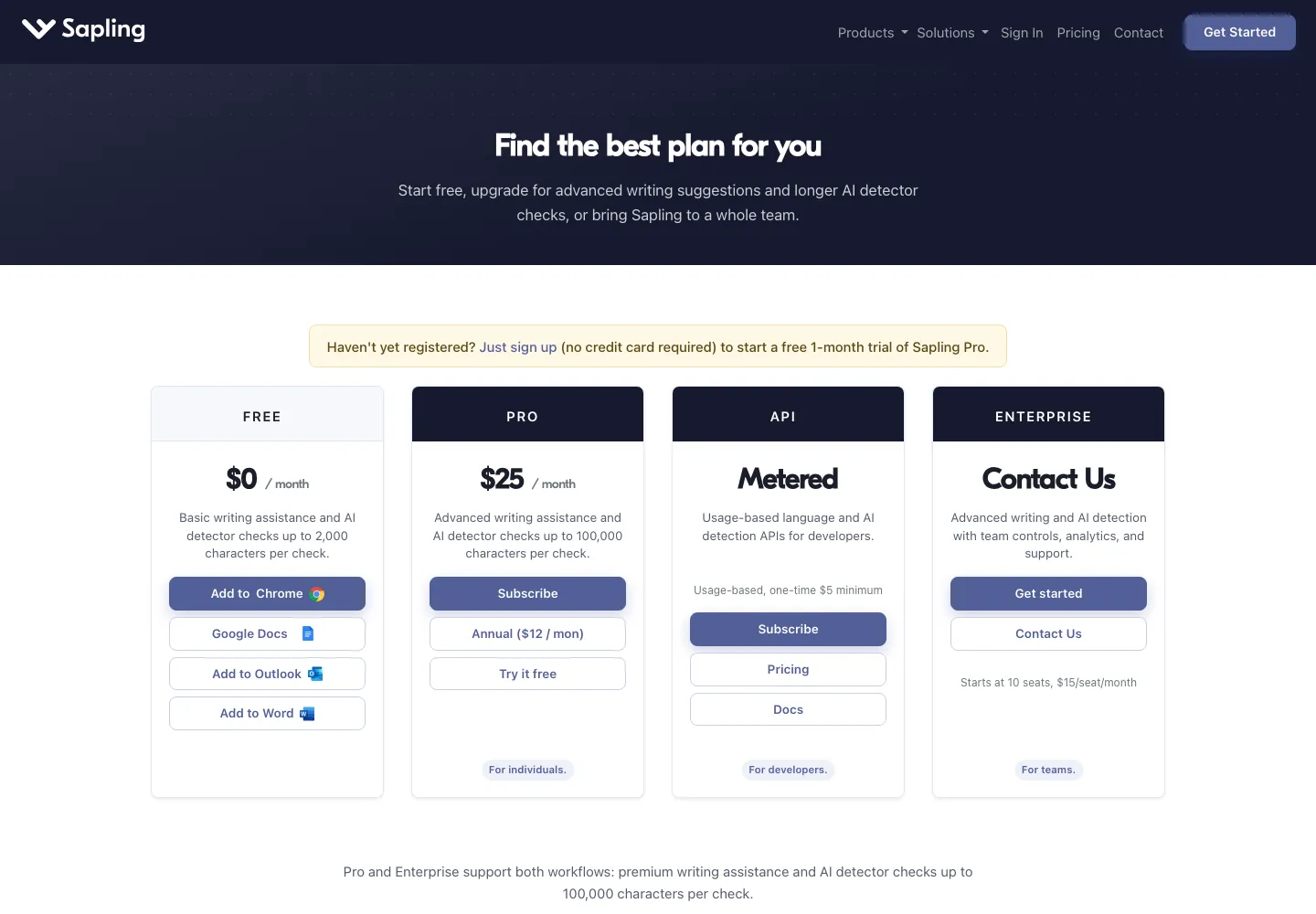
Sapling pricing: Pro is $25/mo, or $12/mo billed annually; Enterprise starts at 10 seats.
9. PerfectIt — Best for Editors and Proofreaders
Verdict: the highest-rated tool here — for a job Grammarly doesn’t really do.
PerfectIt is a Microsoft Word add-in that checks consistency: hyphenation, capitalisation, acronyms defined before use, number formats and your house style (including Chicago Manual of Style, with a separate CMOS subscription). Its 4.9/5 Capterra rating from 371 reviews is the best on this list. But be clear on what it isn’t: Capterra itself notes it lacks grammar checking, so most editors run it alongside a grammar tool rather than instead of one.
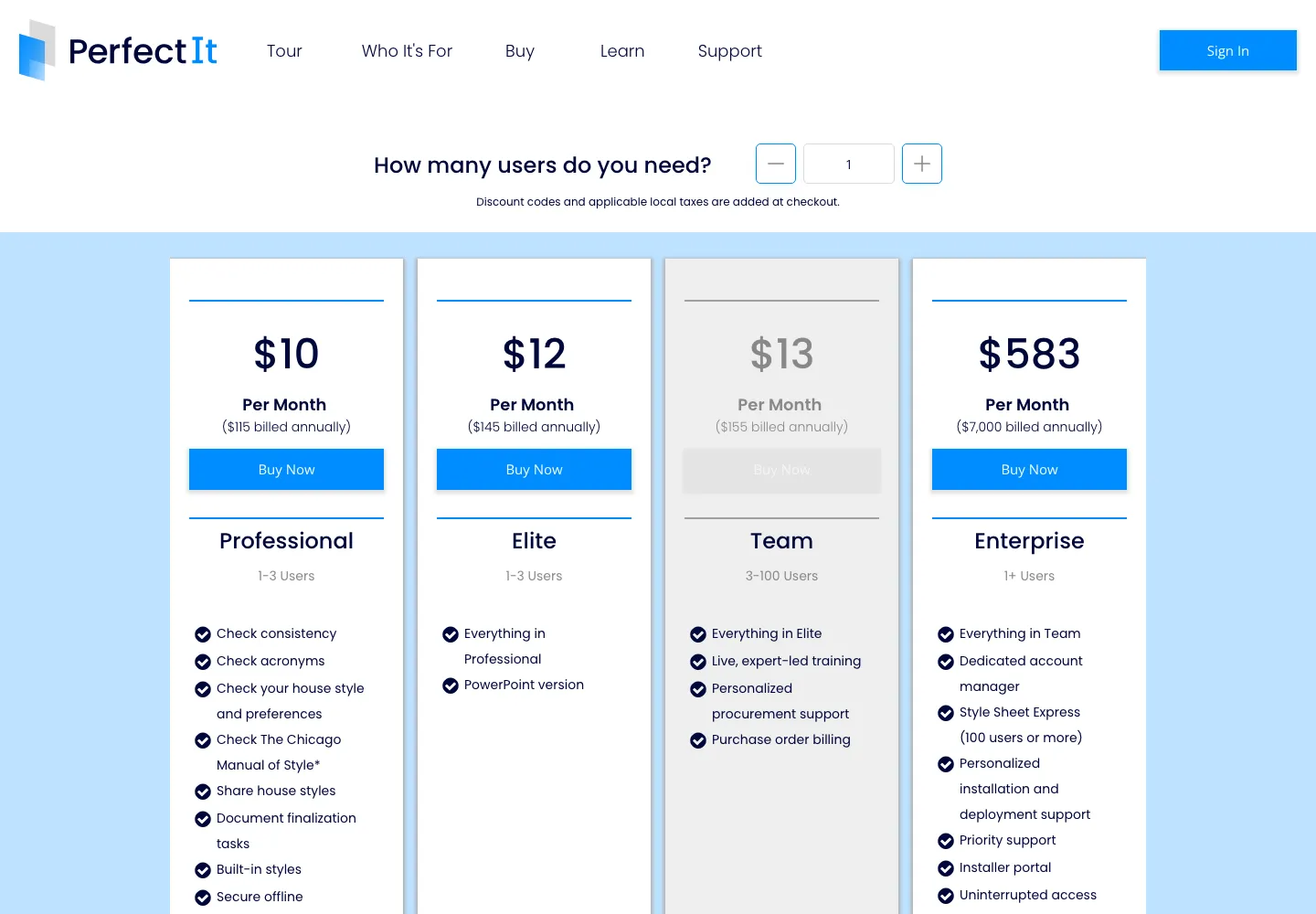
PerfectIt pricing, billed annually: Professional $115, Elite $145, Team $155 per user and Enterprise $7,000.
10. Writer — Best for Enterprise Brand Governance
Verdict: no longer a Grammarly-style checker for individuals — an enterprise AI platform.
Writer (writer.com) often appears on older alternatives lists as a style-guide checker. In 2026 it positions itself as an agentic AI platform “built for large organizations”, with brand profiles, playbooks, a knowledge graph and governance controls. That makes it a genuine alternative to Grammarly’s Enterprise tier, not to Grammarly Pro.
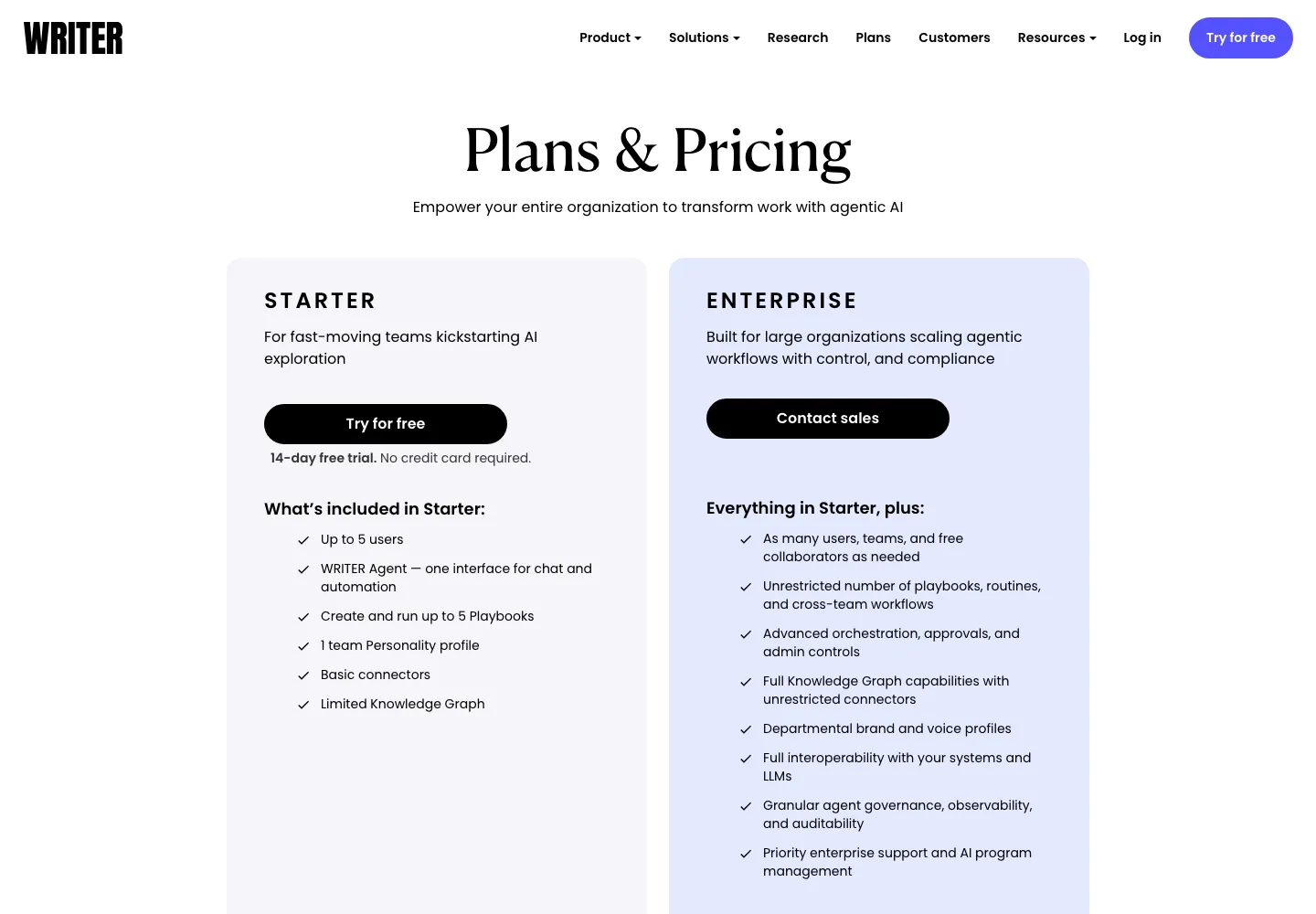
Writer plans: Starter for up to 5 users with a 14-day free trial, and custom-priced Enterprise.
Best Free Grammarly Alternatives
If your goal is simply to stop paying, these free plans cover most everyday writing. Here’s what each free tier genuinely includes — and where it stops.
| Free tool | What you get for $0 | Where it stops |
|---|---|---|
| LanguageTool Free | Grammar, spelling and basic style in 30+ languages, in your browser and docs | 2,000 characters per field; 3 AI rephrasings/day |
| Hemingway web editor | Full readability highlighting and grade level | Not a grammar checker; web editor only |
| QuillBot Free | Paraphraser, grammar checker, AI detector | 125-word paraphrasing limit |
| Wordtune Free | Unlimited spelling/grammar fixes, 10 rewrites/day | 3 summaries/month |
| ProWritingAid Free | A taste of the full style reports | 500 words and 2 runs per day — a trial, not a daily tool |
| Grammarly Free | Core grammar and spelling, tone detection, 100 AI prompts/mo | No clarity rewrites or plagiarism check |
Our $0 stack: keep Grammarly Free (or LanguageTool Free if you write in several languages) for everyday corrections, and paste important pieces into the free Hemingway editor for a readability pass. That covers most emails, posts and reports without a subscription.
Hidden Costs and Limitations to Check Before You Switch
- Monthly billing costs far more. Grammarly ($12 → $30), ProWritingAid ($10 → $30), QuillBot ($8.33 → $19.95) and Wordtune ($6.99 → $13.99) all roughly double or more when you don’t commit annually.
- Plagiarism checking isn’t always included. ProWritingAid charges extra for it on every plan; QuillBot caps it at 25,000 words/month.
- “50% off” is often permanent marketing. LanguageTool and Ginger were both showing half-price promotions on 23 Sep 2026. Budget for the renewal at list price.
- AI features are metered. Hemingway Plus caps monthly AI sentences, Wordtune Advanced caps daily rewrites, LanguageTool Free allows 3 rephrasings a day.
- Short refund windows. ProWritingAid offers a 3-day money-back guarantee; Ginger 7 days. Use free plans and trials properly before paying.
- Hidden prices. WhiteSmoke and Writer don’t show full pricing publicly — you only see the real number at checkout or from sales.
Other Tools We Considered (and Why They’re Not in the Top 10)
You’ll see these named on other Grammarly alternatives lists. Here’s why we didn’t rank them:
- ChatGPT, Claude and Jasper — excellent for drafting and rewriting on request, but they don’t check your writing in real time as you type. Use them alongside a checker, not instead of one. Our best AI writing tools guide covers them in detail.
- Writesonic — has moved away from being a writing assistant toward SEO and AI-search visibility, so it no longer competes with Grammarly.
- Slick Write, PaperRater, Scribens and Virtual Writing Tutor — free, paste-in-your-text checkers. Handy for a one-off check, but without browser integration they don’t replace an always-on assistant.
- Reverso — primarily a translation and context dictionary; useful for language learners, not a grammar-first tool.
- Grazie (JetBrains) — a capable checker, but best suited to people who already work inside JetBrains’ tools.
- QueText, Copyleaks and Citation Machine — plagiarism detection and citation tools. Useful, but they solve a different problem from grammar checking.
- editGPT — an AI proofreading tool that ranks itself #1 in its own Grammarly alternatives article; we’d wait for broader independent reviews before recommending it.
Should You Switch from Grammarly at All?
- You pay monthly and $30/mo feels steep
- You write in languages other than English
- You edit long manuscripts and want deeper style reports
- Your main task is paraphrasing, not proofreading
- You need house-style consistency in Word
- You rely on it in email, docs, Slack and mobile all day
- Tone detection and clarity rewrites are what you use most
- Unlimited plagiarism checks matter to you
- You’re already on the $12/mo annual plan and happy
- You only need occasional checks — the free plan may be enough
Final Verdict: The Best Grammarly Alternative in 2026
For most writers who want a like-for-like replacement, ProWritingAid is the best Grammarly alternative — deeper style feedback for less money on annual billing. LanguageTool is the better pick if you write in several languages or want the most useful free plan, and QuillBot wins if paraphrasing is what you actually use Grammarly for. Nothing on this list fully matches Grammarly’s everywhere-you-type coverage, so decide which trade-off you’re willing to make.
- Choose ProWritingAid if you write long-form content and want the deepest editing reports.
- Choose LanguageTool if you write in more than one language or need a strong free plan.
- Choose QuillBot if you mostly paraphrase, summarise or cite sources.
- Add Hemingway (free) if readability is your weak spot.
- Choose PerfectIt if you’re a professional editor working in Word.
- Stay on Grammarly if cross-app coverage and tone feedback matter more than price.
Whichever you pick, start on the free plan or trial with one real document before paying — several of these tools have refund windows of a week or less. If you’re building a wider writing stack, our guide to the best AI writing tools for small business covers the drafting side, and our productivity tools roundup covers the rest of the workflow.
Frequently Asked Questions
What is the best alternative to Grammarly?
For most writers, ProWritingAid is the best overall alternative — it covers grammar and adds much deeper style reports, from $10/month billed annually. LanguageTool is best for multilingual writers, and QuillBot is best for paraphrasing.
Is there a free Grammarly alternative?
Yes. LanguageTool’s free plan checks grammar and style in 30+ languages (up to 2,000 characters per text field), and the Hemingway web editor is free for readability. QuillBot and Wordtune also have useful free tiers.
Is ProWritingAid better than Grammarly?
For long-form and fiction writing, ProWritingAid’s reports go deeper. For everyday emails and messages across many apps, Grammarly is smoother and has broader coverage. Both have near-identical Capterra ratings (4.7/5).
Is LanguageTool as good as Grammarly?
For English-only writers, Grammarly’s tone and clarity suggestions are stronger. LanguageTool wins on languages — it supports 30+ — and on price, with Premium listing at $69.90/year versus $144/year for Grammarly Pro.
What is the cheapest Grammarly alternative?
At list prices, LanguageTool Premium ($69.90/year) and Ginger ($90/year) are the cheapest full grammar checkers on our list — and both were running 50%-off promotions on 23 September 2026 ($34.95 and $45 for the first year). Wordtune Advanced ($6.99/month billed annually) is the cheapest rewriting-focused option. Always check the renewal price, not just the first-year promo.
Is QuillBot a good Grammarly alternative?
Only if paraphrasing is your main need. QuillBot’s grammar checker is solid but secondary; its paraphraser, summariser and citation tools are the real value. See our Grammarly vs QuillBot comparison.
What is the best Grammarly alternative for Mac?
LanguageTool has a native macOS app and Safari support, and ProWritingAid also works on Mac. PerfectIt works on Mac too, but users report slower performance and feature gaps compared with Windows.
What is the best Grammarly alternative for students?
QuillBot, because it bundles paraphrasing, summarising and citations. Wordtune offers a 30% student discount and Ginger 70% off for students and teachers. Check your institution’s AI-tool policy before using any rewriting tool on coursework.
Can I use two writing tools at once?
Yes, and many writers do — for example Grammarly or LanguageTool for real-time checks plus Hemingway for readability, or QuillBot for paraphrasing plus a separate grammar checker. Running two browser extensions on the same field can conflict, so enable one per site if you see duplicate underlines.
Can ChatGPT replace Grammarly?
Partly. ChatGPT can proofread text you paste in, but it doesn’t check your writing live as you type in email or documents. Most people get the best result using a real-time checker for everyday writing and an AI chatbot for bigger rewrites.