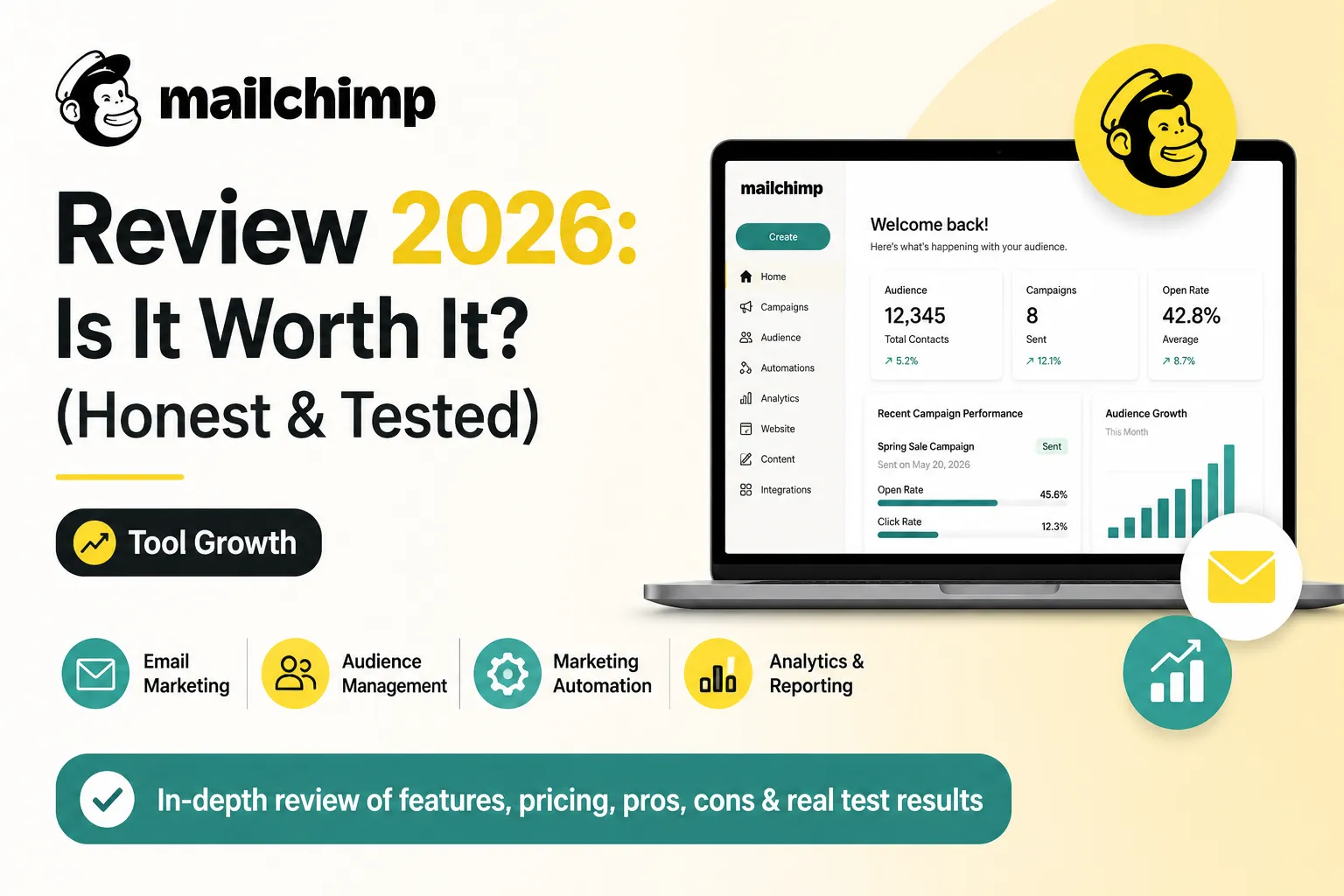
Mailchimp is still the most recognized email marketing tool in 2026, but the value has dropped sharply. The free plan was cut to 250 contacts and 500 emails/month in January 2026, and paid plans start at $13/month. Additionally, hidden costs (billing for unsubscribed contacts, steep contact-tier jumps) push real bills higher than competitors. If you need a brand-name tool with deep integrations, Mailchimp still works. If you want better value, Brevo or MailerLite genuinely beat it in 2026.
Is Mailchimp still worth it for small businesses in 2026 — or have Brevo, MailerLite, and Klaviyo finally taken the lead?
Honestly, I used Mailchimp for my Shopify store Handiora and my content site ennovanest.com to send weekly newsletters. This review of mailchimp answers the question every small business owner is asking: is Mailchimp still worth it in 2026, or are the alternatives now genuinely better?
Furthermore, the intuit mailchimp review in 2026 reveals a clear trend. Specifically, Intuit (which acquired Mailchimp in 2021) has cut free-plan limits twice and raised prices on legacy users. Consequently, the platform that once led the email marketing space is now losing ground to cheaper, smarter competitors.
Moreover, this mailchimp email marketing review will cover every angle — free plan, paid plans, CRM, website builder, and real Reddit feedback. As a result, you’ll know exactly whether Mailchimp fits your needs in 2026, or whether you should switch.
1. What is Mailchimp? — Quick Overview
Mailchimp was launched in 2001 in Atlanta, Georgia by Ben Chestnut and Dan Kurzius. Additionally, it now serves over 13 million users worldwide — making it the most recognized email marketing brand on the planet. The core idea was simple: make email marketing easy for small businesses.
Furthermore, in 2021 Intuit acquired Mailchimp for $12 billion. Specifically, that ownership change has shaped every update since — and not always in users’ favor. Consequently, the intuit mailchimp review across forums shows a clear pattern of frustration over reduced free limits and higher prices.
Moreover, this mailchimp email marketing review covers all the products Mailchimp now offers in 2026. Notably, it’s no longer just an email tool — Mailchimp now includes a CRM, website builder, landing pages, and transactional email. Therefore, it’s positioning itself as an all-in-one marketing platform.
- Email Marketing — drag-and-drop builder, templates, A/B testing
- Marketing Automation — multi-step journeys (Standard plan+)
- Mailchimp CRM — basic contact management built in
- Website Builder — drag-and-drop site builder with free plan
- Reporting & Analytics — opens, clicks, conversions tracked
- 300+ Integrations — Shopify, WooCommerce, WordPress, more
2. Mailchimp Review 2026 — My Honest Experience
When I first set up Mailchimp for Handiora, I hit the free plan limit within two weeks. Furthermore, this mailchimp review confirms what most small businesses now experience — 250 contacts disappears fast once you start collecting signups. Consequently, you’re pushed into a paid plan sooner than expected.
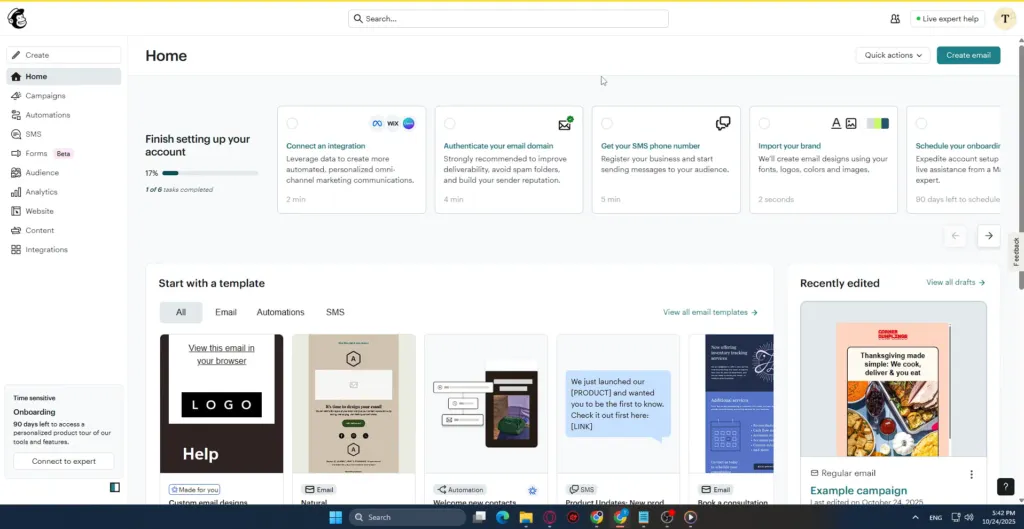
That said, the email builder is genuinely good. Specifically, drag-and-drop works smoothly, templates look professional, and the analytics dashboard is clean. However, the gap between Mailchimp and cheaper competitors has narrowed dramatically — and in many cases reversed.
Moreover, the review of mailchimp from my own use is mixed. Notably, sending campaigns from Handiora to 1,800 subscribers now costs me roughly $30/month on Standard — for the same volume, Brevo would charge $0 (their free plan allows 300 emails/day). Therefore, the value gap is now hard to ignore.
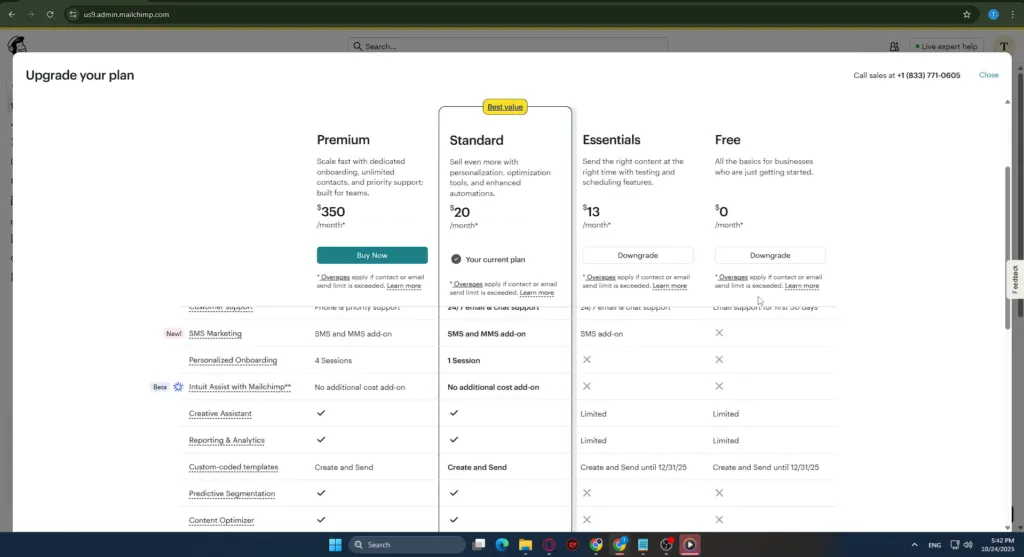
Free vs Paid — Quick Comparison Table
| Feature | Free Plan (2026) | Essentials ($13/mo) |
| Contacts | 250 | 500 |
| Monthly Emails | 500 | 5,000 |
| Daily Send Limit | 250 | No daily limit |
| Mailchimp Branding | On every email | Removed |
| Email Scheduling | Not allowed | Yes |
| Automation | Not included | Basic only |
| A/B Testing | Not included | Subject line only |
| Support | 30 days only | 24/7 email + chat |
| Best For | Testing platform only | Solo creators, tiny lists |
In my experience: For most beginners, the Mailchimp free plan in 2026 is genuinely too small to be useful. Specifically, 250 contacts and 500 emails/month barely covers a tiny mailing list. Therefore, you’ll likely upgrade within 30 days — or switch to Brevo’s free plan which allows 300 emails per day and unlimited contacts. Consequently, test Mailchimp’s free plan to learn the interface, but plan to switch or upgrade fast.
Comparing options? Our detailed Brevo vs Mailchimp comparison breaks down free plans, pricing, and automation features side-by-side — most readers are surprised by who wins.
3. Mailchimp Free Plan Review — How Good Is It?
This mailchimp free review is honest: the free plan in 2026 is a shadow of what it used to be. Specifically, in January 2026, Mailchimp cut free-plan limits from 500 contacts and 1,000 emails down to 250 contacts and 500 emails. Consequently, the free plan now lasts most small businesses less than a month.
What’s Included in the Free Plan?
Furthermore, this mailchimp free plan review reveals other hidden limits. Importantly, free users cannot schedule emails, cannot run multi-step automations, and cannot remove Mailchimp branding from their emails. Therefore, every email you send looks unprofessional with the Mailchimp logo at the bottom.
Additionally, support on the free plan only lasts 30 days. After that, you’re on your own with help docs. As a result, the free plan now feels more like a 30-day trial than a real free tier — especially compared to Brevo or MailerLite.
- 250 contacts maximum — was 500 before January 2026
- 500 emails per month — daily cap of 250 emails
- Mailchimp branding on every email — cannot be removed
- No email scheduling — must hit send manually
- No multi-step automation — only basic welcome email
- Support only for first 30 days after signup
- Drag-and-drop builder — same quality as paid plans
- Basic email templates — professional starter designs
| My honest take: The Mailchimp free plan in 2026 is fine for learning the interface, but it’s not realistic for a real business. Furthermore, Brevo’s free plan offers 300 emails/day with unlimited contacts — that’s roughly 9,000 emails/month vs Mailchimp’s 500. Therefore, if free is what you need, switch to Brevo. However, if you’re committed to the Mailchimp brand for integration reasons, plan to upgrade to Essentials within 30 days. |
Looking for a real free option? Our guide to the top 7 best free email marketing tools in 2026 ranks Brevo, MailerLite, Sender, and more — all with more generous free tiers than Mailchimp.
4. Mailchimp Email Review — Features Breakdown
This mailchimp review email section covers what Mailchimp actually does well. Specifically, the core email marketing features are polished, reliable, and easy to use. Furthermore, the drag-and-drop editor is one of the best in the industry — it’s smooth, fast, and produces emails that look great on mobile.
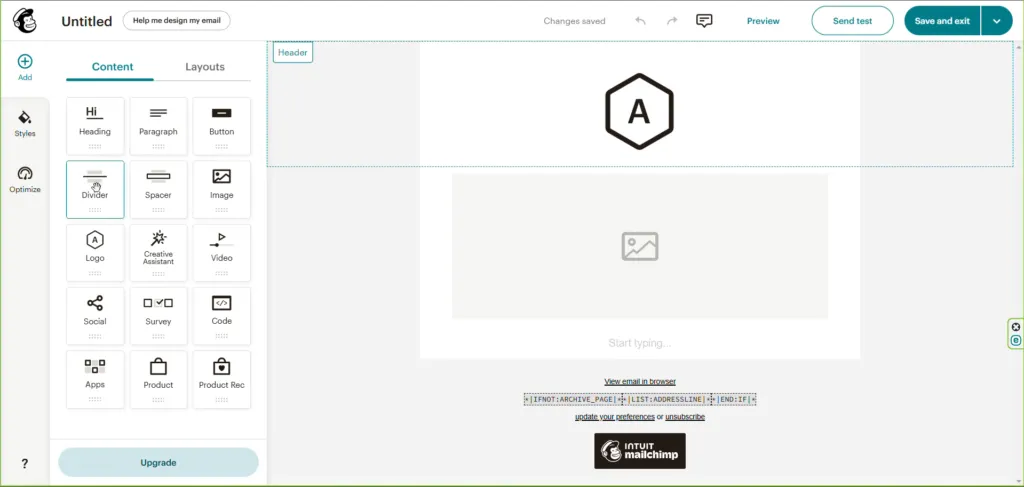
Additionally, Mailchimp’s analytics dashboard is genuinely useful. Specifically, you can track opens, clicks, unsubscribes, and revenue per email — all in one clean view. Consequently, reporting is one feature where Mailchimp still beats many cheaper competitors.
However, automation is where Mailchimp starts to fall behind. Notably, multi-step journeys are only available on the Standard plan ($20/month) and above. Therefore, if you need automated welcome series, abandoned cart emails, or behavioral triggers, you’re paying at least $20/month — while Brevo includes automation on its free plan.
- Drag-and-Drop Email Editor — fast, polished, mobile-responsive
- 100+ Email Templates — newsletter, promo, e-commerce, more
- A/B Testing — subject lines on Essentials, full multivariate on Premium
- Send-Time Optimization — AI picks best time per subscriber (Standard+)
- Multi-Step Automation — welcome series, drip campaigns (Standard+)
- Advanced Analytics — opens, clicks, revenue per email, heatmaps
- E-commerce Integration — Shopify, WooCommerce, Magento sync
- Audience Segmentation — basic on Essentials, predictive on Standard+
In my experience: For Handiora, the email editor and templates are genuinely excellent — my campaigns look professional with minimal effort. However, the lack of automation on the free and Essentials plans is frustrating. Consequently, I keep finding myself looking at Brevo and MailerLite, which include automation at lower prices.
5. Mailchimp CRM Review — Can It Replace Your CRM?
The mailchimp crm review is short and clear: no, Mailchimp cannot replace a real CRM. Specifically, what Mailchimp calls a CRM is really just enhanced contact management — tags, audiences, and basic segmentation. Consequently, it’s nowhere near tools like HubSpot, Pipedrive, or Zoho CRM.
However, for very small businesses doing pure email marketing, Mailchimp’s contact management is genuinely enough. Specifically, you can tag contacts, segment by behavior, and track engagement history. Therefore, if you’re a solo creator or tiny business, you may not need a separate CRM at all.
Furthermore, Mailchimp’s CRM features integrate naturally with email campaigns. Notably, every email open, click, and conversion updates the contact’s profile automatically. As a result, you build a behavioral picture over time — useful for segmentation, but not for serious sales tracking.
- Contact tagging — organize subscribers by interest or behavior
- Audience segmentation — send targeted campaigns to specific groups
- Engagement tracking — see who opens, clicks, and converts
- No sales pipeline — cannot track deals or sales stages
- No deal management — no quotes, contracts, or sales forecasting
- Limited automation — far less powerful than a dedicated CRM
Need a real CRM? Our guide to the best CRM tools for small businesses in 2026 covers HubSpot, Pipedrive, Zoho CRM, and more — all of which integrate with Mailchimp.
6. Mailchimp Website Builder Review — Worth Using?
This mailchimp website builder review covers a feature most people don’t know exists. Specifically, Mailchimp added a free website builder in 2020 — and it’s genuinely decent for very simple sites. However, it’s nowhere near Shopify, WordPress, or even Wix in terms of features.
Furthermore, the mailchimp website review shows two clear use cases. Notably, the free plan includes a basic site with Mailchimp branding, while the Core plan ($10/month) adds custom domain and removes branding. Therefore, it’s useful for landing pages or tiny business sites — but not for e-commerce or content sites.
Additionally, the biggest advantage is the built-in email integration. Specifically, signup forms on your Mailchimp site automatically feed into your audience — no Zapier, no third-party plugins. As a result, for solo creators who want one tool for everything, it’s a real time-saver.
- Free tier available — basic site with Mailchimp branding
- Core plan at $10/month — custom domain, removes branding
- Native signup forms — feed directly into your audience
- Mobile-responsive templates — works on all devices
- Limited templates — far fewer than Shopify or WordPress
- No real e-commerce — basic product pages only, not a full store
- No blogging features — content marketing is weak
- Locked to Mailchimp — hard to migrate site away later
My honest take: For ennovanest.com I would never use the Mailchimp website builder — Shopify is in a completely different league for e-commerce. However, for a one-page landing site or a tiny business with no online sales, it’s a reasonable free option. Consequently, judge it based on your actual needs: simple page = yes, real business site = no.
7. Mailchimp Pros and Cons — Honest Verdict
This honest verdict comes from real use across Handiora and ennovanest.com over the past year. Furthermore, the pros and cons below reflect what actually matters when you use Mailchimp daily — not just feature lists from the website. Therefore, weigh each point against your business size and email strategy.
✅ PROS
- Most recognized email marketing brand — 13M+ users, trusted globally
- Polished drag-and-drop email editor — best-in-class user experience
- 300+ integrations — Shopify, WordPress, WooCommerce, and more
- Excellent analytics dashboard — opens, clicks, revenue tracking
- Built-in landing pages — included on every plan, including free
- Send-time optimization — AI picks best time per subscriber
- Mobile app — manage campaigns and view reports on the go
- Strong reputation for email deliverability — emails land in inboxes
❌ CONS
- Free plan was cut twice — now only 250 contacts and 500 emails/month
- Bills for unsubscribed contacts — inflates your actual cost
- Steep price jumps by contact tier — 5,000 contacts = $100/month Standard
- No automation on free or Essentials — must pay $20+/month for journeys
- Mailchimp branding on free plan emails — cannot be removed
- Limited support on free plan — only 30 days after signup
- Premium plan starts at $350/month — very expensive jump from Standard
- Brevo and MailerLite now offer better value at most price tiers
8. Who Should Use Mailchimp in 2026?
Honestly, Mailchimp is not the best choice for everyone in 2026 — and that’s an important shift from a few years ago. Specifically, it still wins on brand recognition, integrations, and email editor quality. However, it loses on free-plan value, automation accessibility, and price-to-feature ratio.
Furthermore, the right answer depends on your specific situation. Notably, if your business relies on Mailchimp-only integrations (rare but real), you should stay. However, if you’re starting fresh in 2026, the alternatives are genuinely better for most use cases.
✅ BEST FOR
- Established businesses already using Mailchimp with no urgent reason to switch
- Brands that need a recognized name on their marketing stack
- Solo creators willing to pay $13/month for the Essentials plan
- Teams that rely on specific Mailchimp integrations (Shopify Plus, etc.)
- Designers who value the polished drag-and-drop email editor
❌ NOT FOR
- Beginners who need a real free plan — switch to Brevo or MailerLite
- Budget-conscious businesses — cheaper alternatives offer more features
- Stores with 5,000+ contacts — pricing becomes painful at that tier
- Teams needing automation on a low budget — Brevo includes it free
- Anyone building a real website — use Shopify, WordPress, or Wix instead
Thinking of switching? Our complete guide to the best email marketing tools for small businesses covers Brevo, MailerLite, Klaviyo, ConvertKit, and more — with honest comparisons and pricing
9. Mailchimp Review Reddit — What Real Users Say
Looking at mailchimp review reddit threads across r/emailmarketing, r/smallbusiness, and r/marketing, the sentiment in 2026 is mixed-to-negative. Furthermore, the recurring complaint is the free-plan reduction in January 2026. Importantly, many longtime users have publicly switched to Brevo, MailerLite, or ConvertKit since then.
However, Mailchimp still has its defenders. Specifically, designers praise the email editor, and agencies value the brand-name credibility with clients. Nevertheless, even fans now admit that the value-per-dollar has declined sharply under Intuit’s ownership.
The recurring themes we saw in these discussions (paraphrased, not direct quotes):
- Some r/emailmarketing users say recent free-plan cuts pushed them to switch to Brevo.
- The email editor is still widely praised — the frustration is with pricing, not the product.
- Being billed for unsubscribed contacts is one of the most common complaints.
- MailerLite comes up often as a cheaper alternative with similar features and automation included.
- A recurring complaint is that since the Intuit acquisition, updates have mostly meant price increases or feature cuts.
11. Final Verdict — Our Mailchimp Review Rating
| Category | Rating | Score |
| Ease of Use | ★★★★★ Genuinely polished interface | 4.8 / 5 |
| Email Editor | ★★★★★ Best drag-and-drop in industry | 4.9 / 5 |
| Free Plan | ★★☆☆☆ Too small after 2026 cuts | 2.0 / 5 |
| Pricing Fairness | ★★★☆☆ Steep scaling, hidden costs | 3.0 / 5 |
| Automation | ★★★☆☆ Only on $20+ plans | 3.5 / 5 |
| Integrations | ★★★★★ 300+ apps, including Shopify | 4.9 / 5 |
| Customer Support | ★★★★☆ Solid on paid plans only | 4.0 / 5 |
| OVERALL | ★★★★☆ Still good, no longer best value | 3.8 / 5 |
After a year of using Mailchimp
After a year of using Mailchimp on ennovanest.com, my conclusion is clear: Mailchimp is still a solid email marketing tool, but it’s no longer the obvious choice in 2026. Furthermore, the brand recognition and integration depth are real strengths — but they no longer justify the pricing gap with competitors. As a result, many small businesses are quietly switching.
However, if you’re already on Mailchimp and everything works, there’s no urgent reason to switch. Specifically, the migration time alone may cost more than the savings. Consequently, the right move depends on whether you’re starting fresh or already invested in the Mailchimp ecosystem.
Therefore, my recommendation: if you’re starting in 2026, try Brevo’s free plan first — it genuinely offers more value than Mailchimp’s free tier. Additionally, if you need the Mailchimp brand or specific integrations, go straight to the Essentials plan at $13/month. As a result, you’ll get the polished editor and reliable delivery without wasting time on a free plan that won’t serve you long.
| ✅ Best plan to start: Essentials ($13/mo) — perfect for solo creators and small lists ✅ Best upgrade: Standard ($20/mo) — unlocks multi-step automation and AI features ✅ Best free alternative: Brevo (300 emails/day, unlimited contacts, automation included) ✅ Best value alternative: MailerLite (1,000 contacts free, cheaper paid tiers) |
New to email marketing? Start with our beginner’s guide to what is email marketing — it covers everything you need to know before picking a tool like Mailchimp.