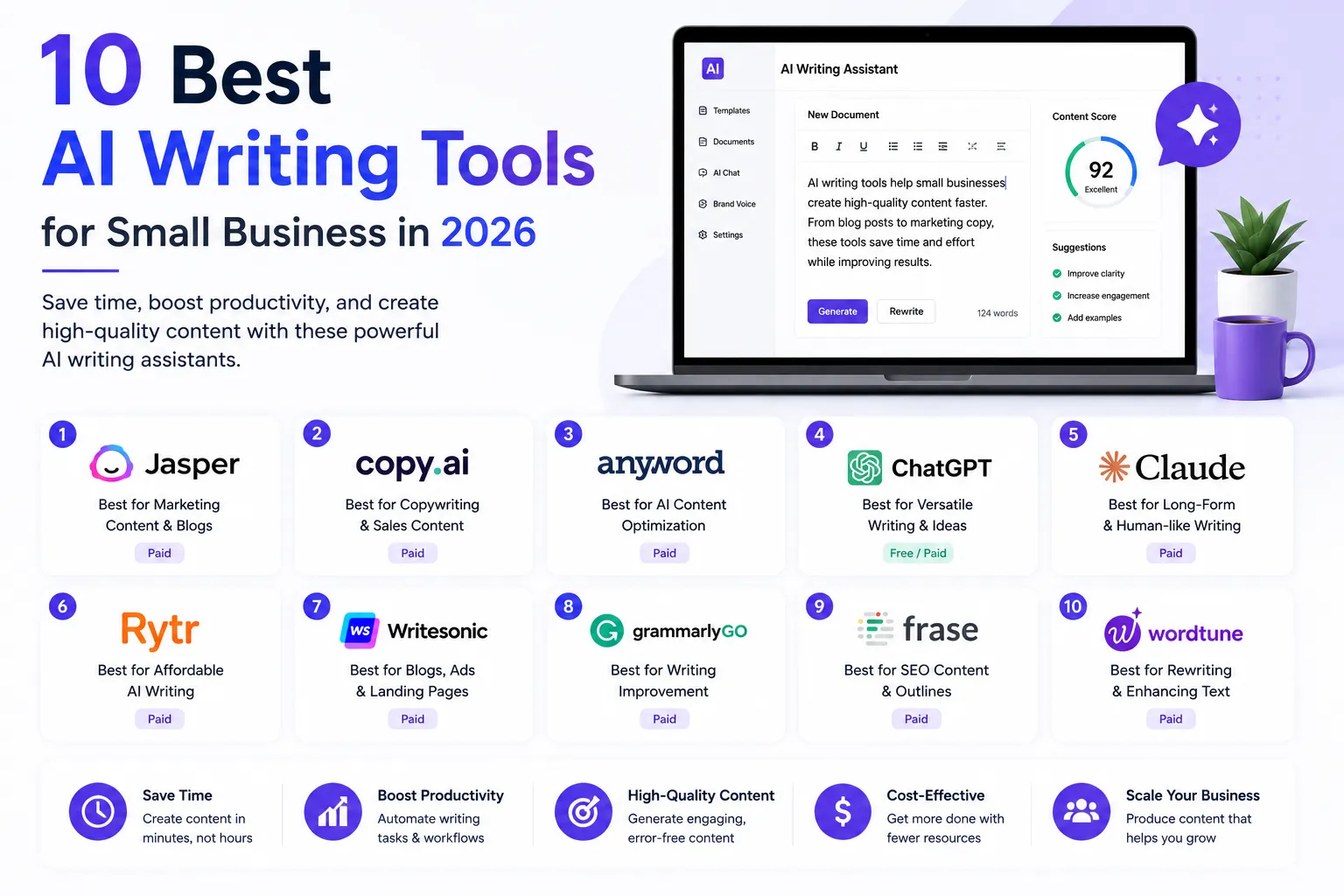
Finding the best AI writing tools for your small business shouldn’t mean sorting through options built for novelists or PhD students. This guide compares the best AI writing tools for content creators, bloggers, and marketers in 2026 — across pricing, real use cases, and honest trade-offs. Whether you need marketing copy, blog content, or a quick editing pass, these are the best AI writing tools worth paying for in 2026, with every price verified from official pricing pages this month.
Quick Picks:
🏆 Best overall for marketing: Jasper — brand voice + team workflows
✍️ Best for editing: Grammarly — catches what AI drafts miss
🆓 Best free: ChatGPT — genuinely capable at $0
💰 Best budget pick: Rytr — from $7.50/month annual
How we evaluated: all pricing verified from official pricing pages as of August 2026, combined with user sentiment from G2, Capterra, and Reddit — no fabricated testing claims, ever.
How to Choose an AI Writing Tool for Your Business
The verdict: match the tool to the writing job, not the other way around — most businesses end up using two tools, not one.
AI writing tools split into three real categories. Generators draft new content from a prompt (Jasper, Copy.ai, Anyword, ChatGPT, Claude, Rytr). Editors polish content you’ve already written (Grammarly, QuillBot). SEO-focused tools optimize drafts against what’s actually ranking (Surfer SEO). Most small businesses need one generator and one editor — rarely all three.
Before picking, answer two questions. First, what are you writing most — marketing copy, blog articles, or internal docs? A tool built for ad copy won’t excel at 2,000-word blog posts, and vice versa. Second, do you need brand voice consistency across a team, or are you a solo writer? Team features cost real money and are wasted on a one-person operation.
Additionally, treat every “unlimited words” claim with mild skepticism — most tools that advertise this still have fair-use limits or gate their best features behind higher tiers. We flag exactly where that happens below.
Quick Comparison: Best AI Writing Tools at a Glance
| Tool | Best For | Starting Price (Aug 2026) | Free Option |
|---|---|---|---|
| Jasper | Marketing copy + brand voice | $69/mo ($59/mo annual, per seat) | 7-day trial |
| Grammarly | Editing & grammar | Free ($12/mo annual for Pro) | Generous free plan |
| QuillBot | Paraphrasing & rewriting | Free ($8.33/mo annual for Premium) | Free tier available |
| Copy.ai | Short-form ad & social copy | $29/mo ($24/mo annual) | 2,000 words/mo free |
| Anyword | Performance-predicted ad copy | $49/mo ($39/mo annual) | 7-day trial only |
| ChatGPT | General-purpose writing | Free ($20/mo for Plus) | Genuinely usable free tier |
| Claude | Long-form writing & editing | Free ($20/mo for Pro) | Genuinely usable free tier |
| Rytr | Budget short-form content | $9/mo ($7.50/mo annual) | 10,000 characters/mo free |
| Surfer SEO | SEO-optimized long content | $99/mo (~$79/mo annual) | No free tier |
| Notion AI | Teams already on Notion | $20/mo annual (Business plan) | Limited trial only |
1. Jasper — Best for Marketing Copy & Brand Voice
Verdict: the most polished tool for staying on-brand across a team — priced accordingly.
Jasper simplified its pricing in 2026 to two tiers. Pro costs $69/month, or $59/month billed annually, per seat, and includes the Canvas editor, 2 Brand Voices, 5 Knowledge assets, and core marketing agents. Business is custom-priced and unlocks unlimited Brand Voices, API access, and dedicated support — Jasper no longer offers a simple two-seat plan, so adding a second user means moving to Business.
Where Jasper earns its price: it can learn your brand’s tone from existing content and apply it consistently across every piece, which generic chatbots can’t do out of the box. The honest catch is the price-per-seat jump — a freelancer or solo marketer fits Pro comfortably, but a two-person team hits Jasper’s steepest pricing cliff immediately.
Who it’s for: marketing teams and agencies that need consistent brand voice across multiple writers and channels.
2. Grammarly — Best for Editing
Verdict: the tool that catches what every AI generator misses — pair it with any tool on this list, not instead of one.
Grammarly’s Free plan costs $0 and includes solid grammar, spelling, and tone detection, plus 100 AI prompts per month. Pro costs $12/month billed annually, or $30/month billed monthly, and raises the AI prompt cap to 2,000/month while adding plagiarism detection and team style guides. Enterprise remains custom-priced for larger organizations.
The distinction that matters: Grammarly edits and polishes, it doesn’t generate long-form drafts from scratch the way Jasper or ChatGPT do. Most serious content workflows use a generator to draft and Grammarly to clean up before publishing. For a deeper breakdown, our full Grammarly review 2026 covers the plagiarism checker and Expert Review add-on in detail.
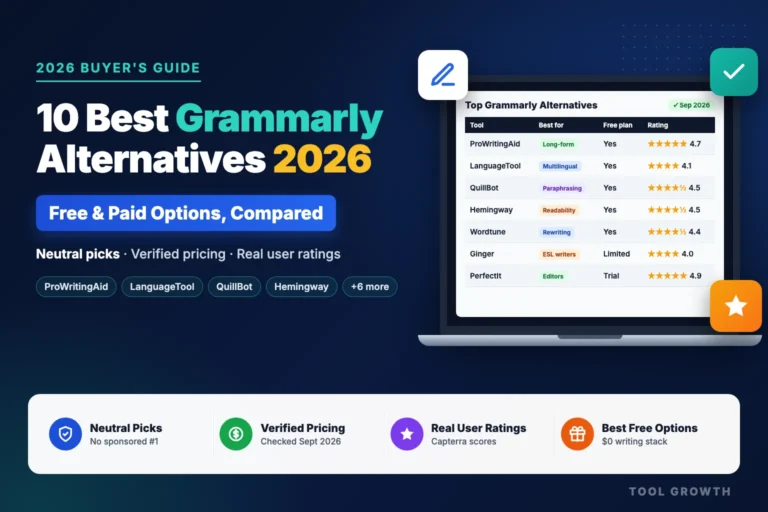
If Grammarly Pro feels too expensive, or you write in more than one language, our roundup of the best Grammarly alternatives compares cheaper and more specialised editors like ProWritingAid and LanguageTool.
Who it’s for: anyone publishing content who wants a final quality check before it goes live.
3. QuillBot — Best for Paraphrasing & Rewriting
Verdict: the sharpest tool for reworking existing text — a genuinely different job than drafting from a blank page.
QuillBot’s free plan caps paraphrasing at 125 words per pass with 2 modes. Premium unlocks unlimited paraphrasing, all 9 modes, and a plagiarism checker for $19.95/month, or $8.33/month billed annually ($99.95/year) — a semi-annual option at $39.95 (~$13.31/month) also exists.
QuillBot’s specialty is taking a rough draft, an AI-generated paragraph, or someone else’s writing and reshaping it into something that reads naturally in your own voice. It’s not built to write a blog post from a one-line prompt — that’s a different job, and one Jasper or ChatGPT handle better.
Who it’s for: writers who start with a rough draft or AI output and need to rework it, not generate it from scratch.
4. Copy.ai — Best for Short-Form Marketing Copy
Verdict: solid for ads, emails, and social captions at the entry tier — but know the pricing cliff before you outgrow it.
Copy.ai’s Free plan includes 2,000 words per month. The Chat plan costs $29/month, or $24/month billed annually, for up to 5 seats with unlimited chat-based projects and access to multiple AI models (OpenAI, Anthropic, Gemini). That’s the tier relevant to most small businesses.
The important flag: Copy.ai repositioned in 2026 toward go-to-market automation for sales and marketing teams. Beyond the Chat plan, pricing jumps steeply into workflow-credit tiers built for larger operations — not a natural next step for a solo writer or small blog. If you only need short-form copy, stay on Chat and skip the upgrade prompts.
Who it’s for: small teams writing ad copy, email subject lines, and social captions who don’t need long-form articles.
5. Anyword — Best for Performance-Predicted Copy
Verdict: the only tool here that tells you which version of your copy will actually perform before you spend a dollar on ads.
Anyword doesn’t offer a permanent free plan — just a 7-day trial with 2,500 word credits. The Starter plan costs $49/month, or $39/month billed annually, with unlimited copy generation but a capped number of performance predictions per month. Data-Driven runs $99/month for teams needing more predictions and up to 3 seats, with additional seats priced separately. Business and Enterprise are custom-priced.
What sets Anyword apart: every piece of copy gets a predictive performance score, trained on real campaign data, rather than just sounding plausible. That’s genuinely useful for ad copy and email subject lines where conversion rate is the whole point — it’s overkill for a blog that just needs articles written.
Who it’s for: businesses running paid ads or email campaigns where knowing which version converts better matters more than raw output volume.
6. ChatGPT — Best Free All-Purpose Option
Verdict: the free tier alone covers most small-business writing needs — Plus is worth it once you’re using it daily.
ChatGPT’s Free plan costs $0 and handles brainstorming, drafting, and editing for casual use. As of August 2026, Go costs $8/month as a lighter mid-tier, Plus runs $20/month with expanded usage and deep research, and Pro sits at $200/month for the highest usage caps. Business pricing starts around $20/seat/month billed annually for teams.
Because ChatGPT isn’t purpose-built for marketing content the way Jasper is, it lacks built-in brand voice memory across sessions and dedicated content templates. However, its flexibility for everything else — outlines, research summaries, quick rewrites, brainstorming — makes it the tool most people reach for first, even alongside a dedicated writing platform.
Who it’s for: anyone who wants one flexible tool for writing, research, and everything in between, starting at $0.
7. Claude — Best for Long-Form Writing & Editing
Verdict: a strong pick when a piece needs careful editing over a long document, or has to follow a detailed style brief without drifting.
Claude, made by Anthropic, offers a Free plan at $0/month with usage limits that reset every five hours. Pro costs $20/month and adds higher usage limits plus access to Claude’s more capable models. Max plans go further for heavy daily use: $100/month for 5x Pro’s usage, or $200/month for 20x. Team plans require a minimum of two seats with Standard and Premium tiers, and Enterprise pricing is custom.
Where Claude tends to stand out for content work is longer documents — briefs, research summaries, existing brand content — where it holds onto detail and instructions without losing the thread partway through. That makes it a solid choice for editing passes on long drafts or for working from a detailed style guide, alongside ChatGPT’s strengths for quick brainstorming and short-form drafts.
Who it’s for: writers and teams working with longer documents, detailed style guides, or heavy source material.
8. Rytr — Best Budget Pick
Verdict: the cheapest genuinely usable AI writing subscription on this list — with real limits on long-form work.
Rytr’s Free plan gives 10,000 characters per month — roughly 1,500 words. The Unlimited plan removes that cap for $9/month, or $7.50/month billed annually, and adds a Chrome extension plus 50 plagiarism checks. Premium adds 35+ language support and priority support for $29/month ($24.16/month annual).
Rytr is built for short-form output — product descriptions, ad copy, email subject lines, social posts. Push it toward full 1,500-word blog articles and the output gets repetitive fast, since it runs on an older, lighter AI model than Jasper or ChatGPT. Budget for editing time if you use it for anything longer than a few paragraphs.
Who it’s for: solo entrepreneurs and freelancers who need quick short-form copy without a premium price tag.
9. Surfer SEO — Best for SEO-Optimized Long Content
Verdict: the most direct way to write content that actually competes for a keyword — but it’s a serious monthly investment.
Surfer SEO renamed its plans in 2026. The Standard plan costs $99/month, or around $79/month billed annually, and includes Content Editor credits, AI-generated article drafts, and page audits scored against what’s currently ranking for your target keyword. Pro runs $182/month and Peace of Mind $299/month, with Enterprise custom-priced above that.
Unlike the generators above, Surfer doesn’t just write — it grades your draft against real ranking pages for word count, keyword usage, and structure. For a single blog publishing a handful of posts a month, that’s roughly $20-25 per optimized article on the Standard plan, which only pencils out once content is a real growth channel. Pair it with the research workflow in our best SEO tools for small business guide for the keyword side of the equation.
Who it’s for: bloggers and content marketers publishing regularly who need content that ranks, not just reads well.
10. Notion AI — Best for Teams Already Using Notion
Verdict: not worth adopting for AI alone — but a strong bonus if your team already lives in Notion.
Notion retired its standalone AI add-on in 2026. Full AI features — including Notion Agent, workspace-wide search, and AI meeting notes — now ship exclusively with the Business plan at $20/user/month billed annually ($24/month monthly). The cheaper Plus plan ($10/month annual) includes only a limited AI trial, not the full toolset. Custom Agents, a separate workflow feature, bill extra at $10 per 1,000 credits.
The math only works if you’re already paying for Notion’s workspace features — docs, wikis, project tracking — and want AI layered on top. Buying Notion Business purely for the AI, when dedicated tools like ChatGPT Plus or Claude Pro cost less, is the wrong reason to upgrade.
Who it’s for: teams already on Notion Business who want AI drafting and search inside their existing docs.
Best Free AI Writing Tools
If budget is the deciding factor, four free tiers genuinely hold up. ChatGPT and Claude both offer free plans that handle general drafting, editing, and brainstorming with no real catch beyond usage limits that reset every few hours. Grammarly’s free plan catches grammar and clarity issues on anything you’ve already written. QuillBot’s free tier covers light paraphrasing, just capped at 125 words per pass.
Stacked together — ChatGPT or Claude to draft, Grammarly to edit — that’s a genuinely usable content workflow for $0. Most small businesses only need to start paying once volume or brand-voice consistency becomes a real bottleneck, not before.
Once your content strategy needs a boost beyond just writing, pair your stack with the right distribution tools — our guide to the best free email marketing tools covers getting that content in front of an audience.
What Reddit Users Say About AI Writing Tools
AI writing tool threads are active across several subreddits. Here’s the recurring sentiment:
- A common sentiment on r/content_marketing is that most people overpay for an all-in-one platform when ChatGPT or Claude plus Grammarly covers 80% of daily writing needs.
- Frequent feedback on r/SEO notes that Surfer SEO’s optimization scores genuinely correlate with ranking improvements, but only when paired with solid research, not as a substitute for it.
- Users on r/marketing regularly flag Jasper’s per-seat pricing as the main reason small teams stay on a single Pro seat far longer than they’d like.
- A recurring theme on r/freelanceWriters is that heavily AI-generated drafts still need a human editing pass before publishing, regardless of which generator was used.
- Common sentiment on r/PPC favors Anyword’s predictive scoring for ad variations, but notes it’s wasted budget for anyone not actively split-testing campaigns.
Frequently Asked Questions
What is the best AI writing tool for small business?
Jasper is the strongest pick if brand voice consistency across a team matters. For a solo owner or freelancer, ChatGPT or Claude (both free, or $20/month for their paid tiers) paired with Grammarly for editing covers most needs at a fraction of the cost.
Is ChatGPT still the best AI for writing?
ChatGPT remains the most flexible general-purpose option and the best free entry point. However, purpose-built tools like Jasper (brand voice), Claude (long-form documents and detailed style briefs), or Surfer SEO (ranking-optimized content) outperform it for their specific use cases — ChatGPT is the generalist, not always the specialist.
Are free AI writing tools good enough for a small business?
Often, yes — especially early on. ChatGPT’s and Claude’s free tiers plus Grammarly’s free plan cover drafting and editing for $0. Paid tools mainly add brand voice memory, higher usage caps, and SEO scoring, which matter more once content volume grows.
What is the best AI writing tool for SEO content?
Surfer SEO is the most direct option since it grades drafts against pages currently ranking for your target keyword, rather than just generating generic content. Pair it with a generator like Jasper, ChatGPT, or Claude to draft first, then optimize.
Can AI writing tools replace a human editor?
Not entirely. AI generators and editors like Grammarly catch mechanical issues and speed up drafting, but factual accuracy, brand judgment, and nuanced tone still benefit from a human review pass before anything goes live, especially for client-facing or published content.
Final Verdict: Which AI Writing Tool Should You Choose?
| Your Situation | Our Pick | Starting Cost |
|---|---|---|
| Just starting, $0 budget | ChatGPT or Claude Free + Grammarly Free | $0 |
| Budget short-form copy | Rytr Unlimited | $7.50/mo (annual) |
| Solo marketer, brand voice | Jasper Pro | $59/mo (annual) |
| Running paid ads/email campaigns | Anyword Starter | $39/mo (annual) |
| Long documents, style briefs | Claude Pro | $20/mo |
| Rewriting & paraphrasing | QuillBot Premium | $8.33/mo (annual) |
| SEO-driven blog content | Surfer SEO Standard | ~$79/mo (annual) |
| Already on Notion Business | Notion AI | $20/mo (annual, bundled) |
In short: start free with ChatGPT or Claude plus Grammarly, add a dedicated generator like Jasper or Rytr once volume or brand consistency demands it, and only add specialized tools like Anyword or Surfer SEO once you have a specific channel — ads, SEO — worth optimizing. The best AI writing tools for small business are the ones matched to what you’re actually writing — not the most feature-packed option available.
👉 Want the editing half of your workflow sorted first? Try Grammarly free — or read our full Grammarly review 2026 to see if Pro is worth the upgrade.