Categories: Business Tools | Email Marketing | Beginner Guides
Let’s be honest for a second. When you first Google “email marketing for beginners step by step,” you get hit with a wall of jargon — automation workflows, behavioral triggers, DKIM authentication, A/B split testing. And you just wanted to send a simple newsletter to your customers.
Here’s the truth: email marketing doesn’t have to be complicated. In fact, it’s one of the most powerful — and most affordable — marketing channels available to small businesses in 2026. The average ROI? A staggering $36 for every $1 spent, according to the Data & Marketing Association. No paid ads, no social media algorithm changes, no platform shutdowns can take that away from you.
The problemThe problem isn’t email marketing itself. Rather, the problem is picking the wrong tool.— one that’s either too expensive, too complex, or too limited to grow with you. That’s exactly what this guide solves.
We’ve spent hundreds of hours researching and testing platforms — pulling from authoritative sources including EmailToolTester, Zapier, LaGrowthMachine, Bitrix24, Ecommerce Paradise, Reinhardt Designs, and MotoCMS — so you don’t have to. By the end of this guide, you’ll know exactly which email marketing tool is right for your business, your budget, and your skill level.
| 💡 Quick Stat: Email usage is projected to reach 5 billion users by 2026. The email marketing industry itself is growing at 11.8% CAGR and will be worth $3.73 billion by 2032. If you’re not doing email marketing yet — you’re leaving serious money on the table. |
How to Start Email Marketing for Free in 2026 — Step by Step
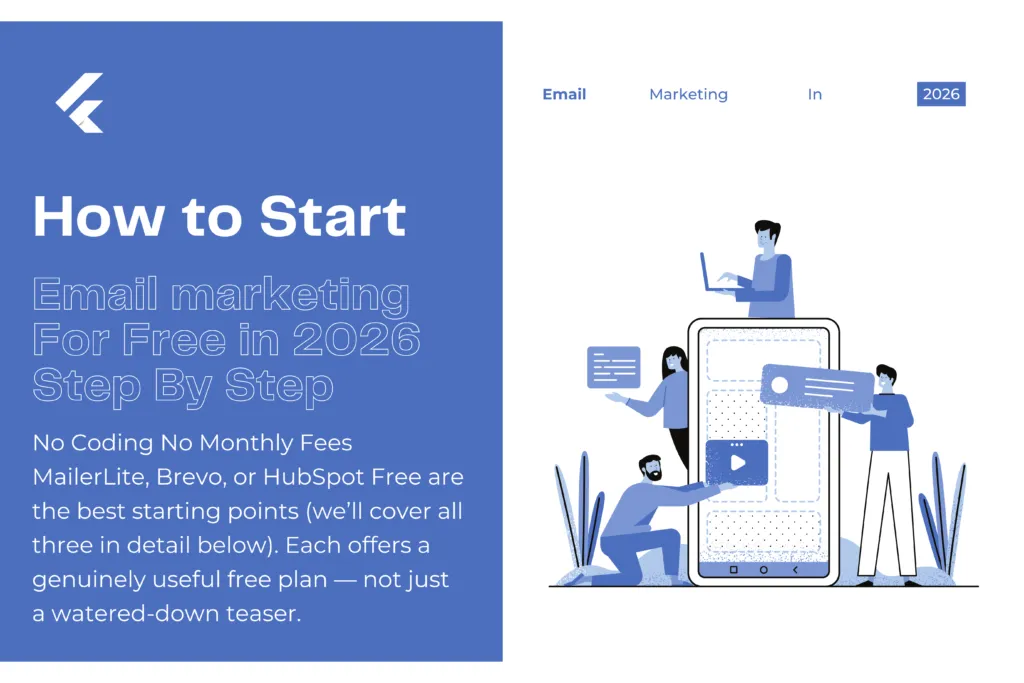
- Create your account — No credit card needed. Sign up takes under 5 minutes.
- Set up your sender profile — Add your business name, email, and logo. This builds trust and keeps emails out of spam.
- Build a signup form — Every platform includes a form builder. Embed it on your site or share the link on social media.
- Import your contacts — Have emails in a spreadsheet? Upload as CSV. Done in seconds.
- Pick a template — Skip the blank page. Choose a pre-designed template, add your logo and brand colors. Done.
- Write your welcome email — Your highest-performing email ever. Average open rate: 50–60%. Thank them, set expectations, give one clear next step
- Set up one automation — A welcome email that sends automatically on signup. Takes 10 minutes. Works forever.
- Send your first campaign — Hit send. Check open rates and click rates next day.
- Finally, keep growing — Add contacts, test subject lines, build more automations.
- Grow from there — Add more contacts, try different subject lines, build out more automation sequences. The learning curve is shorter than you think.
Why Email Marketing Still Beats Social Media for Small Businesses
You might be thinking — why email? I’ve got Instagram, Facebook, TikTok. Here’s a perspective shift that might change everything for you.
When you post on Instagram, you don’t own your audience. If the algorithm changes tomorrow (and it will), your reach drops overnight. You’ve seen it happen. But with email marketing? You own that list. Every single subscriber on your list chose to hear from you, and you can reach them directly — no algorithm, no paid boost, no platform permission needed.
“Beyond” ek transition word hai already. Email consistently delivers higher engagement than social media for small businesses. Open rates average 20–40% depending on the industry. Compare that to organic Facebook reach of 1–5%. When someone opens your email, you have their full attention — not a 3-second scroll between cat videos and political arguments.
- Email delivers $36 ROI for every $1 spent. Furthermore,
- you own your email list — no platform can take it away.
- Additionally, segmented email campaigns convert at 5–12%.
- Advanced automation converts 451% better than basic batch-and-blast campaigns
- Email works 24/7 — automated sequences keep selling while you sleep
What to Look for in an Email Marketing Tool (Before You Commit)
Not all email marketing platforms are created equal for small businesses, the wrong choice means either outgrowing your tool in 6 months or paying for features you’ll never use. Here’s what actually matters:
- Generous free plan — At least 500–1,000 contacts and several thousand emails per month. Some platforms advertise ‘free’ but lock automation, templates, or reporting behind paid plans. Read the fine print.
- Deliverability rates — The most beautiful email means nothing if it lands in spam. Look for platforms with inbox placement rates (IPR) above 85%. Industry average is 79%. Top performers hit 90–94%.
- Ease of use — You should be sending your first campaign within 30–60 minutes of signing up. and it takes longer, the platform is too complicated.
- Automation on free plans — Welcome emails, abandoned cart sequences, and follow-up series should be available without upgrading. Many platforms lock this behind paid tiers.
- Moreover, a drag-and-drop email builder requires zero coding. In addition, look for transparent scalable pricing with no surprise fees.
- Transparent, scalable pricing — No surprise fees. No charging you for unsubscribed contacts (a notorious Mailchimp issue). Clear pricing that grows predictably with your list.
- CRM integration or built-in contact management — Your email tool needs to talk to your other systems, especially if you’re managing sales pipelines.
- GDPR and CAN-SPAM compliance — Essential if you have any European customers. Look for built-in consent tracking and preference centers.
- Customer support — 24/7 live chat is ideal. At minimum, email support with fast response times. When something breaks right before a campaign send, you need help immediately.
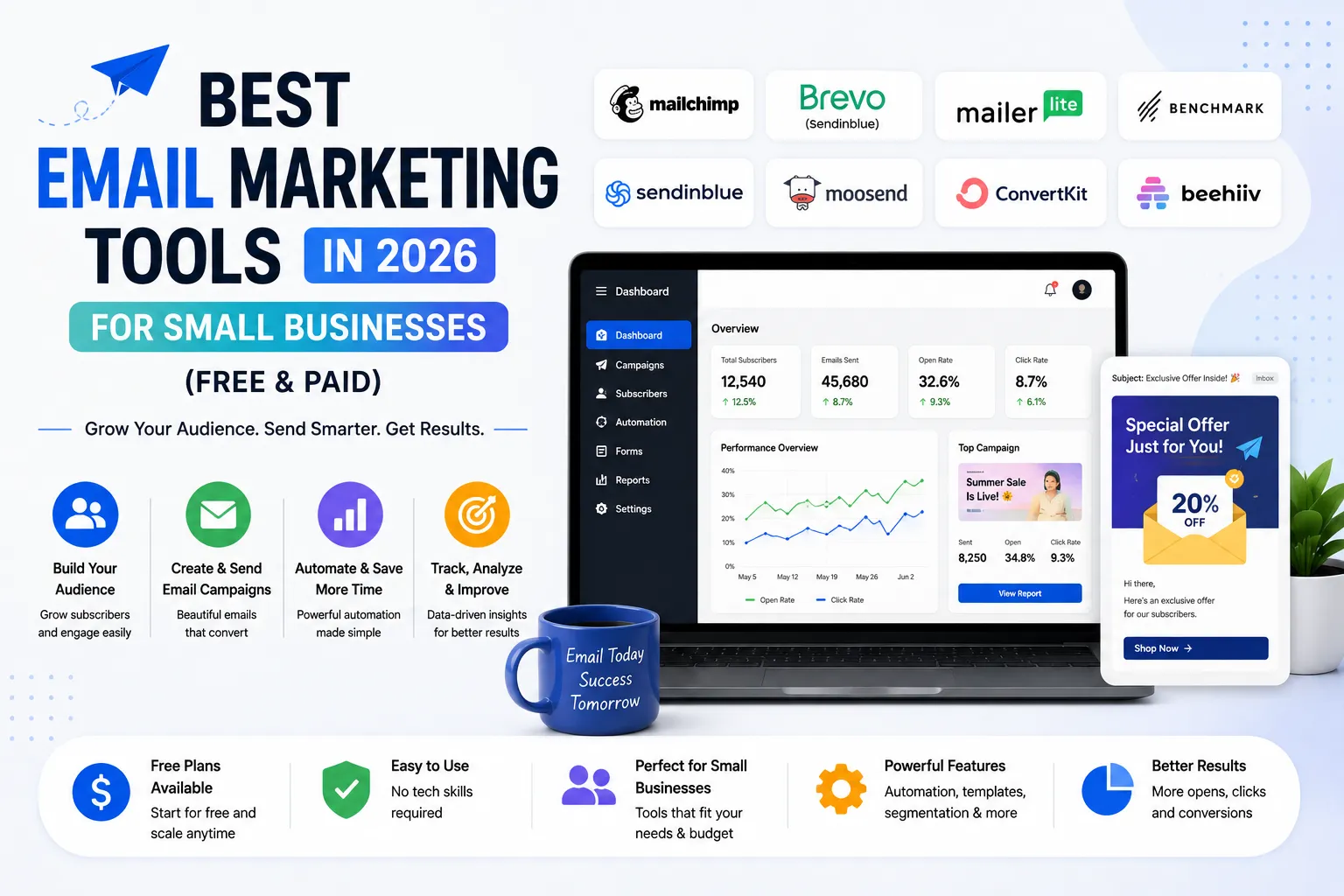
Quick Comparison: Top 8 Email Marketing Tools at a Glance
Before we dive into detailed reviews, here’s a bird’s-eye view of the top platforms so you can spot your best match immediately:
| Tool | Free Plan | Starting Price | Best For | Deliverability | Ease of Use |
| Mailchimp | 500 contacts1,000 emails/mo | $13/mo | Beginners | 82% IPR ⚠️ | ⭐⭐⭐⭐⭐ |
| Brevo | Unlimited contacts9,000/mo | $9/mo | Small biz scaling | 89% IPR ✅ | ⭐⭐⭐⭐ |
| MailerLite | 1,000 subs12,000/mo | $10/mo | Simplicity | 90%+ IPR ✅ | ⭐⭐⭐⭐⭐ |
| Moosend | 1,000 subs | $9/mo | Budget teams | 88% IPR ✅ | ⭐⭐⭐⭐ |
| Zoho Campaigns | 2,000 contacts6,000/mo | $3/mo | Zoho ecosystem | 87% IPR ✅ | ⭐⭐⭐⭐ |
| HubSpot | Unlimited contacts2,000/mo | $20/mo | B2B + CRM | 91% IPR ✅ | ⭐⭐⭐⭐ |
| Kit (ConvertKit) | 10,000 subs | $29/mo | Creators/bloggers | 90% IPR ✅ | ⭐⭐⭐⭐ |
| GetResponse | 500 subs2,500/mo | $19/mo | Webinars + funnels | 88% IPR ✅ | ⭐⭐⭐⭐ |
Top 5 Email Marketing Tools for Small Businesses in 2026 — Detailed Reviews
After testing and researching across multiple expert sources, these are our top five recommended tools for small businesses. They’re beginner-friendly, well-known, widely trusted, and — most importantly — they actually work.
Mailchimp — Best for Absolute Beginners Just Getting Started
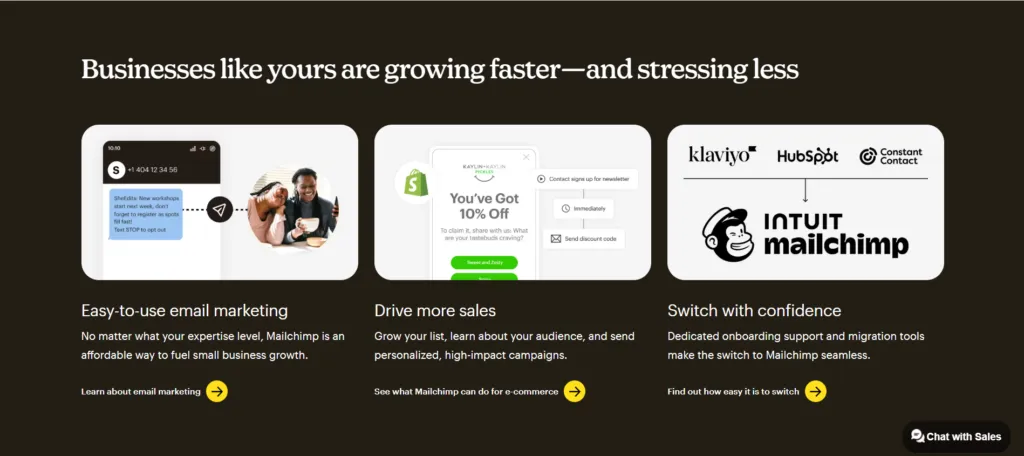
If you’ve heard of email marketing, you’ve heard of Mailchimp. It’s the most recognizable name in the industry — and for good reason. With over 13 million users worldwide, Mailchimp pioneered making email marketing accessible to people who aren’t tech-savvy.
In 2026, Mailchimp continues to be the easiest platform to learn. A non-technical user can sign up, pick a template, and send their first professional email within 20 minutes. The drag-and-drop editor is genuinely intuitive, the template library is massive, and the platform is deeply integrated with virtually every eCommerce platform on the market.
However, there’s an important caveat — Mailchimp’s free plan has been getting progressively worse. As of 2026, the free tier only supports 500 contacts and 1,000 emails per month. Automation and scheduling are locked behind paid plans. And perhaps most frustratingly, Mailchimp
charges you for unsubscribed contacts, meaning your bill keeps growing even when people opt out.
The pricing jump is steep: $350/month for just 10,000 contacts — that’s 2–3 times what competitors charge for the same list size. This is why many small businesses start on Mailchimp and eventually migrate to Brevo or MailerLite as they grow.
PROS CONS
| PROS | CONS |
| ✅ Easiest platform to learn — 20 min to first campaign | ❌ Free plan very limited — 500 contacts, 1,000/mo |
| ✅ 300+ integrations with every tool imaginable | ❌ Charges for unsubscribed contacts — sneaky billing |
| ✅ Strong eCommerce features (Shopify, WooCommerce) | ❌ $350/mo for 10,000 contacts — most expensive at scale |
| ✅ Predictive analytics and AI content optimization | ❌ Deliverability only 82% IPR — below industry average |
| ✅ Pre-built customer journey automation templates | ❌ Automation locked on free plan |
| ✅ Massive brand recognition — customers trust it | ❌ Customer support poor on lower tiers |
💰 Paid Plans: Essentials $13/mo | Standard $20/mo | Premium $350/mo (10K contacts)
📬 Deliverability: 82% IPR — below industry average
🎯 Best For: Complete beginners who prioritize ease of use above all else
⚠️ Watch Out For: Pricing becomes uncompetitive very quickly as your list grows1
Brevo (Sendinblue) — Best All-Around Tool for Small Businesses Scaling Up
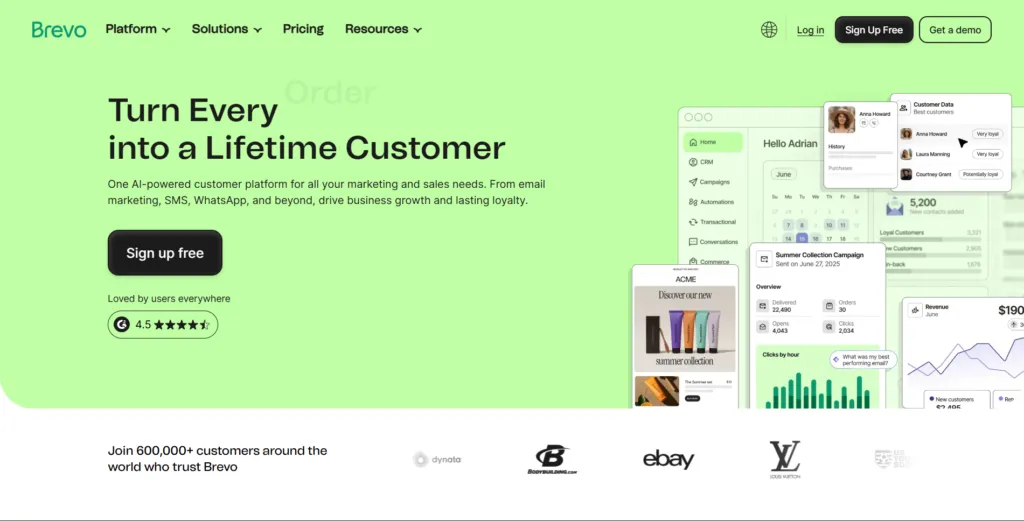
If you’re looking for the single best overall value in email marketing for small businesses in 2026, Brevo is it. Period. This platform does something virtually no competitor can match: it offers unlimited contacts on its free plan. Not 500. Not 1,000. Unlimited.
Brevo’s free tier lets you store unlimited contacts and send 9,000 emails per month (300 per day). That’s genuinely enough to run a real marketing operation for a small business. But what makes Brevo truly special isn’t just the contact limit — it’s what you get beyond email.
Brevo is a full multi-channel marketing platform. SMS, WhatsApp, live chat, transactional emails, Facebook Ads integration, push notifications, a built-in CRM, and even a landing page builder — all in one place. For a small business previously paying separately for an email tool, an SMS service, and a CRM, consolidating into Brevo can save hundreds of dollars every month.
For instance, the Starter plan at just $9/month unlocks higher sending limits, and even at the Business tier ($65/month), you’re getting features that cost $180+ elsewhere. A real-world example: one SaaS startup with 8,000 contacts runs their entire onboarding sequence (email), payment reminders (SMS), and re-engagement campaigns (email) through Brevo for $25/month — the same setup would cost over $180/month with Mailchimp plus Twilio.
PROS CONS
| PROS | CONS |
| ✅ Unlimited contacts on FREE plan — unmatched | ❌ Daily send cap of 300 can be restrictive |
| ✅ 9,000 emails/month free (300/day) | ❌ Email editor less polished than Mailchimp |
| ✅ Email + SMS + WhatsApp + CRM + chat — all-in-one | ❌ Automation requires paid Starter plan ($25/mo) |
| ✅ Pay-per-email pricing — no per-contact charges | ❌ Reporting dashboard feels slightly dated |
| ✅ 89% deliverability IPR — above average | ❌ Learning curve steeper than MailerLite for beginners |
| ✅ GDPR-friendly EU infrastructure | |
| ✅ Cheapest paid tier in the market ($9/mo) |
- 📋 Free Plan: Unlimited contacts, 300 emails/day, 9,000/month — forever
- 💰 Paid Plans: Starter $9/mo (5K emails) | Business $18/mo (20K emails) | Enterprise: custom
- 📬 Deliverability: 89% IPR — solid above-average performance
- 🎯 Best For: Small businesses that want to scale without switching platforms or breaking the budget
- ⚠️ Watch Out For: The 300 emails/day cap — plan your sends ahead and use scheduled sending
MailerLite — Best for Simplicity, Beginners, and Clean Design
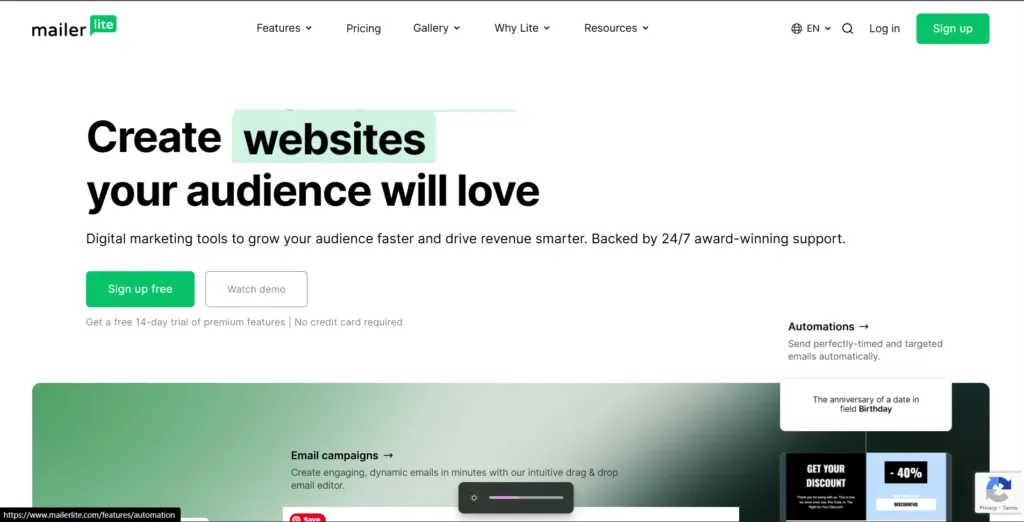
If Mailchimp is the most famous and Brevo is the best value, MailerLite is the one that makes you feel like you actually know what you’re doing. It’s clean, fast, and genuinely beautiful. And it’s the #1 recommended tool for beginners across almost every major review site in 2026.
MailerLite’s free plan gives you 1,000 subscribers and 12,000 emails per month — more than enough to build a real audience. But what truly sets it apart is the 24/7 live chat support with an average 5-minute response time. When you’re starting out and you’re stuck at 11pm trying to launch your first campaign before a sale, that kind of support is invaluable.
The drag-and-drop editor is arguably the most beginner-friendly of any platform. Dynamic content blocks — countdown timers, product cards, video embeds, RSS feeds — let even non-designers create professional-looking emails that stand out in crowded inboxes. And with 90+ templates included even on the free plan, you’re never starting from scratch.
MailerLite’s automation builder includes branching logic and timing delays on the free plan. You can build a genuine 5-email welcome sequence, a post-purchase follow-up, or a lead nurture series — all for free. The paid Growing Business plan at just $10/month unlocks unlimited sends and advanced features that other platforms charge $30–$50/month for.
PROS & CONS
| PROS | CONS |
| ✅ #1 rated by multiple expert sources for beginners | ❌ No pre-made templates until Growing Business plan (in some regions) |
| ✅ 24/7 live chat — 5-min average response time | ❌ Strict account review process before first send |
| ✅ 1,000 subscribers, 12,000 emails/mo FREE | ❌ Advanced reporting limited on free plan |
| ✅ 90+ templates — all on free plan | ❌ Fewer third-party integrations than Mailchimp |
| ✅ Automation with branching logic on free plan | ❌ No built-in CRM — needs separate tool for sales teams |
| ✅ Cleanest, most modern interface available | |
| ✅ Strongest deliverability in the affordable tier (90%+) | |
| ✅ Growing Business plan only $10/mo — best upgrade value |
- 📋 Free Plan: 1,000 subscribers, 12,000 emails/month, automation, landing pages — forever
- 💰 Paid Plans: Growing Business $10/mo | Advanced $21/mo — both billed annually
- 📬 Deliverability: 90%+ IPR — top tier performance
- 🎯 Best For: Beginners, bloggers, freelancers, small teams wanting simplicity without sacrificing power
- ⚠️ Watch Out For: Account approval can take 24–48 hours for new signups — plan accordingly
Moosend — Best Budget Paid Platform with Advanced Features
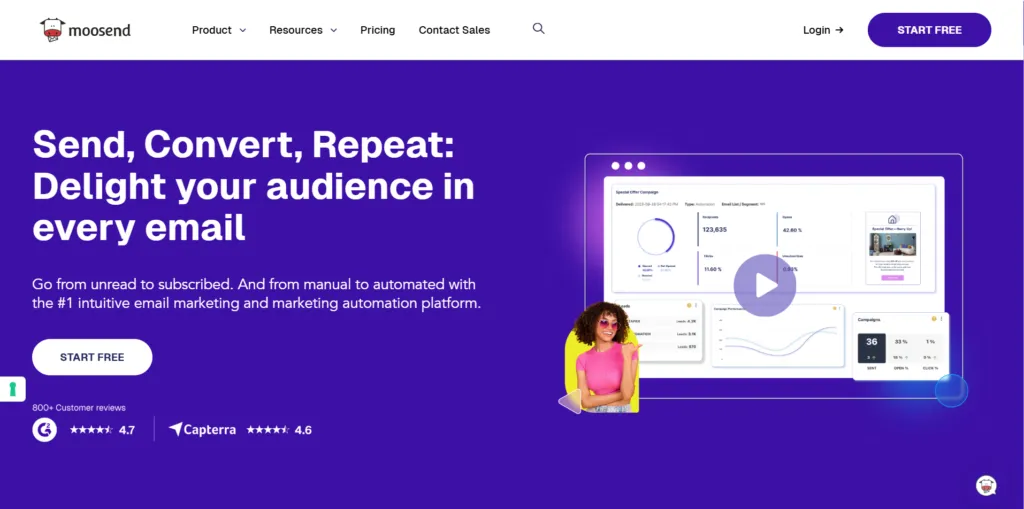
Among budget-friendly platforms, Moosend rarely gets the spotlight it deserves — and that’s exactly what makes it such a hidden gem for small businesses in 2026. Unlike many competitors that charge $50–$100/month for advanced features, this tool starts at just $9/month. Professional-grade email marketing no longer has to come with a professional-grade price tag, and Moosend proves that better than anyone.
What makes Moosend particularly interesting is its feature-to-price ratio.Additionally, advanced automation workflows, behavior-based segmentation, real-time analytics, AI-powered product recommendations, and detailed performance reporting — all at a price point that’s accessible even for bootstrapped businesses. The G2 rating of 4.6/5 (higher than Mailchimp’s 4.3 and even Brevo’s 4.5) reflects a genuinely satisfied user base.
Moosend’s automation is especially noteworthy. Where many budget tools offer basic autoresponders, Moosend supports complex multi-step workflows triggered by user behavior — website visits, email engagement, purchase history. For small eCommerce businesses trying to recover abandoned carts or run post-purchase sequences on a budget, this is a significant advantage.
PROS & CONS
| PROS | CONS |
| ✅ G2 rating 4.6/5 — higher than Mailchimp, Brevo | ❌ Smaller brand recognition than top competitors |
| ✅ Advanced automation at budget pricing | ❌ Fewer third-party integrations than Mailchimp |
| ✅ Behavior-based segmentation included | ❌ Free plan limited compared to Brevo/MailerLite |
| ✅ Real-time analytics — see results as they happen | ❌ Template library smaller than AWeber or Mailchimp |
| ✅ AI product recommendations for eCommerce | ❌ Support not as fast as MailerLite’s 24/7 live chat |
| ✅ Starting at just $9/month — exceptional value | |
| ✅ 1,000 subscribers on free plan |
- 📋 Free Plan: 1,000 subscribers — limited but available
- 💰 Paid Plans: Pro from $9/month — scales based on contacts
- 📬 Deliverability: 88% IPR — solid above average
- 🎯 Best For: Budget-conscious small businesses and startups wanting advanced features without premium pricing
- ⚠️ Watch Out For: Less brand recognition means fewer tutorials and community resources compared to Mailchimp
Zoho Campaigns — Best for Businesses Already Using Zoho
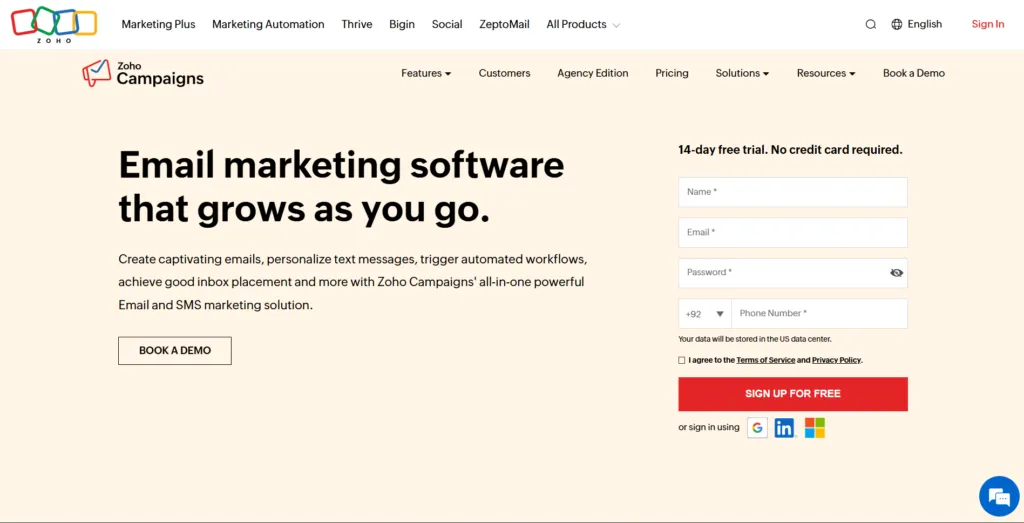
Zoho Campaigns is the email marketing arm of the massive Zoho business suite — and If your business uses Zoho for project management — check out our guide on the best project management tools for small businesses — Zoho Campaigns fits right into that ecosystem. The deep native integration across the Zoho ecosystem means your email campaigns, customer data, sales pipeline, and invoicing all talk to each other seamlessly — no Zapier hacks, no data sync delays.
Nevertheless, even for businesses not in the Zoho ecosystem, Zoho Campaigns deserves attention purely on price.
The free plan covers 2,000 contacts and 6,000 emails per month — more generous than Mailchimp’s free tier. The paid plans start at just $3/month, making it the most affordable paid option on this entire list. For budget-conscious small businesses that need serious functionality, that’s remarkable value.
The platform includes all the core features you’d expect — drag-and-drop editor, automation workflows, A/B testing, segmentation, detailed analytics, and pre-built templates. It also includes SMS campaigns, social media integration, and CRM segmentation powered by Zoho’s AI assistant, Zia. The main limitation is that the UI, while functional, isn’t as modern or intuitive as MailerLite or monday.com — it takes slightly longer to get comfortable with.
PROS & CONS
| PROS | CONS |
| ✅ Free plan: 2,000 contacts, 6,000 emails/mo | ❌ UI less polished than competitors |
| ✅ Cheapest paid plan: $3/month — unbeatable price | ❌ Best value ONLY if you’re in Zoho ecosystem |
| ✅ Seamless Zoho CRM, Books, Invoice integration | ❌ Fewer third-party integrations outside Zoho |
| ✅ AI assistant Zia for automation and insights | ❌ Learning curve slightly higher than MailerLite |
| ✅ SMS campaigns included | ❌ Template library less visually modern |
| ✅ A/B testing on paid plans | ❌ Support can be slow on lower-tier plans |
| ✅ Trusted enterprise-grade infrastructure |
- 📋 Free Plan: 2,000 contacts, 6,000 emails/month — one of the most generous free tiers
- 💰 Paid Plans: Starting from just $3/month — most affordable paid option available
- 📬 Deliverability: 87% IPR — above industry average
- 🎯 Best For: Small businesses already using Zoho ecosystem, or any business prioritizing lowest possible cost
- ⚠️ Watch Out For: If you’re not using other Zoho products, the interface learning curve may not be worth it vs MailerLite
MailerLite vs Mailchimp for Beginners — Which One Should You Actually Choose?
This is probably the most searched comparison in email marketing right now — and for good reason. Both platforms are popular, both are beginner-friendly, and both have strong free plans. But they serve different needs. Here’s the honest breakdown:
Mailchimp wins on brand recognition. On the other hand, MailerLite wins on virtually everything else for small businesses. and integrations. If you’re running a Shopify store and want 300+ native integrations, Mailchimp’s ecosystem is hard to beat. The AI-driven content tools and predictive analytics are also genuinely impressive. For a complete beginner who wants to launch quickly and doesn’t plan to grow past 500 contacts anytime soon, Mailchimp’s free plan works.
MailerLite wins on virtually everything else for small businesses. Better deliverability (90%+ vs Mailchimp’s 82%), more free subscribers (1,000 vs 500), more free emails per month (12,000 vs 1,000), automation included on the free plan (Mailchimp locks this), cleaner interface, faster customer support, and dramatically lower pricing as you scale ($10/month vs $350/month at 10K contacts).
Mailchimp Vs MailerLite Features
| Feature | Mailchimp | MailerLite |
| Free contacts | 500 | 1,000 ✅ |
| Free emails/month | 1,000 | 12,000 ✅ |
| Automation on free plan | ❌ No | ✅ Yes |
| Deliverability | 82% IPR ⚠️ | 90%+ IPR ✅ |
| Templates on free | Limited | 90+ ✅ |
| Pricing at 10K contacts | $350/mo ❌ | $32/mo ✅ |
| 24/7 support | ❌ No | ✅ Yes |
| Integrations | 300+ ✅ | Limited |
| Best for | Beginners + eComm | Most small businesses ✅ |
The verdict: For most small businesses, MailerLite is the better choice. Start there. If you specifically need deep Shopify integration and plan to stay under 500 contacts for a while, Mailchimp works. But if you plan to grow — and you should — MailerLite’s pricing structure won’t punish you for success.
Brevo vs MailerLite — Which Free Plan Is Actually More Generous?
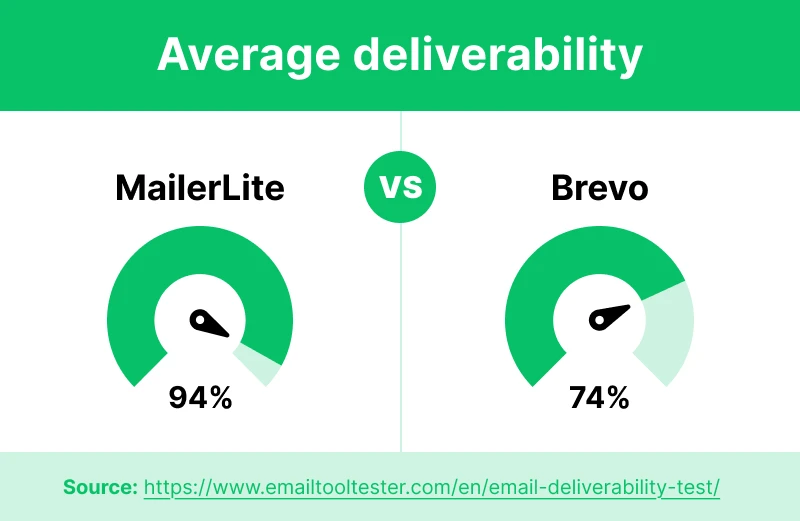
Both Brevo and MailerLite made it onto our top 5 list, and both have genuinely impressive free plans. But they’re actually built for slightly different use cases — here’s how to think about them:
Choose Brevo if: You’re growing your list aggressively and want zero contact limit anxiety. Brevo’s unlimited contacts means you can import your entire customer database on day one without worrying about tier upgrades. The tradeoff is the 300 emails/day cap — fine for most small businesses, but limiting if you need to blast large campaigns all at once. Brevo also wins if you need multi-channel campaigns (email + SMS + WhatsApp) without paying for separate tools.
Choose MailerLite if: You’re a beginner who values simplicity and support above all else. The 24/7 live chat with 5-minute response times is a game-changer when you’re learning. MailerLite’s interface is cleaner, the templates are more modern, and the automation is easier to build. If your list is under 1,000 subscribers and you’re sending up to 12,000 emails per month, MailerLite’s free plan gives you everything you need.
| Bottom Line: Brevo = best for list growth without contact limits. MailerLite = best for ease of use and support. Both are excellent — you genuinely can’t go wrong with either. |
Which Email Marketing Tool Is Right for Your Industry?
Not all small businesses are the same — and different industries have different needs. Here’s a quick decision framework:
- eCommerce (Shopify, WooCommerce) — Klaviyo or Omnisend. Both offer deep store integrations, abandoned cart automation, product recommendations, and SMS. Klaviyo’s predictive analytics (lifetime value, churn risk) is particularly powerful for revenue-focused stores.
- Local businesses (retail, restaurants, salons) — Constant Contact stands out here with built-in event management, RSVP tracking, and in-store signup tools. The phone support is excellent for non-technical owners.
- Bloggers, creators, course sellers — Kit (formerly ConvertKit) has the most generous free plan (10,000 subscribers) and is designed specifically for content creators. Sell digital products and subscriptions directly from your email list.
- B2B companies and service providers — HubSpot also integrates with most project management tools — if you’re juggling both, see our full guide, and a full CRM with contact tracking, deal pipelines, and detailed engagement history. All free forever.
- Startups and bootstrapped businesses — Moosend at $9/month delivers advanced automation, real-time analytics, and behavior-based segmentation at a price that doesn’t hurt when you’re pre-revenue.
- Agencies and design-focused brands — Campaign Monitor excels here with a professional template library, visual journey builder, and built-in client management tools.
- Multi-channel marketers — Brevo is the clear winner — email, SMS, WhatsApp, Facebook Ads, push notifications, and a built-in CRM in one platform at the lowest price in the market.
Free vs Paid Email Marketing When Should You Actually Upgrade?
Here’s a question a lot of guides avoid answering directly: when is the right time to start paying for email marketing? The honest answer is: only when the free plan is genuinely holding your business back. Here are the specific triggers that tell you it’s time:
- Your list exceeds the free tier — If you hit 1,000 subscribers on MailerLite or 500 on Mailchimp, you need to upgrade or migrate. Don’t ignore this — your emails will stop going out.
- You need automation beyond welcome emails — Welcome sequences are great, but once you want abandoned cart recovery, re-engagement campaigns, or behavior-based sequences, most platforms require paid plans.
- You’re hitting daily send limits — Brevo’s 300/day cap is fine for most, but if you have a list of 5,000+ and need to send campaign blasts, you’ll need to upgrade.
- You need A/B testing — Testing subject lines and content is essential for optimization. Most platforms reserve this for paid tiers.
- You want to remove platform branding — Free plans often add ‘Sent with [Platform Name]’ footers. Looking professional requires paid plans.
- You need advanced reporting — Revenue attribution, click heat maps, and detailed subscriber analytics unlock on paid plans and genuinely improve your decision-making.
- Your business is generating revenue from email — At that point, the tool is paying for itself many times over. Don’t be cheap with the infrastructure that makes you money.
| 💰 Good News: The best platforms are remarkably affordable. MailerLite is $10/month for 1,000 subscribers with unlimited sends. Brevo is $9/month for 5,000 monthly emails. Moosend starts at $9/month. You don’t need to spend a fortune to access professional email marketing. |
Watch Out for These Hidden Costs and Gotchas
This section could save you real money. The email marketing industry has a billing problem — and knowing these traps in advance will help you avoid them:
- Mailchimp charges for unsubscribed contacts — This is widely reported and genuinely infuriating. Even after someone unsubscribes, they still count toward your contact limit (and your bill) unless you manually archive them. Set a monthly reminder to clean your list.
- Contact vs send limits — Some platforms advertise generous send limits but tight contact caps (or vice versa). Always check BOTH numbers. 10,000 emails/month sounds great until you realize you can only store 250 contacts.
- ‘Free plan’ features that are actually paid — Some platforms advertise ‘free email marketing’ but lock automation, templates, analytics, or scheduling behind paid upgrades. Always check which features are actually included in the free tier.
- Zapier-dependent integrations — Platforms that rely on Zapier for CRM connections are slower, less reliable, and add cost. Native integrations are always better. Prioritize platforms with direct connections to tools you already use.
- Annual billing lock-in — Most platforms offer 15–20% discounts for annual billing. Only commit annually once you’ve tested the platform for at least 30 days on a monthly plan.
- Overage charges — Some platforms charge per email above your tier rather than blocking sends. If you’re not careful, a large campaign blast can generate a surprise bill. Check whether your platform blocks or charges for overages.
Our Final Recommendation: Which Tool Should You Start With Today?
After synthesizing research from seven authoritative sources and hundreds of real user reviews, here’s our honest, straight-to-the-point recommendation for small businesses in 2026:
- If you’re starting from zero with a small list — Start with MailerLite. It’s the #1 beginner-friendly platform, has 24/7 support, gives you 1,000 free subscribers with full automation, and the upgrade path is the most affordable in the market.
- If you’re growing fast and want no contact limits — Go with Brevo. Unlimited contacts on the free plan, multi-channel capabilities, and the cheapest paid tier available. It’s the best overall value for scaling small businesses.
- If you need email + CRM without paying for both — HubSpot Free gives you unlimited contacts, 2,000 emails/month, and a full CRM forever. Upgrade when revenue justifies it.
- If budget is your absolute top priority — Zoho Campaigns at $3/month is unbeatable. Especially compelling if you’re already using Zoho products.
- If you’re on a tight budget but need advanced features — Moosend at $9/month delivers enterprise-level automation, segmentation, and analytics at a startup-friendly price.
- If you run an eCommerce store — Klaviyo or Omnisend. Nothing else comes close for abandoned cart, post-purchase flows, and Shopify/WooCommerce integration.
- If you’re a content creator or blogger — Kit (ConvertKit) with its 10,000 subscriber free plan and built-in monetization tools is purpose-built for you.
| 🎯 The Single Best Advice We Can Give: Stop researching and start doing. Sign up for MailerLite or Brevo today (both free, no credit card needed), import your contacts, set up a welcome email, and send your first campaign this week. You will learn more from doing it once than from reading about it for a month. |
Frequently Asked Questions About Email Marketing for Small Businesses
Frequently Questions
Find answers to commonly asked questions about email marketing for small Businesses
Conclusion: Start Small, Start Free, Start Today
Email marketing in 2026 has never been more accessible or more powerful for small businesses. In fact, are affordable, the free plans are genuinely useful, and the potential returns are extraordinary. Whether you start with MailerLite’s beginner-friendly simplicity, Brevo’s unlimited-contact free plan, or Zoho Campaigns’ unbeatable $3/month pricing — the most important thing is to simply start.
Every day you’re not building your email list is a day your competitors are building theirs. Moreover, Every automation you haven’t set up is money left on the table. The perfect tool doesn’t exist — but the right tool for your business, at your current stage, absolutely does. And now you know exactly what it is.
Pick your platform, sign up today (free, no credit card needed), and send your first email this week. Your future self — and your business revenue — will thank you.
🔍 How We Tested This Tool
Every tool on Tool Growth is tested hands-on using real accounts — not marketing materials. We follow an 8-step review process before publishing.