In this Zoho Projects vs Asana comparison, here’s the quick answer for small businesses.
Choose Zoho Projects if: you’re on a tight budget, need built-in time tracking, or already use other Zoho apps.
Choose Asana if: you’re a beginner, have a creative team, or want a tool that’s simple enough for your team to adopt quickly.
Zoho Projects vs Asana — Which Should Your Small Business Choose?
Zoho Projects vs Asana is one of the most common project management debates for small businesses in 2026 — and honestly, I understand why. Both tools look similar on the surface. Both have free plans, Gantt charts, task management, and integrations. But after testing both for several weeks, the differences become very clear — and they matter depending on what your team actually needs.
Honestly? I went into this comparison thinking Zoho Projects would win easily because of the price. At $4/user/month vs Asana’s $10.99/user/month — that’s a huge gap on paper. But pricing isn’t everything. Let me show you exactly what you get for that difference and help you make the right call for your specific situation.
Want to compare both tools alongside ClickUp, monday.com, Trello, and Notion? Check out our full guide to the best project management tools for small businesses in 2026.
Zoho Projects vs Asana — Full Feature Comparison
| Feature | Zoho Projects | Asana |
| Free Plan | ✅ Up to 5 users, 3 projects | ✅ Up to 2 users (Personal plan) |
| Paid Plan Start | $4/user/mo (annual) | $10.99/user/mo (annual) |
| Gantt Charts | ✅ All plans, including Free | ✅ Starter plan + above |
| Time Tracking | ✅ Built-in (Premium plan and above) | ⚠️ Native on Advanced plan; integrations on lower plans |
| Automation | ✅ 50 runs/mo on Free, 5,000/mo on Premium | ✅ Unlimited from Starter plan |
| Ease of Use | ★★★☆☆ Steeper curve | ★★★★★ Very beginner-friendly |
| Zoho Ecosystem | ✅ 45+ Zoho apps | ❌ Limited native Zoho sync |
| Mobile App | ★★★☆☆ Basic | ★★★★☆ Strong |
| Best For | Budget teams, Zoho users | Beginners, creative teams |
| Overall Rating | 4.1 / 5 | 4.3 / 5 |
Zoho Projects vs Asana Pricing — The Real Cost Breakdown
This is where things get interesting. Zoho Projects is dramatically cheaper — but is cheaper always better? Here’s the honest pricing breakdown:
| Plan | Zoho Projects | Asana | Key Difference |
| Free | Up to 5 users, 3 projects | Up to 2 users | Zoho free = more users |
| Entry Paid | $4/user/mo | $10.99/user/mo | Zoho 63% cheaper |
| Mid Tier | $9/user/mo | $24.99/user/mo | Zoho much cheaper |
| Time Tracking | ✅ Built-in from Premium ($4) | ⚠️ Native from Advanced ($24.99); Timesheets add-on | Zoho wins clearly |
| Gantt Charts | ✅ All plans (incl. Free) | ✅ Starter plan + above | Zoho includes it free |
Pricing checked 11 October 2026 on asana.com/pricing and Zoho’s pricing page (US prices shown). Zoho also has a newer Ultimate tier at $14/user/mo, and it shows lower regional prices in some countries — for example US$3/$7/$11 when viewed from Pakistan — so check the pricing page for your own country.
| 💡 Key point: Zoho Projects is 63% cheaper on entry Paid Plans. AND — Asana’s free plan now covers only 2 users, while Zoho’s free plan covers up to 5 users and 3 projects. So for small teams not ready to pay, Zoho now gives you more room on the free tier too. |
Here’s what I tell small business owners: if budget is your #1 constraint — go Zoho. If ease of adoption and team buy-in matter more — the extra cost of Asana often pays for itself in actually getting your team to use the tool daily.
Zoho Projects vs Asana: Ease of Use — The Honest Truth
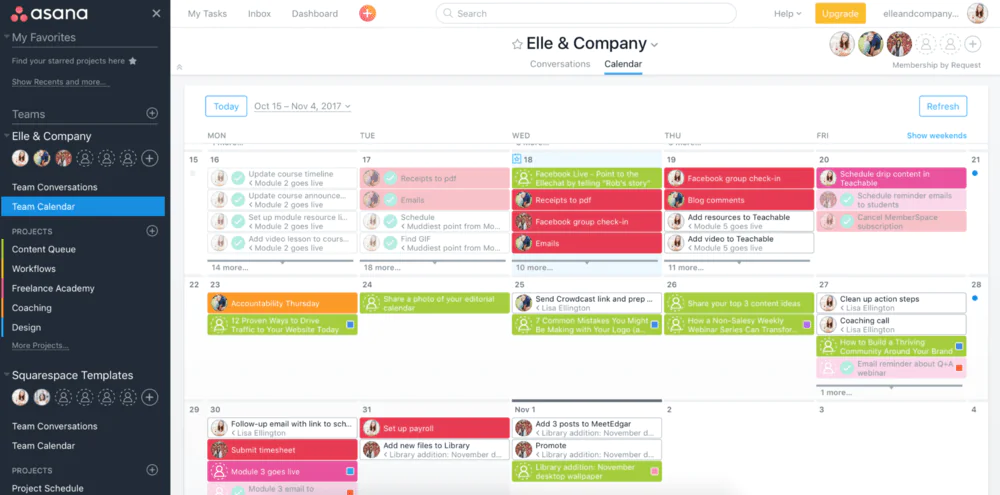
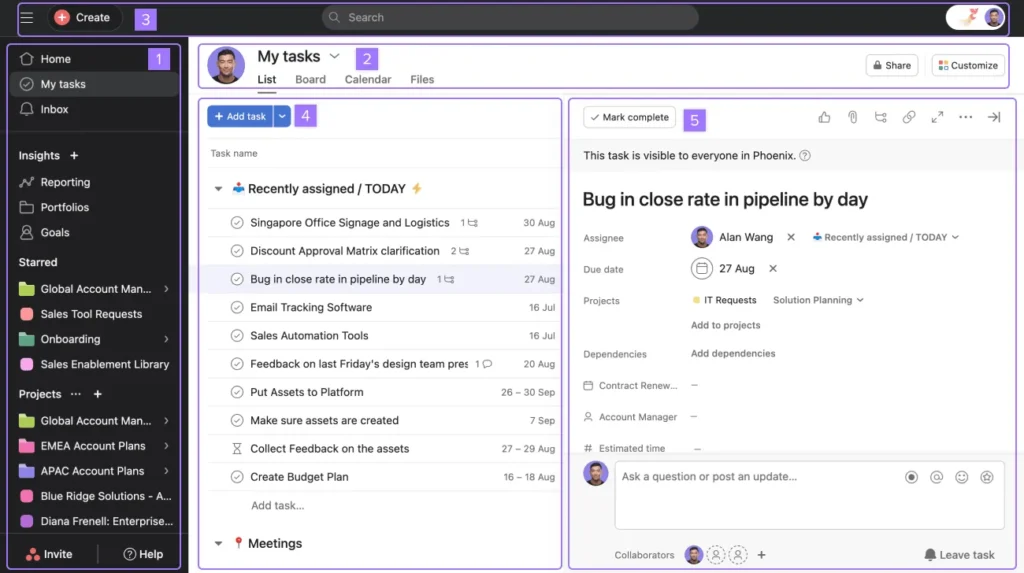
Asana wins this category clearly — and it’s not close. Asana’s interface is clean, modern, and intuitive. A new team member can create their first project, assign tasks, and set deadlines within 10 minutes of signing up. No tutorial needed. The learning curve is almost flat.
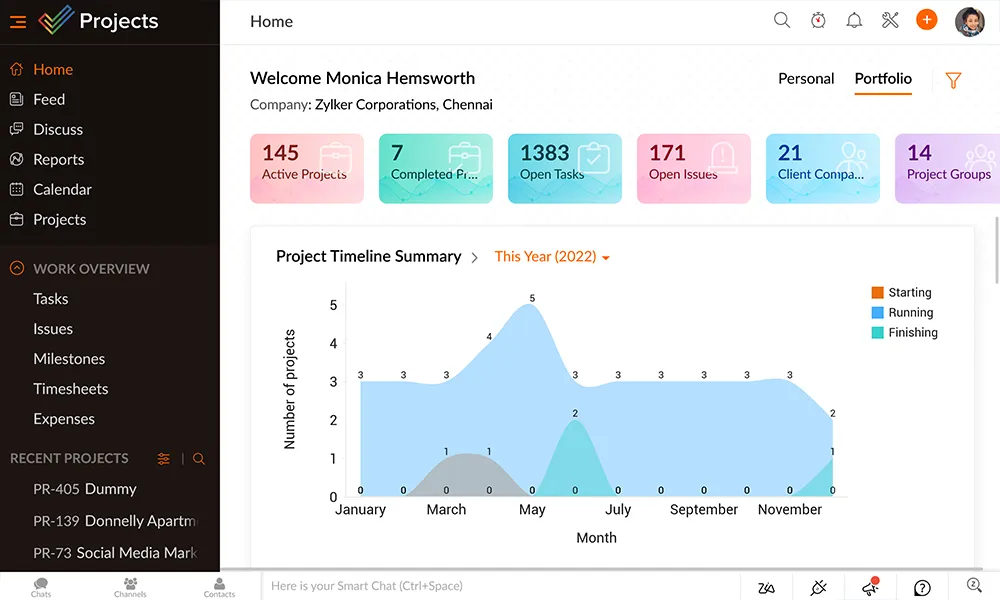
Zoho Projects is more powerful — but it shows. The interface feels denser, options are more buried, and the initial setup takes noticeably longer. If you’ve used Zoho CRM or Zoho Books before, you’ll feel at home faster. If you’re coming in fresh, expect 2-3 days before your team feels comfortable. This is the #1 reason teams pick Asana over Zoho even when Zoho is cheaper.
| In my experience: I tried onboarding a 4-person team onto Zoho Projects. Two people figured it out fine. Two people kept asking ‘wait, where do I find X?’ for the first week. Same team on Asana — everyone was independent by day 2. Ease of use is a real cost too, even if it doesn’t show up on a pricing page. |
Key Features: Where Each Tool Wins
Where Zoho Projects Wins
- Built-in time tracking — available on all paid plans, no integration needed
- Cheaper at $4/user/month — saves real money for budget teams
- Zoho ecosystem — connects with Zoho CRM, Zoho Books, Zoho Cliq seamlessly
- Blueprint — visual workflow Automate your task that guides tasks step by step
- Better for complex projects with dependencies and milestones
Where Asana Wins
- Much easier to learn — teams adopt it faster with less training
- Unlimited automations from the Starter plan — no monthly run caps
- Cleaner interface — beautiful UI that teams actually enjoy using
- Better mobile app — more full-featured on iOS and Android
- Stronger third-party integrations — Slack, Google Workspace, Zoom, Zapier
- AI features for task generation and project summaries on paid plans
Zoho Projects vs Asana — Who Should Choose Which?
| Choose ZOHO PROJECTS if you:• Are already using other Zoho apps (CRM, Books, Campaigns)• Have a technical team comfortable with a steeper setup curve• Need built-in time tracking from $4/user/month• Are managing complex projects with lots of dependencies• Have a tight budget and need PM features at the lowest price• Run a mid-size business (10-50 people) with structured workflows |
| Choose ASANA if you:• Are new to project management tools — easiest to adopt• Have a small creative team: designers, marketers, content writers• Need your whole team up and running in 1-2 days• Value a clean, beautiful interface over complex features• Are a team of 1–2 people who want a polished free plan• Need strong integrations with Slack, Google Workspace, or Zoom |
Also comparing Asana with ClickUp? We’ve got a dedicated ClickUp vs Asana: Which One Should You Choose? guide that breaks down exactly which tool wins for different team types and budgets.
Zoho Projects vs Asana — Quick FAQs
Final Verdict: Zoho Projects vs Asana — My Honest Take
After testing both tools with real teams, here’s where I land: Zoho Projects vs Asana isn’t a clear-cut winner for everyone — it depends on what your team values most.
If I was starting a small business today with 5 people and a tight budget, I’d start with Zoho Projects’ free plan — it now covers up to 5 users and 3 projects, while Asana’s free plan stops at 2 users. Give the team 2-3 weeks. If people still struggle with Zoho’s denser interface, that’s the signal to move to Asana Starter at $10.99/user/month, where adoption is much easier.
If I was running a 15-person operations team already using Zoho CRM and Zoho Books, Zoho Projects would be the obvious choice. The integration depth and time tracking make it worth learning. The $4/user/month pricing is genuinely hard to beat for what you get.
| My personal verdict in one line: For beginners and small creative teams → Asana.For budget-conscious teams and Zoho users → Zoho Projects.Neither is wrong — they’re built for different people. |
Not 100% sure yet? Compare both tools alongside ClickUp, monday.com, Trello, and Notion in our full guide to the best project management tools for small businesses — with pricing, pros/cons, and a clear recommendation for each team type.
Building a full remote team tool stack? Check out our guide to the best tools for remote teams in 2026 — covering Slack, ClickUp, Notion, Loom, Zoom, and more in one practical guide.
🔍 How We Tested This Tool
Every tool on Tool Growth is tested hands-on using real accounts — not marketing materials. We follow an 8-step review process before publishing.