| ⭐ QUICK VERDICT — 4.4 / 5HubSpot offers the best free CRM in 2026 — no question. The free plan is genuinely useful for solo founders and small teams. However, the moment you grow beyond the basics, costs escalate sharply. Starter is fair ($20/seat/mo). Professional gets expensive ($800+/mo). If you’re a small business testing CRM for the first time, start here — for free.✅ Best For: Beginners, solo founders, small sales teams | 💰 Free Plan: Yes | Paid From: $20/seat/mo |
Everyone recommends HubSpot. But is it actually right for your small business — or is it enterprise software dressed up with a free plan?
Honestly, I had the same question before I spent 3 weeks testing HubSpot properly. This hubspot review covers everything that matters for small businesses: the free CRM, the Marketing Hub, pricing traps, and a straight answer about whether the upgrade is actually worth it.
Furthermore, HubSpot is not just a CRM. It’s an entire customer platform — CRM, email marketing, website builder, sales tools, and even online courses — all in one place. Consequently, it can replace 4-5 separate tools, or it can become an expensive system nobody fully uses. Which one it becomes depends entirely on how you approach it.
What is HubSpot? — Quick Overview
| HubSpot is an all-in-one customer platform covering CRM, marketing, sales, service, and content — serving 205,000+ businesses across 135 countries. |
HubSpot was founded in 2006 and has grown into one of the most widely used business software platforms in the world. Additionally, it’s organized into six product ‘Hubs’ — Marketing, Sales, Service, Content, Data, and Commerce — that sit on top of a central Smart CRM.
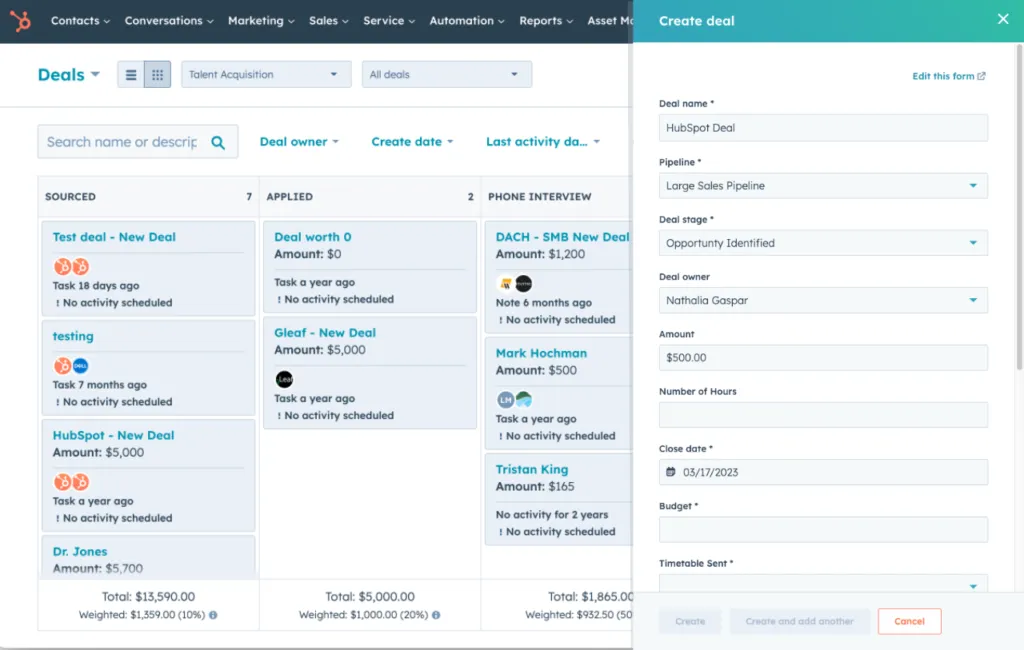
The key thing to understand: HubSpot is modular. You can start with just the free CRM, add Marketing Hub later, and scale from there. Furthermore, all your data stays connected across Hubs automatically — which is genuinely valuable as your business grows.
- Free CRM — contact management, deals, email tracking
- Marketing Hub — email campaigns, automation, landing pages
- Sales Hub — pipeline management, sequences, meeting scheduling
- Service Hub — help desk, live chat, customer support
- Content Hub — website builder, blog, SEO tools
- HubSpot Academy — free certification courses
HubSpot CRM Review — Is the Free Plan Actually Good?
| Yes — HubSpot’s free CRM is the best no-cost CRM available in 2026. However, the 2-user limit and lack of automation mean most teams will outgrow it within 6-12 months. |
I tested the HubSpot free CRM with a real contact list and real deals. Honestly, I was impressed. The interface is clean, onboarding takes less than 30 minutes, and the contact timeline — showing every email, call, and activity — is genuinely useful from day one.
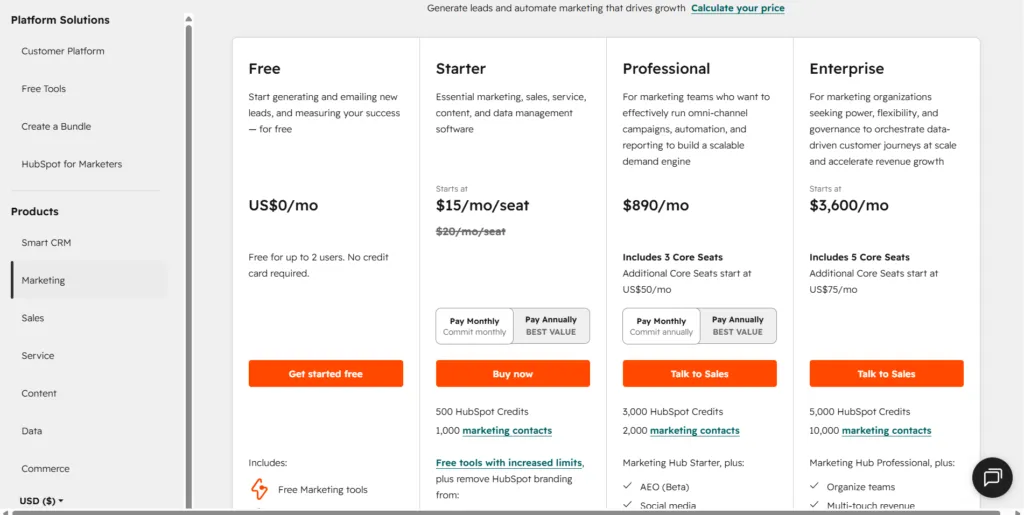
However, two limitations hit immediately. First, the 2-user cap. If your team has 3+ people, someone gets locked out unless you upgrade. Second, every email, form, and chat widget shows ‘Powered by HubSpot’ branding — which looks unprofessional for client-facing work.
| Feature | Free Plan | Starter Plan ($20/seat/mo) |
| Users | 2 users max | Paid per seat ($20/seat/mo) |
| Contacts | 1,000,000 contacts | 1,000 marketing contacts |
| Email sends | 2,000 emails/month | 5x contact tier/month |
| Automation | ❌ No automation | ✅ Basic automation |
| HubSpot Branding | ❌ On all emails/forms | ✅ Removed |
| Reporting | Basic dashboard only | ✅ Custom reports |
| Landing Pages | ✅ With HubSpot branding | ✅ Without branding |
| Live Chat | ✅ With HubSpot branding | ✅ Without branding |
| Meeting Scheduler | ✅ 1 type only | ✅ Multiple types |
| Onboarding Fee | $0 | $0 (Starter only) |
| Best For | Solo users testing CRM | Small teams ready to grow |
Comparing HubSpot Free against other free CRM options? Moreover, our guide to the best free CRM for small businesses covers HubSpot, Zoho, Brevo, Freshsales, and Bitrix24 side-by-side.
HubSpot CMS Review — Website Builder Worth It?
| HubSpot’s CMS (now called Content Hub) is powerful but expensive. For small businesses, WordPress is cheaper and more flexible. HubSpot CMS makes sense only if you’re already deep in the HubSpot ecosystem. |
The HubSpot CMS review answer depends entirely on your situation. The drag-and-drop website builder is clean and easy to use — no coding required. Additionally, it integrates natively with your CRM, so every form submission and page visit is tracked automatically in your contact records.
However, the price is the problem. Content Hub Starter starts at $20/month, but to get serious website features you need Professional at $500/month. That’s a significant investment for a small business that can get a WordPress site with equal functionality for $10-15/month.
HubSpot Marketing Hub Review — Features & Pricing
| Marketing Hub is HubSpot’s strongest product — but also its most expensive. Starter at $20/seat/month is reasonable. Professional at $800/month (for 2,000 contacts) is where small businesses hit a wall. |
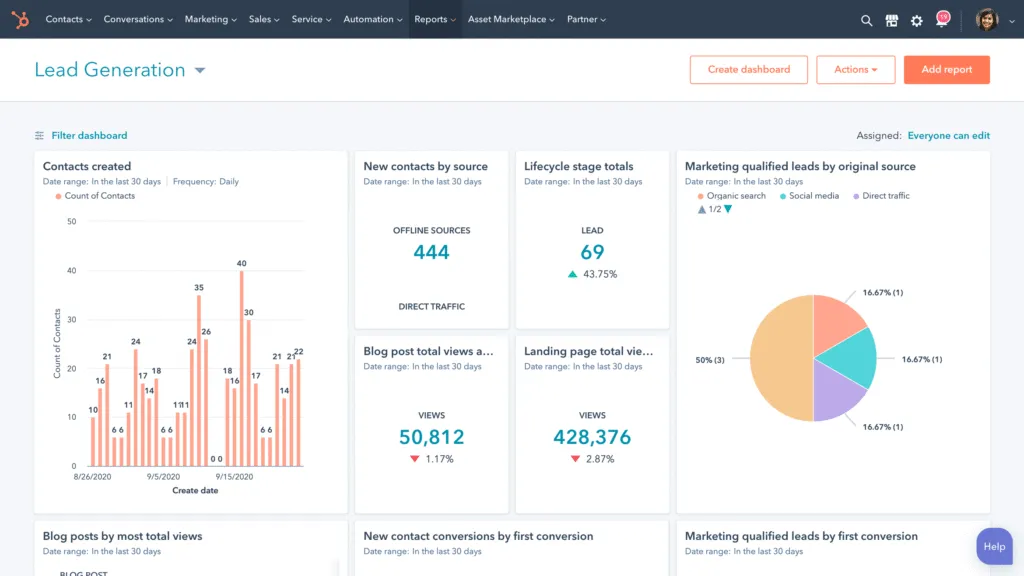
The HubSpot Marketing Hub review starts well. Email marketing, landing pages, forms, live chat, basic automation, and social media scheduling are all available. Furthermore, the reporting connects marketing activity directly to CRM deals — showing you which campaigns actually generated revenue. That kind of attribution is genuinely valuable.
Nevertheless, the pricing escalation is real. The contact-based billing model means costs rise automatically as your list grows. A business with 20,000 marketing contacts pays approximately $1,700/month for Marketing Hub Professional alone. Additionally, there’s a mandatory $3,000 onboarding fee for new Professional subscribers.
- 💰 Starter: $20/seat/month — email, basic automation, forms
- 💰 Professional: $800/month base — full automation, SEO, social, A/B testing
- 💰 Enterprise: $3,600/month — custom objects, predictive lead scoring
- ⚠️ Note: Professional requires $3,000 mandatory onboarding fee
Before committing to HubSpot Marketing Hub, compare it with dedicated email tools. Our guide to the best email marketing tools for small businesses in 2026 covers MailerLite, Brevo, and others that may offer better value for email-focused businesses.
HubSpot Academy Review — Free Courses Worth Your Time?
| HubSpot Academy is one of the best free business education resources available. Certifications are genuinely respected and the courses are practical, not theoretical. |
The HubSpot Academy review is the most straightforward section of this post — it’s excellent and completely free. HubSpot Academy offers 100+ courses and certifications covering inbound marketing, email marketing, content strategy, sales, CRM, and more.
Consequently, even if you never pay for HubSpot’s software, the free certifications alone are worth your time. Furthermore, the Inbound Marketing Certification is widely recognized in the marketing industry and looks strong on a professional profile. Most courses take 2-6 hours and include practical exercises, not just theory.
| Completely free |
|---|
| ✅ Completely free — no HubSpot subscription required✅ Certificates downloadable and shareable on LinkedIn✅ Regularly updated to reflect current best practices✅ Covers HubSpot tools AND general business/marketing skills |
Is HubSpot a Good CRM? (Short Answer)
Yes — HubSpot is a very good CRM, especially at the start. The free plan gives 1–2 person teams a clean contact timeline, deal pipeline, and email tracking at zero cost, and Starter at $20/seat/month adds automation and removes HubSpot branding.
- Great fit: solo founders and small teams who want CRM, email, and pipeline in one place and are happy to start free.
- Good fit with a budget check: growing teams on Starter — the cost rises per seat as you add people.
- Poor fit: budget-conscious teams that need advanced automation, because Marketing Hub Professional starts at $800/month plus a $3,000 onboarding fee.
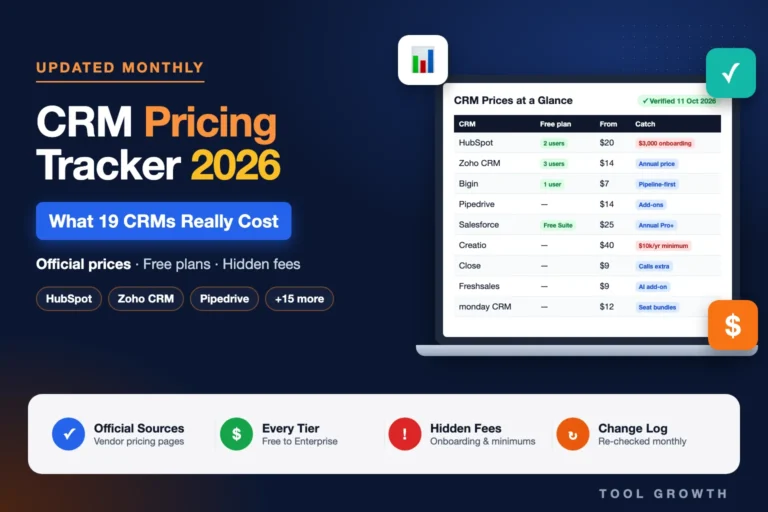
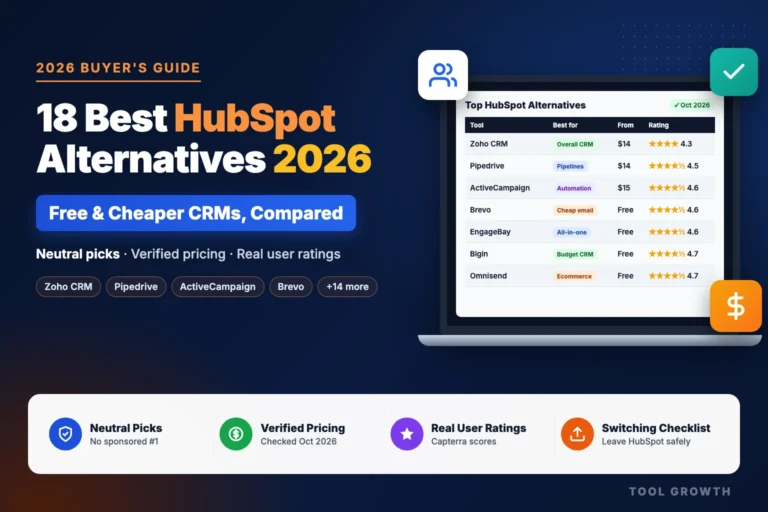
If HubSpot’s paid plans are out of reach, see our tested list of the best HubSpot alternatives — including cheaper CRMs with free plans for larger teams. Our CRM pricing tracker compares HubSpot’s current prices with 18 other CRMs.
HubSpot Pros and Cons — Honest Verdict
HubSpot’s free CRM is outstanding. The paid plans are powerful but expensive for small businesses — especially once you hit Professional tier pricing.
| ✅ PROS | ❌ CONS |
| ✅ Best free CRM available — unlimited contacts, real features | ❌ Free plan limited to 2 users — teams of 3+ must pay |
| ✅ All-in-one platform — CRM, email, website, sales in one place | ❌ HubSpot branding on all free emails, forms, and chat |
| ✅ 2,000+ native integrations — connects to almost every tool | ❌ Professional plans expensive — $800+/month base price |
| ✅ HubSpot Academy — free courses and respected certifications | ❌ Mandatory $3,000 onboarding fee for Professional tier |
| ✅ Clean, beginner-friendly interface — easy to learn | ❌ Contact-based billing — costs rise automatically as list grows |
| ✅ Breeze AI tools included — task summaries, content drafts | ❌ CMS (Content Hub) overpriced compared to WordPress alternatives |
| ✅ No contract required on Starter — flexible monthly billing | ❌ Can feel overwhelming — 6 Hubs with hundreds of features |
| ✅ Scales from 1 person to enterprise without switching platforms | ❌ Annual commitment required for Professional and Enterprise |
Who Should Use HubSpot in 2026?
| HubSpot is ideal for small businesses ready to organize their sales and marketing in one place. It’s overkill for very simple needs and too expensive for budget-constrained teams who just need one specific tool. |
Still comparing HubSpot with other CRM options? Our full guide to the best CRM tools for small businesses in 2026 compares HubSpot,Zoho CRM, Brevo, Pipedrive, and Freshsales — with pricing, free plans, and a clear verdict.
HubSpot Review Reddit — What Real Users Say
Reddit users consistently praise HubSpot’s free CRM but express frustration with paid pricing escalation. The most common complaint: ‘It’s great until you need to upgrade.’
Looking at HubSpot review Reddit threads across r/CRM, r/smallbusiness, and r/marketing, the pattern is clear. Furthermore, the overwhelming sentiment is: HubSpot Free is genuinely impressive, but the pricing jump to Professional feels aggressive.
Consequently, many Reddit users recommend the same strategy: start on HubSpot Free, use it for 6-12 months, then evaluate whether the Starter upgrade ($20/seat/month) or switching to one of the best HubSpot alternatives makes more sense for your specific use case.
The recurring themes we saw in these discussions (paraphrased, not direct quotes):
- The free CRM is widely seen as the best free option available.
- The most frequent complaint: it works well until you need automation, then costs jump fast.
- A popular budget setup: HubSpot Free for CRM plus a cheaper tool like MailerLite for email.
- HubSpot Academy certifications are often recommended even to people who don’t use HubSpot.
Final Verdict — Our HubSpot Review Rating
| Category | Rating | Score |
| Free CRM Quality | ★★★★★ Best free CRM available | 4.8 / 5 |
| Ease of Use | ★★★★☆ Clean, beginner-friendly | 4.3 / 5 |
| Features Depth | ★★★★★ Most comprehensive platform | 4.9 / 5 |
| Pricing Fairness | ★★★☆☆ Free great, paid gets expensive | 3.2 / 5 |
| Integrations | ★★★★★ 2,000+ native connections | 4.8 / 5 |
| Customer Support | ★★★★☆ Good docs, responsive | 4.2 / 5 |
| OVERALL | ★★★★☆ Highly Recommended | 4.4 / 5 |
After 3 weeks of hands-on testing
my HubSpot review conclusion is this: HubSpot earns its reputation — but only if you use it strategically. The free CRM is genuinely the best no-cost option in 2026. Consequently, there’s no reason not to start there.
However, be clear-eyed about the upgrade path. Starter at $20/seat/month is fair and worth it when you need automation and branding removal. Professional at $800+/month is a big commitment that only makes sense for businesses with established sales and marketing operations.
Therefore, my recommendation: start HubSpot Free today. Use it for 3-6 months. When you hit the 2-user limit or need automation, upgrade to Starter. Revisit Professional only when your revenue can comfortably support a $800+/month investment in your marketing stack.
| ⭐ Final HubSpot Review Rating: 4.4 / 5✅ Best plan to start: HubSpot Free — zero cost, no credit card, no expiry✅ Best paid plan: Starter at $20/seat/month (no onboarding fee)⚠️ Only consider Professional if your monthly revenue is $10,000+👉 Start free at hubspot.com — takes less than 30 minutes to set up |
| 💬 Was This HubSpot Review Helpful? Drop a comment below — are you currently on HubSpot Free or paying for a plan? Share your experience!And if this review saved you research time, share it with someone who’s evaluating CRM tools right now. 👇 |
New to CRM entirely? Before signing up for HubSpot, read our what is CRM software? Beginner’s Guide — which explains what CRM does, who needs it, and how to choose the right starting point.
🔍 How We Tested This Tool
Every tool on Tool Growth is tested hands-on using real accounts — not marketing materials. We follow an 8-step review process before publishing.